 极客教程
极客教程jQuery Mobile的Column-Toggle Table enhanced选项
jQuery Mobile是一个基于HTML5的用户界面系统,旨在使响应式网站和应用程序在所有智能手机、平板电脑和桌面设备上都能访问。Column-Toggle表格部件允许在带有复选框的Column按钮的帮助下,隐藏/显示不太重要的列。
在这篇文章中,我们将学习jQuery Mobile的Column-Toggle Table增强选项。增强选项表示列切换所需的标记。默认值是false。如果设置为true,表格就会缩小,列按钮就会消失。
语法 。增强选项取一个布尔值,并以如下方式初始化。
$("#gfg-table-column-toggle").table-columntoggle({
    enhanced: true,
});
- 要在初始化后获得增强选项,请使用以下语法。
var enhancedOpt = $("#gfg-table-column-toggle")
.table-columntoggle("option", "enhanced");
- 要在初始化后设置增强选项,请使用以下语法。
$("#gfg-table-column-toggle")
.table-columntoggle("option", "enhanced", "true");
CDN链接。为你的jQuery Mobile项目使用以下CDN。
<link rel=”stylesheet” href=”https://code.jquery.com/mobile/1.4.5/jquery.mobile-1.4.5.min.css” />
<script src=”https://code.jquery.com/jquery-1.11.1.min.js”></script>
<script src=”https://code.jquery.com/mobile/1.4.5/jquery.mobile-1.4.5.min.js”></script>
例子:在这个例子中,我们将enhanced选项设置为true。
<!DOCTYPE html>
<html lang="en">

<head>
    <meta charset="UTF-8" />
    <meta http-equiv="X-UA-Compatible"
          content="IE=edge" />
    <meta name="viewport"
          content="width=device-width, initial-scale=1.0" />
    <link rel="stylesheet"
          href=
"https://code.jquery.com/mobile/1.4.5/jquery.mobile-1.4.5.min.css" />
    <script src=
"https://code.jquery.com/jquery-1.11.1.min.js">
    </script>
    <script src=
"https://code.jquery.com/mobile/1.4.5/jquery.mobile-1.4.5.min.js">
    </script>
</head>

<body>
    <div data-role="page" id="gfgpage">
        <div data-role="header">
            <h1 style="color: green;">GeeksforGeeks</h1>
        </div>
        <div data-role="main" class="ui-content">
            <h3>jQuery Mobile Column-Toggle Table enhanced Option</h3>
            <table data-role="table"
                   id="gfg-table-column-toggle"
                   data-mode="columntoggle"
                   class="ui-responsive table-stroke"
                   data-enhanced="true">
                <thead>
                    <tr>
                        <th>Sl No.</th>
                        <th>Article Title</th>
                        <th data-priority="2">Category</th>
                        <th data-priority="1">Topic</th>
                    </tr>
                </thead>
                <tbody>
                    <tr>
                        <th>1</th>
                        <td><a href=
"https://www.geeksforgeeks.org/hashing-data-structure/">
                            Hashing Data Structure</a>
                        </td>
                        <td>Coding</td>
                        <td>Data Structures</td>
                    </tr>
                    <tr>
                        <th>2</th>
                        <td><a href=
  "https://www.geeksforgeeks.org/graph-data-structure-and-algorithms/">
                            Graph Data Structure And Algorithms</a>
                        </td>
                        <td>Coding</td>
                        <td>Data Structures</td>
                    </tr>
                    <tr>
                        <th>3</th>
                        <td><a href=
  "https://www.geeksforgeeks.org/ml-multiple-linear-regression-using-python/">
                            ML | Multiple Linear Regression using Python</a>
                        </td>
                        <td>Machine Learning</td>
                        <td>Supervised Learning</td>
                    </tr>
                    <tr>
                        <th>4</th>
                        <td><a href=
 "https://www.geeksforgeeks.org/implementing-dbscan-algorithm-using-sklearn/">
                            Implementing DBSCAN algorithm using Sklearn</a>
                        </td>
                        <td>Machine Learning</td>
                        <td>Unsupervised Learning</td>
                    </tr>
                </tbody>
            </table>
        </div>
    </div>
    <script>
        $("#gfg-table-column-toggle").table-columntoggle({
            enhanced: true,
        });
    </script>
</body>

</html>
输出
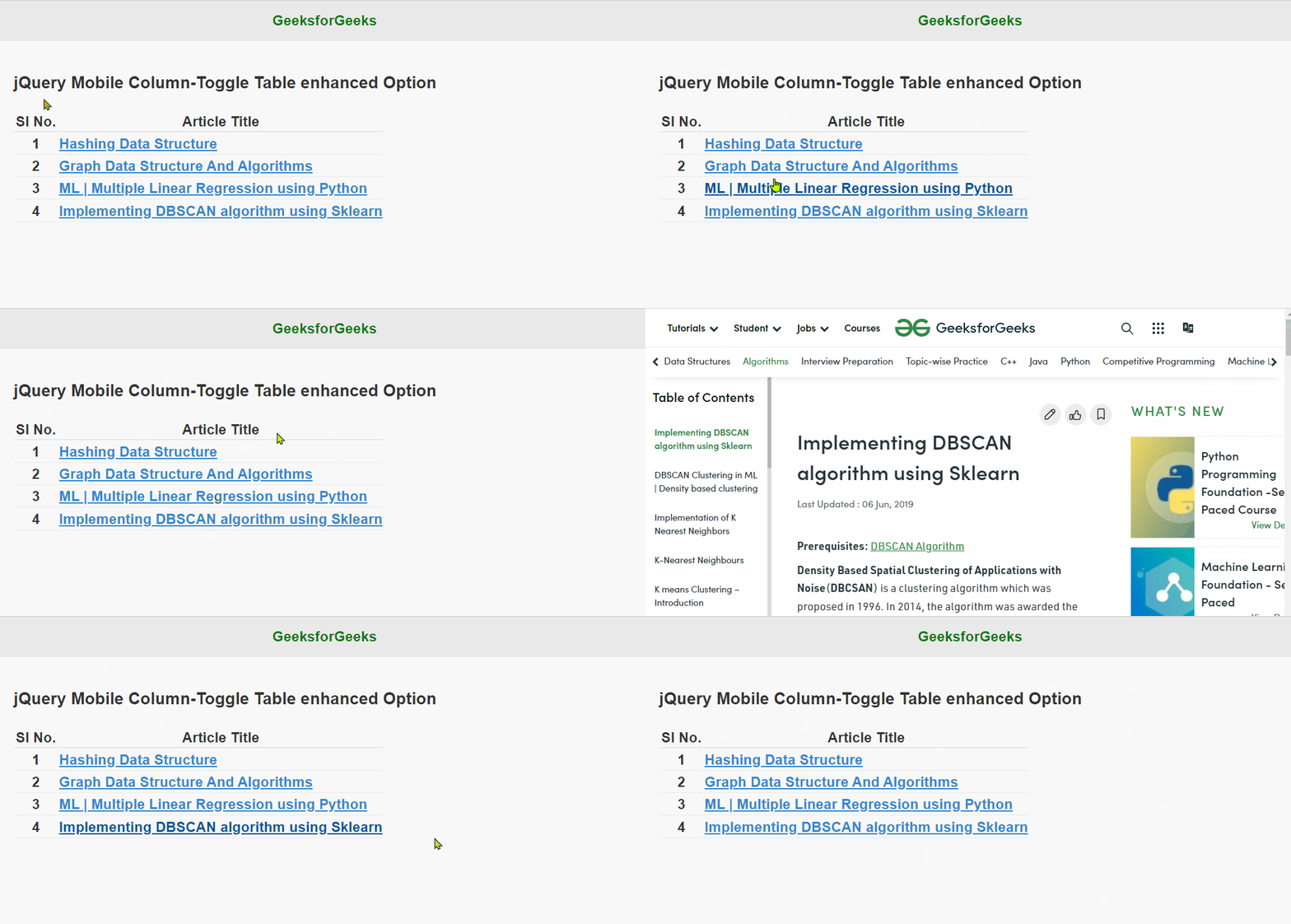
jQuery Mobile的Column-Toggle Table enhanced选项