极客教程
极客教程jQuery Mobile Table的classes选项
jQuery Mobile是一种基于网络的技术,用于制作可在所有智能手机、平板电脑和台式机上访问的响应式内容。jQuery Mobile中的TableWidgets可以用来设计一个响应式的表格,可以轻松地适应所有尺寸的屏幕。
在这篇文章中,我们将使用jQuery Mobile Table的classes选项来为Widget的元素添加额外的类。它是一个对象类型。
语法:用指定的classes选项初始化表。
$( ".selector" ).table({
"classes.Name": "GeeksforGeeks"
});
- 设置classes选项。
$( ".selector" ).table( "option",
    "classes.Name", "GeeksforGeeks" );
- 获得classes选项。
var disabled = $( ".selector" ).table( "option", "classes.Name" );
CDN链接:首先,添加你的项目需要的jQuery Mobile脚本。
<link rel=”stylesheet” href=”//code.jquery.com/mobile/1.4.5/jquery.mobile-1.4.5.min.css”>
<script src=”//code.jquery.com/jquery-1.10.2.min.js”></script>
<script src=”//code.jquery.com/mobile/1.4.5/jquery.mobile-1.4.5.min.js”></script>
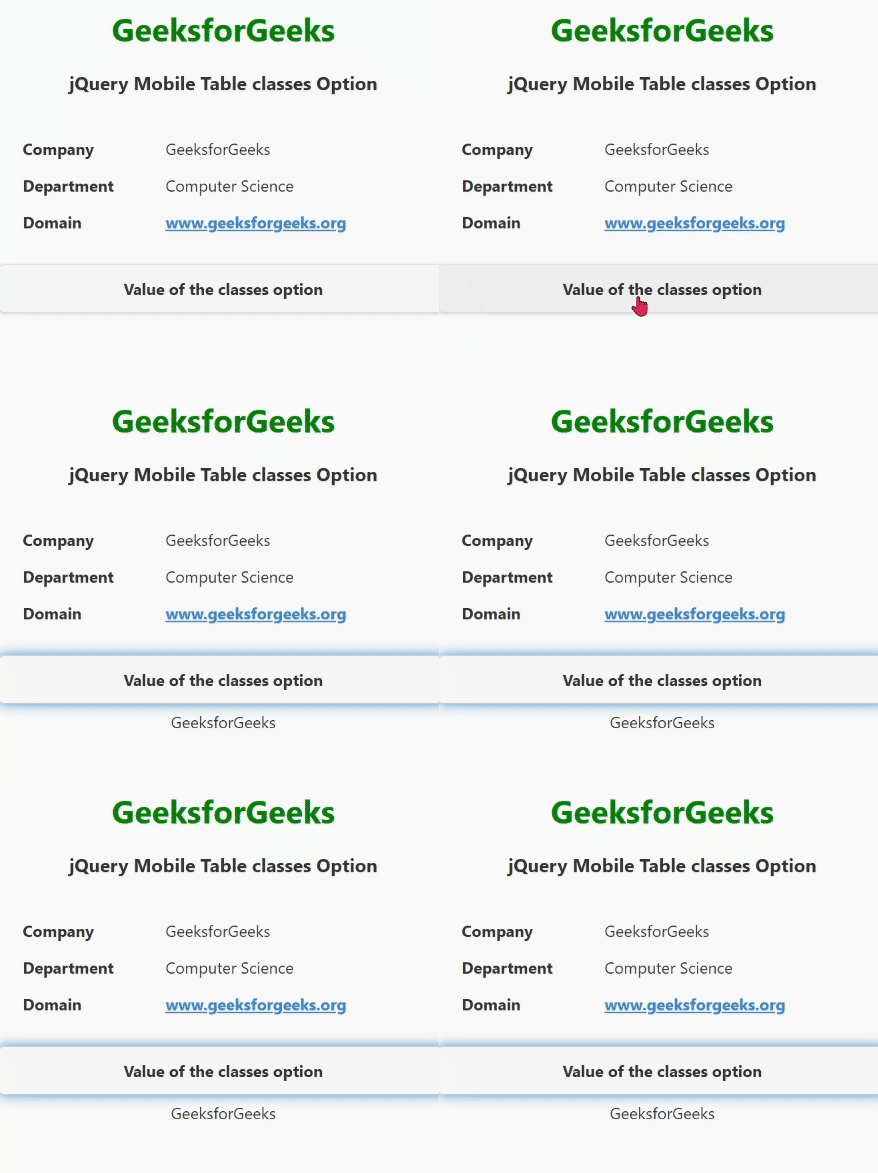
例子:这个例子描述了jQuery Mobile Table classes选项。
<!doctype html>
<html lang="en">

<head>
    <meta charset="utf-8">
    <meta name="viewport" content=
"width=device-width, initial-scale=1">
    <title>table demo</title>
    <link rel="stylesheet" href=
"https://code.jquery.com/mobile/1.5.0-alpha.1/jquery.mobile-1.5.0-alpha.1.min.css">
    <script src=
"https://code.jquery.com/jquery-3.2.1.min.js">
    </script>
    <script src=
"https://code.jquery.com/mobile/1.5.0-alpha.1/jquery.mobile-1.5.0-alpha.1.min.js">
    </script>
</head>

<body>
    <center>
        <div data-role="page">
            <h1 style="color:green;">
                GeeksforGeeks
            </h1>
            <h3>jQuery Mobile Table classes Option</h3>
            <div data-role="header" id="GFG">
                <div role="main" class="ui-content">
                    <table data-role="table">
                        <thead>
                            <tr>
                                <th>Company</th>
                                <th>Department</th>
                                <th>Domain</th>
                            </tr>
                        </thead>
                        <tbody>
                            <tr>
                                <td>GeeksforGeeks</td>
                                <td>Computer Science</td>
                                <td><a href="https://www.geeksforgeeks.org/"
                                        data-rel="external">
                                        www.geeksforgeeks.org
                                    </a>
                                </td>
                            </tr>
                        </tbody>
                    </table>
                </div>
            </div>
            <input type="button" id="Button"
                   value="Value of the classes option">
            <div id="log"></div>
        </div>
    </center>
    <script>
        (document).ready(function () {
            ("#GFG").table({
                classes: {
                    "classes.Name": "GeeksforGeeks"
                }
            });
            ("#GFG").table("option", "classes.Name", "GeeksforGeeks");
            ("#Button").on('click', function () {
                var a = ("#GFG").table("option", "classes.Name");
                ("#log").html(a);
            });
        });
    </script>
</body>

</html>
输出: