极客教程
极客教程jQuery Mobile popup create事件
jQuery Mobile是一套基于HTML5的用户界面系统,为移动设备、标签和桌面创建响应式内容而开发。它是建立在jQuery的基础上的。在这篇文章中,我们将使用jQuery Mobile Popup create事件,该事件在弹出窗口创建时触发。
回调参数:回调函数接受一个event类型的参数和一个UI对象。UI对象是空的,它包括在整个jQuery Mobile库中与其他事件的一致性。
语法:
- 用指定的创建回调初始化弹出窗口。
$(".selector").popup({
   create: function( event, ui ) {
      // Your code here
  }
});
- 为popupcreate事件绑定一个事件监听器。
$(".selector").on( "popupcreate", function( event, ui ) {} );
参数:它接受一个持有两个参数的回调函数。
- event。它接受事件类型值。
- ui。它接受对象类型的值。ui对象可以是空的,但为了与其他事件保持一致而使用。
CDN 链接:
<link rel=”stylesheet” href=”https://code.jquery.com/mobile/1.4.5/jquery.mobile-1.4.5.min.css” />
<script src=”https://code.jquery.com/jquery-2.1.3.js”></script>
<script src=”https://code.jquery.com/mobile/1.4.5/jquery.mobile-1.4.5.js”></script>
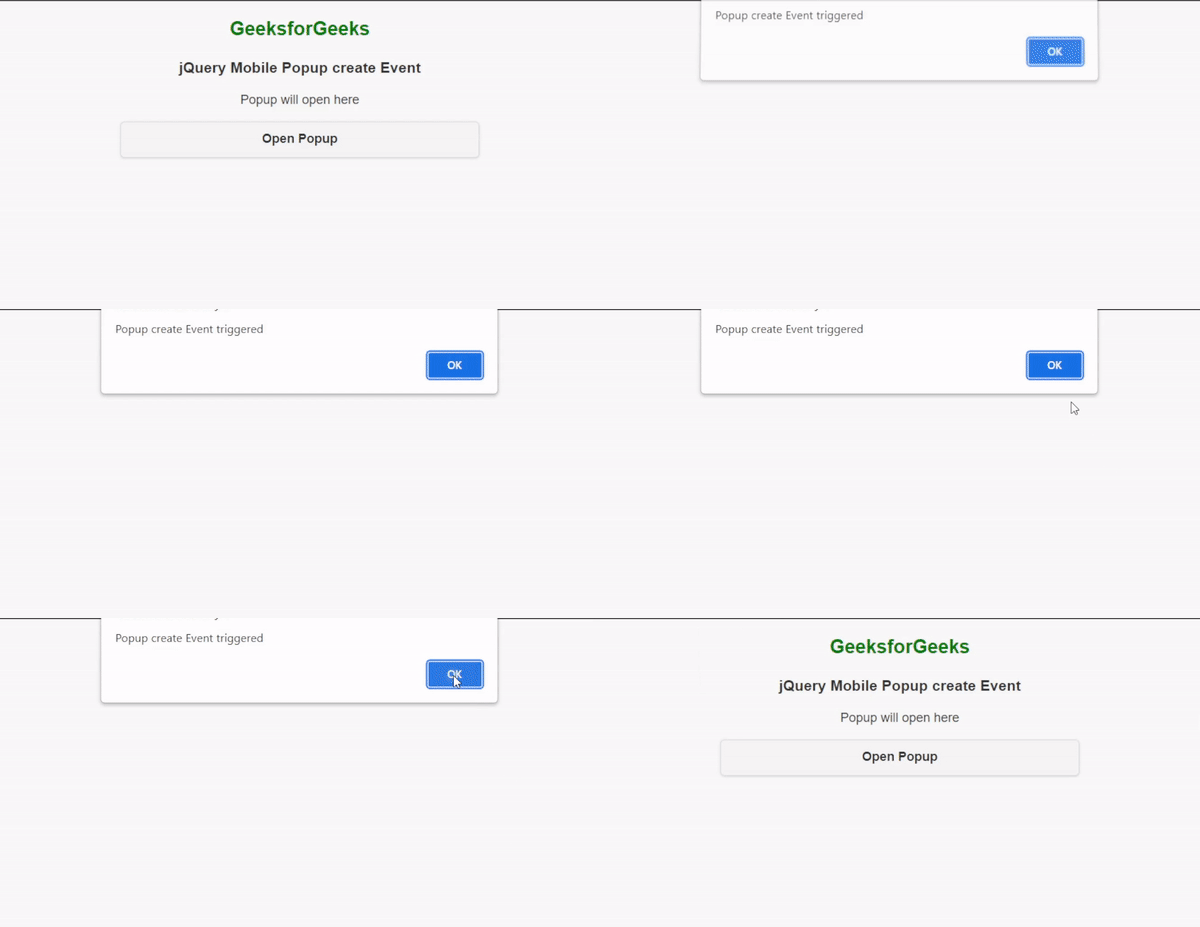
例子:下面的例子演示了Popup create事件的使用。
<!DOCTYPE html>
<html lang="en">

<head>
    <meta charset="UTF-8" />
    <meta http-equiv="X-UA-Compatible" content="IE=edge" />
    <meta name="viewport" content=
          "width=device-width, initial-scale=1.0" />
    <title>Popup - create Event</title>

    <link rel="stylesheet" href=
"https://code.jquery.com/mobile/1.4.5/jquery.mobile-1.4.5.min.css" />
    <script src=
 "https://code.jquery.com/jquery-2.1.3.js">
    </script>
    <script src=
 "https://code.jquery.com/mobile/1.4.5/jquery.mobile-1.4.5.js">
    </script>
</head>

<body>
    <div data-role="page">
        <center>
            <h2 style="color:green">GeeksforGeeks</h2>
            <h3>jQuery Mobile Popup create Event</h3>

            <p id="target">Popup will open here</p>

            <div data-role="popup" id="popup1">
                <p>Welcome to GeeksforGeeks</p>
            </div>

            <button style="width: 450px;" onclick="openPopup()">
                Open Popup
            </button>
        </center>
    </div>

    <script>

        // Popup create event.
        ("#popup1").popup({
            create: function (event, ui) {
                alert("Popup create Event triggered");
            }
        });

        // A function to open the popup.
        function openPopup() {
            ("#popup1").popup("open", { positionTo: "#target" });
        }
    </script>
</body>

</html>
输出: