 极客教程
极客教程jQuery Mobile Filterable的defaults选项
jQuery UI是一种基于网络的技术,由各种GUI部件、视觉效果和主题组成。这些功能可以使用jQuery JavaScript库来实现。jQuery UI是为网页建立UI界面的最佳工具。它也可以用来建立高度互动的网络应用程序,或者可以用来轻松地添加小工具。
在这篇文章中,我们将学习jQuery Mobile的Filterable defaults选项。defaults选项表示其他widgets选项有默认值,并导致jQuery Mobile的widget自动增强代码省略了从数据属性检索选项值的步骤。
语法:
defaults选项需要一个布尔类型的值,语法如下。
$( ".selector" ).filterable({ defaults: true });
- 获取默认选项。
var defaults = $( ".selector" ).filterable( "option", "defaults" );
- 设置默认选项。
$( ".selector" ).filterable( "option", "defaults", true );
CDN链接:下面是一些jQuery Mobile脚本,你的项目将需要这些脚本,所以要把它们添加到你的项目中。
<link rel=”stylesheet” href=”https://code.jquery.com/mobile/1.4.5/jquery.mobile-1.4.5.min.css” />
<script src=”http://code.jquery.com/jquery-1.11.0.min.js”></script>
<script src=”https://code.jquery.com/mobile/1.4.5/jquery.mobile-1.4.5.min.js”></script>
例子:这个例子演示了jQuery Mobile Filterable defaults选项。
<!DOCTYPE html>
<html lang="en">
  <head>
    <meta charset="utf-8">
    <meta name="viewport"
        content="width=device-width, initial-scale=1">
    <link rel="stylesheet"
          href=
"https://code.jquery.com/mobile/1.4.5/jquery.mobile-1.4.5.min.css" />
    <script src=
"http://code.jquery.com/jquery-1.11.0.min.js">
    </script>
    <script src=
"https://code.jquery.com/mobile/1.4.5/jquery.mobile-1.4.5.min.js">
    </script>

    <script>
        (document).ready(function () {

            (".items").filterable({
                defaults: true
            });
            (".btnclass").bind("click", function () {
                var defaults =( ".items" ).filterable( "option", "defaults" );
                $("#divID").html("<b>Defaults Value:" +
                    defaults + "</b>"
                );
            });
        });
    </script>
</head>
<body>
<center>
        <div data-role="page" id="page1">
            <div>
                <h1 style="color:green;">GeeksforGeeks</h1>
                <h3>
                    jQuery Mobile Filterable defaults Option
                </h3>
            </div>
            <div role="main" class="ui-content">
                <div >
                    <ul class="items" style="list-style-type:none;">
                        <li>
                            <a href=
"https://www.geeksforgeeks.org/data-structures"
                            target="_blank">
                                Data Structures
                            </a>
                        </li>
                        <li>
                            <a href=
"https://practice.geeksforgeeks.org/courses/complete-interview-preparation"
                            target="_blank">
                                Interview preparation
                            </a>
                        </li>
                        <li>
                            <a href="https://www.geeksforgeeks.org/java"
                            target="_blank">
                                Java Programming
                            </a>
                        </li>
                    </ul>
                </div>
            </div>
            <input type="button" Value="Defaults Option"
                class="btnclass" />
            <br>
            <div id="divID"></div>
        </div>
    </center>
</body>
</html>
输出:
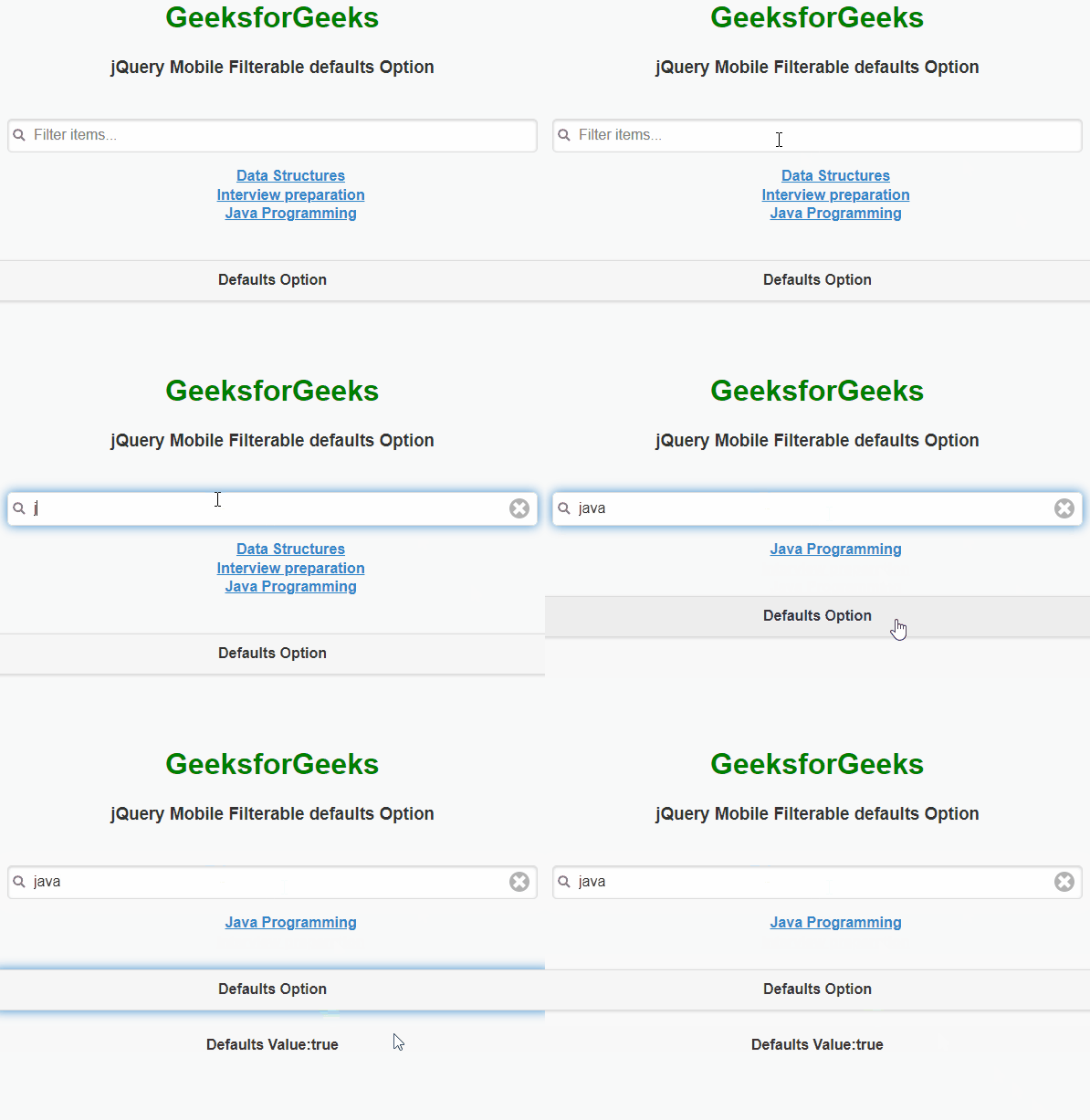
jQuery Mobile可过滤的默认值选项