极客教程
极客教程如何使用JavaScript/JQuery获得一个已经触发事件的元素的类别
给定一个HTML文档并触发了一些事件,任务是获得触发该事件的元素的类别。这里讨论了两种方法。
步骤 1:
- 在这篇文章中,我们只使用了点击事件,然而该方法可以应用于任何事件
- 在这种方法中使用了onCLick()事件。
- 这个this.getAttribute(‘class’)方法返回事件发生的元素的类别。当用户点击任何元素时,这个点击事件就会发生,我们会检测到元素的类别。
- 使用onCLick = function(this.getAttribute(‘class’))来获取特定元素的类别名称。
例子:这个例子实现了上述方法。
<!DOCTYPE html>
<html>
    <head>
        <title>
            Getting the class of the element that
            fired an event using JavaScript.
        </title>
        <style>
            #div {
                background: green;
                height: 100px;
                width: 200px;
                margin: 0 auto;
                color: white;
            }

            #gfg {
                color: green;
                font-size: 20px;
                font-weight: bold;
            }
        </style>
    </head>
    <body style="text-align: center;">
        <h1 style="color: green;">
            GeeksforGeeks
        </h1>
        <p>
            Click on the DIV box or button to get Class of
            the element that fired click event.
        </p>
        <div class="DIV" id="div"
             onClick="GFG_click(this.getAttribute('class'));">
            This is Div box.
        </div>
        <br />
        <button class="button" id="button"
                onClick="GFG_click(this.getAttribute('class'));">
            Button
        </button>
        <p id="gfg"></p>
        <script>
            var el_down = document.getElementById("gfg");
            function GFG_click(className) {
                // This function is called, when the
                // click event occurs on any element.
                // get the classname of element.
                el_down.innerHTML = "Class = " + className;
            }
        </script>
    </body>
</html>
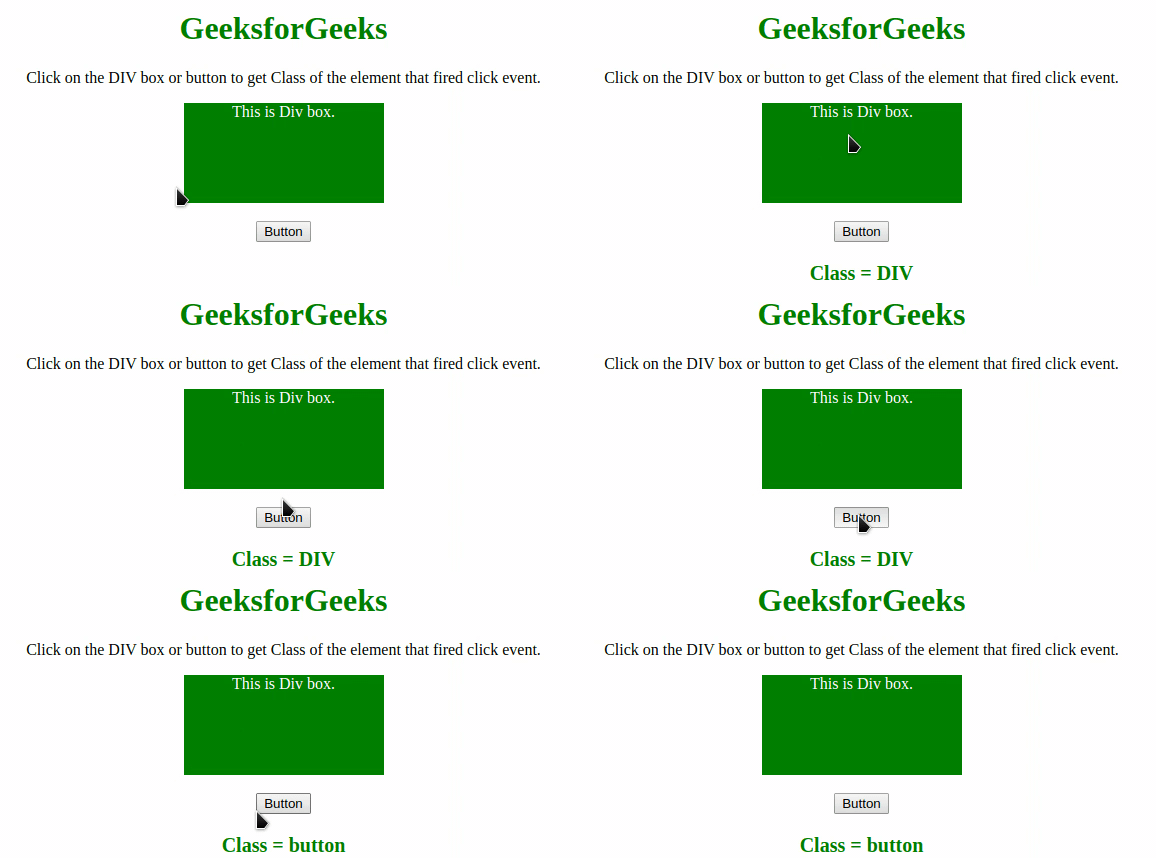
输出:
步骤 2:
- 在这种方法中使用了onCLick()事件。
- 这个 $(this).attr(‘class’) 方法返回事件发生的元素的类别。无论哪个元素发生了事件,我们都可以检测它的类。
- 使用onCLick = function($(this).attr(‘class’))来获取触发事件的元素的类别名称。
例子:这个例子实现了上述方法。
<!DOCTYPE html>
<html>
    <head>
        <title>
            Getting the class of the element that
            fired an event using JavaScript.
        </title>
        <style>
            #div {
                background: green;
                height: 100px;
                width: 200px;
                margin: 0 auto;
                color: white;
            }
            #gfg {
                color: green;
                font-size: 20px;
                font-weight: bold;
            }
        </style>
        <script src=
"https://ajax.googleapis.com/ajax/libs/jquery/3.4.1/jquery.min.js">
        </script>
    </head>
    <body style="text-align: center;">
        <h1 style="color: green;">
            GeeksforGeeks
        </h1>
        <p>
            Click on the DIV box or button to get
            Class of the element that fired click event.
        </p>
        <div class="DIV" id="div"
             onClick="GFG_click((this).attr('class'));">
            This is Div box.
        </div>
        <br />
        <button class="button" id="button"
                onClick="GFG_click((this).attr('class'));">
            Button
        </button>
        <p id="gfg"></p>
        <script>
            var el_down = document.getElementById("gfg");
            function GFG_click(className) {
                // This function is called, when the
                // Click event occurs on any element.
                // Get the class Name.
                el_down.innerHTML = "Class = " + className;
            }
        </script>
    </body>
</html>
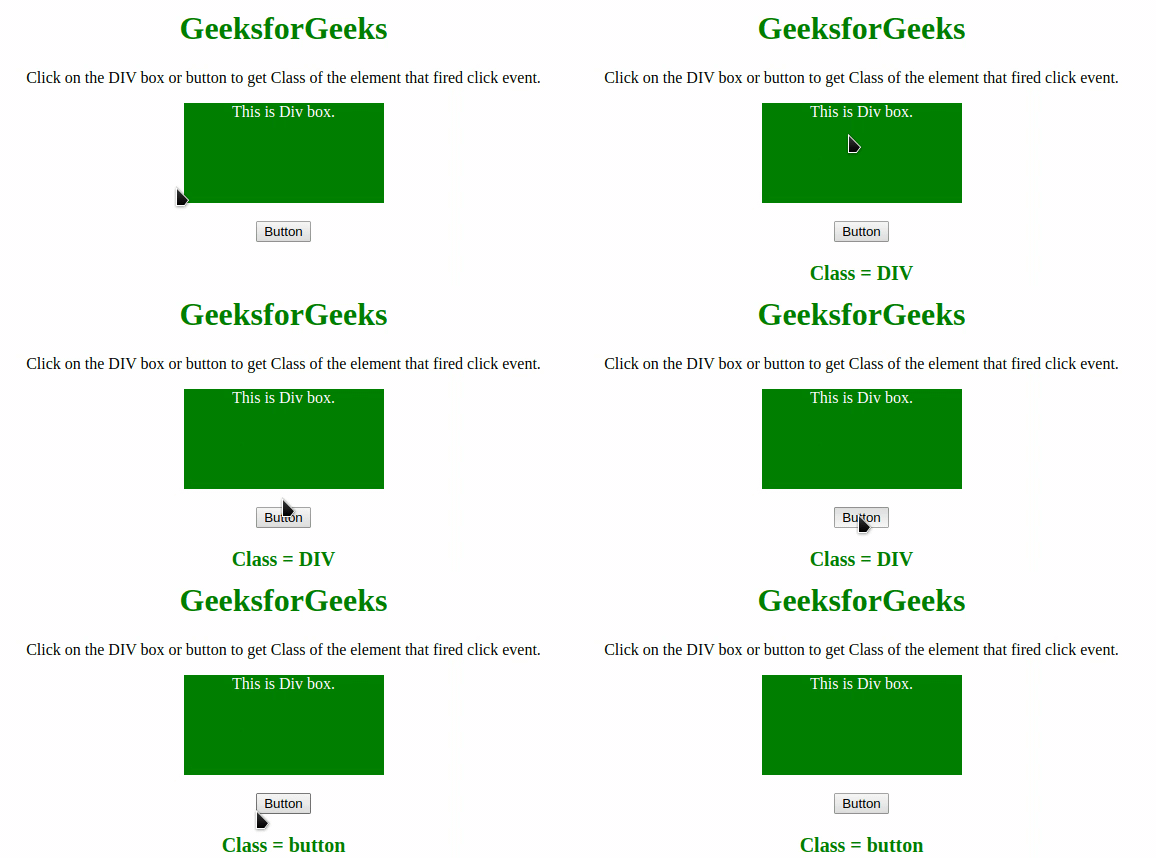
输出: