极客教程
极客教程如何在jQuery中创建一个div元素
有多种方法可以使用JQuery在HTML文档中创建HTML元素。但最简单的是append()和prepend()方法。
方法1:使用prepend()方法 : prepend()方法用于在所选元素的开头插入指定内容。
例子:这个例子使用prepend()方法在选定元素的开头创建div元素。
<!DOCTYPE html>
<html>

<head>
    <title>Create div element</title>

    <script src="
https://ajax.googleapis.com/ajax/libs/jquery/3.3.1/jquery.min.js">
    </script>

    <!-- Script to add div element in the HTML document -->
    <script>
        (document).ready(function() {

            // Select the element inside div
            // element will be added
            ("body")

            .prepend('<div class="added">This is added div </div>');
        });
    </script>

    <!-- Style to use on div element -->
    <style>
        div {
            padding: 20px;
            margin-bottom: 10px;
            border: 1px solid green;
            display: inline-block;
        }
    </style>
</head>

<body>
    <div class="initial">
        This is initial div
    </div>
</html>
输出:
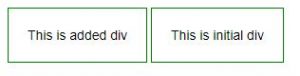
方法2:使用appendTo()方法 : jQuery中的appendTo()方法是用来在所选元素的末端插入HTML元素。
例子1:本例使用appendTo()方法在选定元素的末尾创建div元素。
<!DOCTYPE html>
<html>

<head>
    <title>Create div element</title>

    <script src="
https://ajax.googleapis.com/ajax/libs/jquery/3.3.1/jquery.min.js">
    </script>

    <!-- Script to add div element at the end of document -->
    <script>
        (document).ready(function() {
            ("<div>This is another added div</div>").appendTo("body");
        });
    </script>

    <!-- Style to use on div element -->
    <style>
        div{
            padding: 20px;
            margin-bottom: 10px;
            border: 1px solid green;
            display: inline-block;
        }
    </style>
</head>

<body>
    <div class="initial">
    This is initial div
    </div>
</body>

</html>
输出:
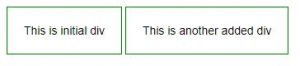
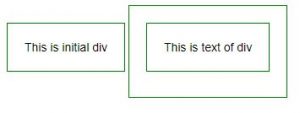
示例2:本例使用appendTo()方法在div元素中创建div元素。
<!DOCTYPE html>
<html>

<head>
    <title>Create div element</title>

    <script src="
https://ajax.googleapis.com/ajax/libs/jquery/3.3.1/jquery.min.js">
    </script>

    <!-- Script to create div element -->
    <script>
        $(document).ready(function() {
            jQuery("<div/>", {
                id: "div-id",
                class: "div-class",
                text: "This is text of div"
            }).appendTo(".box");
        });
    </script>

    <!-- Style to add on div element -->
    <style>
        div {
            padding: 20px;
            margin-bottom: 10px;
            border: 1px solid green;
            display: inline-block;
        }
    </style>
</head>

<body>
    <div class="initial">
        This is initial div
    </div>

    <div class="box"></div>
</body>

</html>
输出: