 极客教程
极客教程jQuery Mobile面板disabled选项
jQuery Mobile是一个基于HTML5的用户界面系统,旨在制作可在所有智能手机、平板电脑和桌面设备上使用的响应式网站和应用程序。Panels是用于创建列、抽屉、可折叠菜单等的部件。它们是非常灵活的部件,可以用于多种用途。
在这篇文章中,我们将学习jQuery Mobile Panel的禁用选项。禁用选项可以禁用或启用面板。
语法:禁用选项需要一个布尔值,其语法如下。如果为真,我们可以禁用该面板,反之亦然。
$("#gfgpanel").panel({

   disabled: false

});
- 获取disabled选项
var disabled = $( ".selector" ).panel( "option", "disabled" );
- 设置disabled选项
$( ".selector" ).panel( "option", "disabled", false );
CDN链接:使用以下CDN链接的jQuery Mobile项目。
<link rel=”stylesheet” href=”https://code.jquery.com/mobile/1.4.5/jquery.mobile-1.4.5.min.css” />
<script src=”https://code.jquery.com/jquery-1.11.1.min.js”></script>
<script src=”https://code.jquery.com/mobile/1.4.5/jquery.mobile-1.4.5.min.js”></script>
例子:在下面的例子中,我们有两个面板,一个面板的禁用设置为false,另一个面板设置为true。
<!DOCTYPE html>
<html lang="en">

<head>
    <meta charset="UTF-8" />
    <meta http-equiv="X-UA-Compatible" content="IE=edge" />
    <meta name="viewport" content=
        "width=device-width, initial-scale=1.0" />
    <link rel="stylesheet" href=
"https://code.jquery.com/mobile/1.4.5/jquery.mobile-1.4.5.min.css" />
    <script src=
"https://code.jquery.com/jquery-1.11.1.min.js">
    </script>
    <script src=
"https://code.jquery.com/mobile/1.4.5/jquery.mobile-1.4.5.min.js">
    </script>
</head>

<body>
    <div data-role="page">
        <div data-role="header">
            <h1 style="color:green;">GeeksforGeeks</h1>
        </div>
        <div data-role="main" class="ui-content">
            <h4>jQuery Mobile Panel disabled Option</h4>
            <a href="#gfgpanel1" data-role="button">
            Open Panel 1</a>
            <a href="#gfgpanel2" data-role="button">
            Open Panel 2</a>
        </div>
        <div data-role="panel" id="gfgpanel1">
            <div class="panel-content"></div>
            <h2>Welcome to GeeksforGeeks</h2>
            <p>Panel disabled option is false</p>


            <a href="#" data-rel="close" data-role="button">
            Close panel
            </a>
        </div>
        <div data-role="panel" id="gfgpanel2" data-position="right">
            <div class="panel-content"></div>
            <h2>Welcome to GeeksforGeeks</h2>
            <p>Panel disabled option is true</p>


            <a href="#" data-rel="close" data-role="button">
            Close panel
            </a>
        </div>
    </div>
    <script>
        (document).ready(function() {
            ("#gfgpanel1").panel({
                disabled: false
            });
            $("#gfgpanel2").panel({
                disabled: true
            });
        });
    </script>
</body>
</html>
输出:
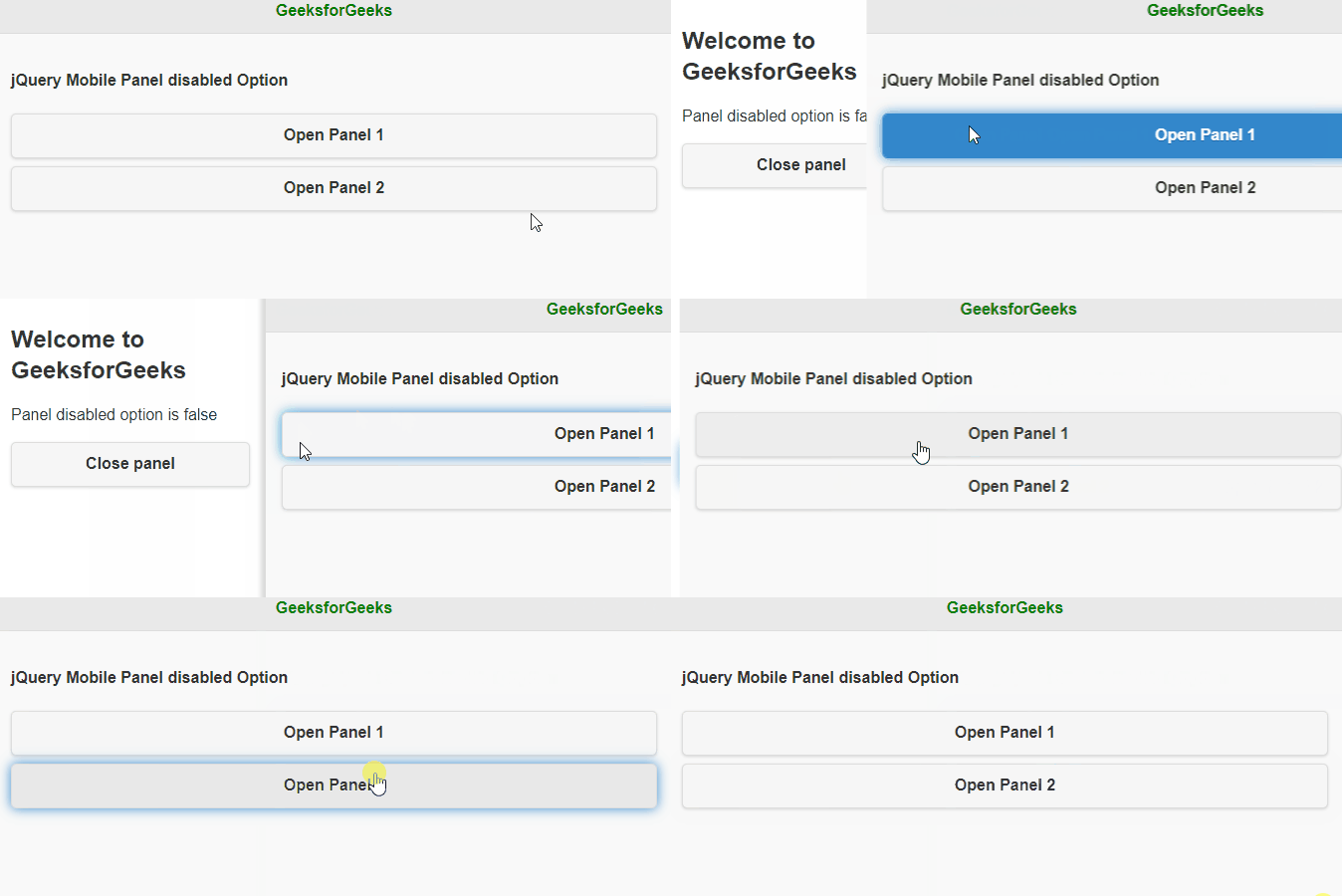
jQuery移动面板禁用选项