极客教程
极客教程jQuery Mobile Listview过滤选项
jQuery Mobile是一套基于HTML5的用户交互widget工具箱,用于各种用途,建立在jQuery之上。它旨在建立快速和响应的网站,可用于手机、标签和桌面。 jQuery Listview是一个用于创建美丽的列表的部件。它是一个简单和响应的列表视图,用于查看无序的列表。
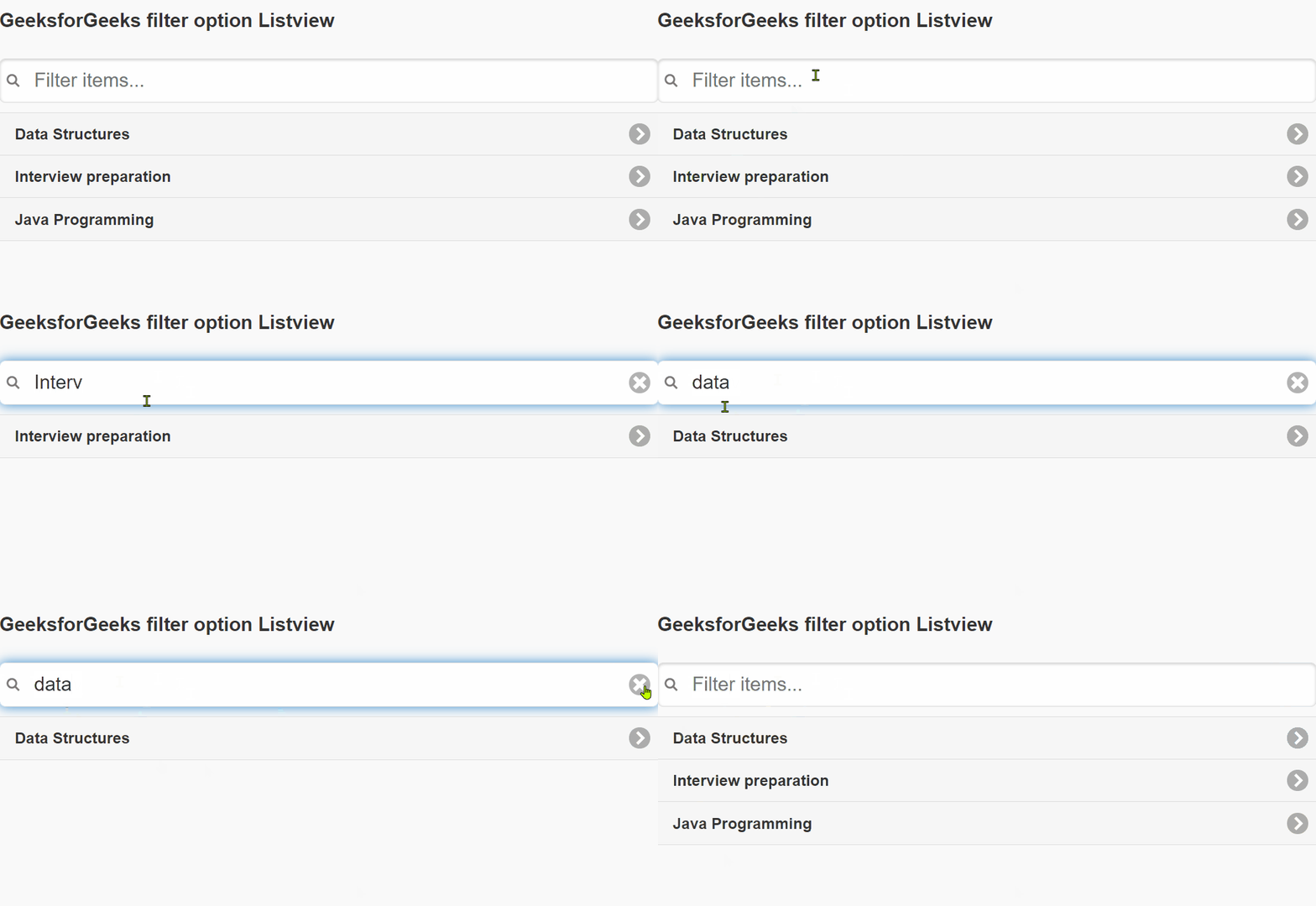
在这篇文章中,我们将使用jQuery Mobile的filter选项。过滤器选项在ListView的顶部添加了一个搜索栏。它自动从ListView的列表项中搜索,并隐藏不匹配的项目。
语法 。该过滤器需要一个布尔值。如果为真,搜索栏会出现在列表视图的顶部。
$(".items").listview({
     filter: true,
});
CDN链接 。首先,添加你的项目所需的jQuery Mobile脚本。
<link rel=”stylesheet” href=”https://code.jquery.com/mobile/1.4.5/jquery.mobile-1.4.5.min.css” />
<script src=”https://code.jquery.com/jquery-1.11.1.min.js”></script>
<script src=”https://code.jquery.com/mobile/1.4.5/jquery.mobile-1.4.5.min.js”></script>
例子 。在下面的例子中,我们为我们的listview使用了filter 选项
<!DOCTYPE html>
<html lang="en">

<head>
    <meta charset="UTF-8" />
    <meta http-equiv="X-UA-Compatible"
          content="IE=edge" />
    <meta name="viewport"
          content="width=device-width, initial-scale=1.0" />
    <title>GeeksforGeeks</title>
    <link rel="stylesheet" href=
"https://code.jquery.com/mobile/1.4.5/jquery.mobile-1.4.5.min.css" />
    <script src=
"https://code.jquery.com/jquery-1.11.1.min.js">
    </script>
    <script src=
"https://code.jquery.com/mobile/1.4.5/jquery.mobile-1.4.5.min.js">
    </script>
</head>

<body>
    <h4>GeeksforGeeks filter option Listview</h4>
    <ul class="items" data-role="listview">
        <li>
            <a href=
"https://www.geeksforgeeks.org/data-structures"
               target="_blank">
              Data Structures
            </a>
        </li>
        <li>
            <a href=
"https://practice.geeksforgeeks.org/courses/complete-interview-preparation"
               target="_blank">
              Interview preparation
          </a>
        </li>
        <li>
            <a href="https://www.geeksforgeeks.org/java"
               target="_blank">
              Java Programming
           </a>
        </li>
    </ul>
    <script>
        $(".items").listview({
            filter: true,
        });
    </script>
</body>
</html>
输出: