极客教程
极客教程jQuery UI Tabs disable()方法
jQuery UI由GUI部件、视觉效果和使用HTML、CSS和jQuery实现的主题组成。 jQuery UI非常适合为网页建立UI界面。jQuery UI Tabs widget用于创建一个具有多个面板的单一内容区域,这些面板与列表中的标题相关。
jQuery UI Tabs disable()方法是用来禁用标签小部件的。
语法:
$( ".selector" ).Tabs( "disable" );
参数:该方法不接受任何参数。
CDN链接:首先,添加你的项目需要的jQuery UI脚本。
<link rel=”stylesheet” href=”//code.jquery.com/ui/1.12.1/themes/smoothness/jquery-ui.css”>
<script src=”//code.jquery.com/jquery-1.12.4.js”></script>
<script src=”//code.jquery.com/ui/1.12.1/jquery-ui.js”></script>
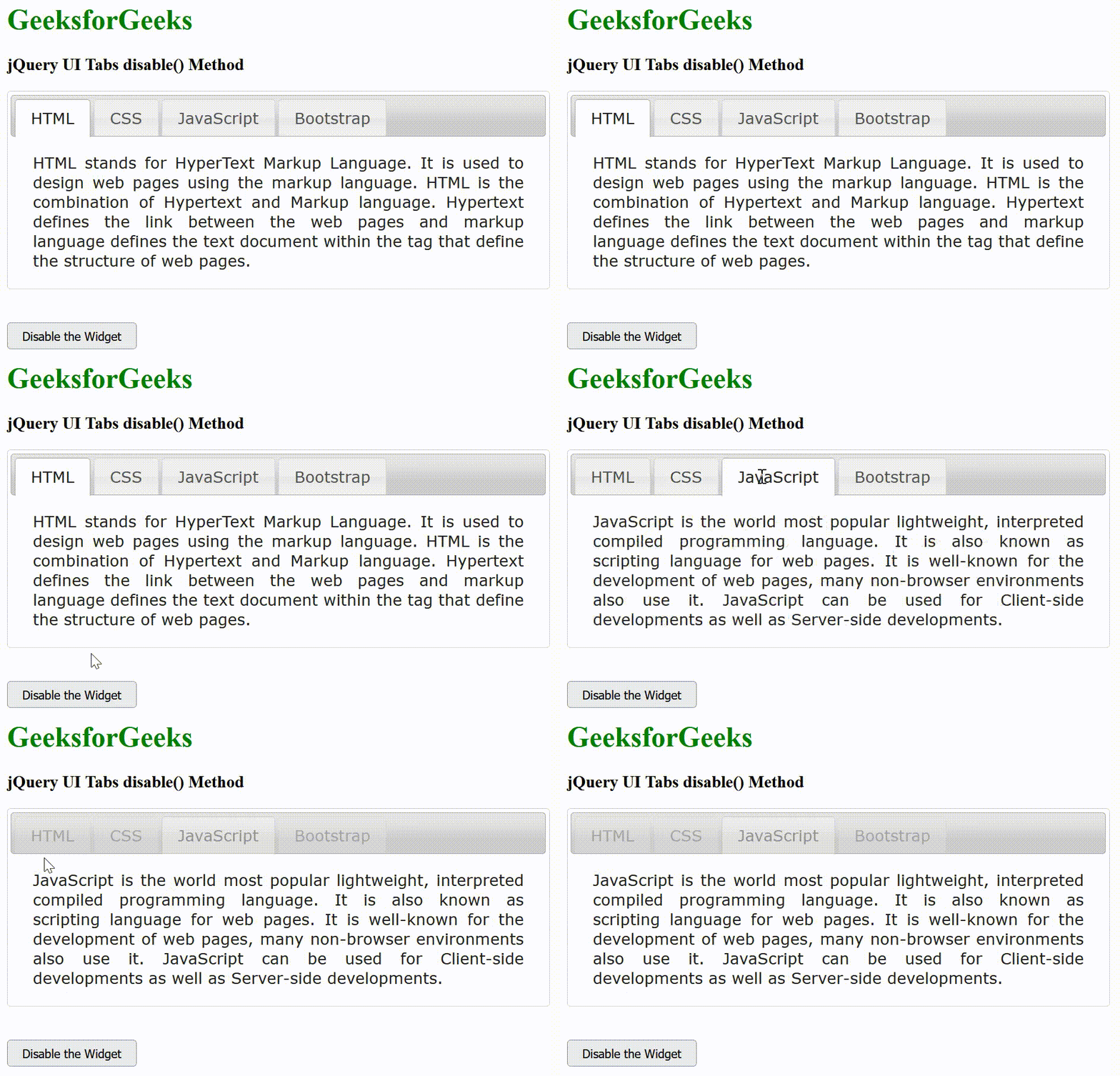
例子:这个例子描述了jQuery UI Tabs disable()方法的用途。
<!DOCTYPE html>
<html lang="en">

<head>
    <meta charset="utf-8">
    <title> jQuery UI Tabs disable() Method </title>

    <link rel="stylesheet" href=
"//code.jquery.com/ui/1.12.1/themes/smoothness/jquery-ui.css">
    <script src=
"//code.jquery.com/jquery-1.12.4.js">
    </script>
    <script src=
"//code.jquery.com/ui/1.12.1/jquery-ui.js">
    </script>

    <style>
        #gfg {
            width:600px;
            text-align:justify;
        }
    </style>
</head>

<body>
    <h1 style="color:green;">
        GeeksforGeeks
    </h1>

    <h3>jQuery UI Tabs disable() Method</h3>

    <div id="gfg">
        <ul>
            <li><a href="#gfg1">HTML</a></li>
            <li><a href="#gfg2">CSS</a></li>
            <li><a href="#gfg3">JavaScript</a></li>
            <li><a href="#gfg4">Bootstrap</a></li>
        </ul>

        <div id="gfg1">
            HTML stands for HyperText Markup Language.
            It is used to design web pages using the
            markup language. HTML is the combination
            of Hypertext and Markup language. Hypertext
            defines the link between the web pages and
            markup language defines the text document
            within the tag that define the structure
            of web pages.
        </div>

        <div id="gfg2">
            CSS (Cascading Style Sheets) is a stylesheet
            language used to design a webpage to make it
            attractive. The reason for using this is to
            simplify the process of making web pages
            presentable. It allows you to apply styles
            on web pages. More importantly, it enables
            you to do this independent of the HTML that
            makes up each web page.
        </div>

        <div id="gfg3">
            JavaScript is the world most popular
            lightweight, interpreted compiled programming
            language. It is also known as scripting
            language for web pages. It is well-known for
            the development of web pages, many non-browser
            environments also use it. JavaScript can be
            used for Client-side developments as well as
            Server-side developments.
        </div>

        <div id="gfg4">
            Bootstrap is a free and open-source tool
            collection for creating responsive websites
            and web applications. It is the most popular
            HTML, CSS, and JavaScript framework for
            developing responsive, mobile-first websites.
            Nowadays, the websites are perfect for all
            the browsers (IE, Firefox, and Chrome) and
            for all sizes of screens (Desktop, Tablets,
            Phablets, and Phones).
        </div>
    </div>
    <br><br>

    <input type="button" id="btn"
        value="Disable the Widget"
        style="padding: 5px 15px;">

    <script>
        (document).ready(function () {
            ("#gfg").tabs();

            ("#btn").on('click', function () {
                ("#gfg").tabs("disable");
            });
        });
    </script>
</body>
</html>
输出: