极客教程
极客教程jQuery UI Sortable stop事件
jQuery UI由GUI小工具、视觉效果和使用jQuery JavaScript库实现的主题组成。jQuery UI非常适用于构建网页的UI界面。它可以用来构建高度互动的网络应用程序,也可以用来轻松地添加小工具。
jQuery UI Sortable stop事件是用来在列表项的排序停止时触发的。
语法:
用停止回调函数初始化可排序的小部件。
$(".selector").selectable({
    stop: function( event, ui ) {}
});
将一个事件监听器绑定到shortstop事件上。
$( ".selector" ).on( "sortstop", function( event, ui ) {} );
参数:
- event。该事件在排序停止时被触发。
- ui。这是一个具有下列选项的对象类型。
- helper。代表排序帮助器的jQuery对象。
- item。代表当前拖动的项目的jQuery对象。
- offset。助手对象的当前绝对位置,表示为 { top, left }。
- position。助手对象的当前位置,表示为 { top, left }。
- originalPosition。助手对象的原始位置,表示为 { top, left }。
- sender。sortable itemof type jQuery object coming from one sortable to another.
- placeholder。作为占位符使用的元素。这是jQuery对象的类型。
CDN链接:首先,添加你的项目需要的jQuery UI脚本。
<link rel=”stylesheet” href=”//code.jquery.com/ui/1.12.1/themes/smoothness/jquery-ui.css”>
<script src=”//code.jquery.com/jquery-1.12.4.js”></script>
<script src=”//code.jquery.com/ui/1.12.1/jquery-ui.js”></script>
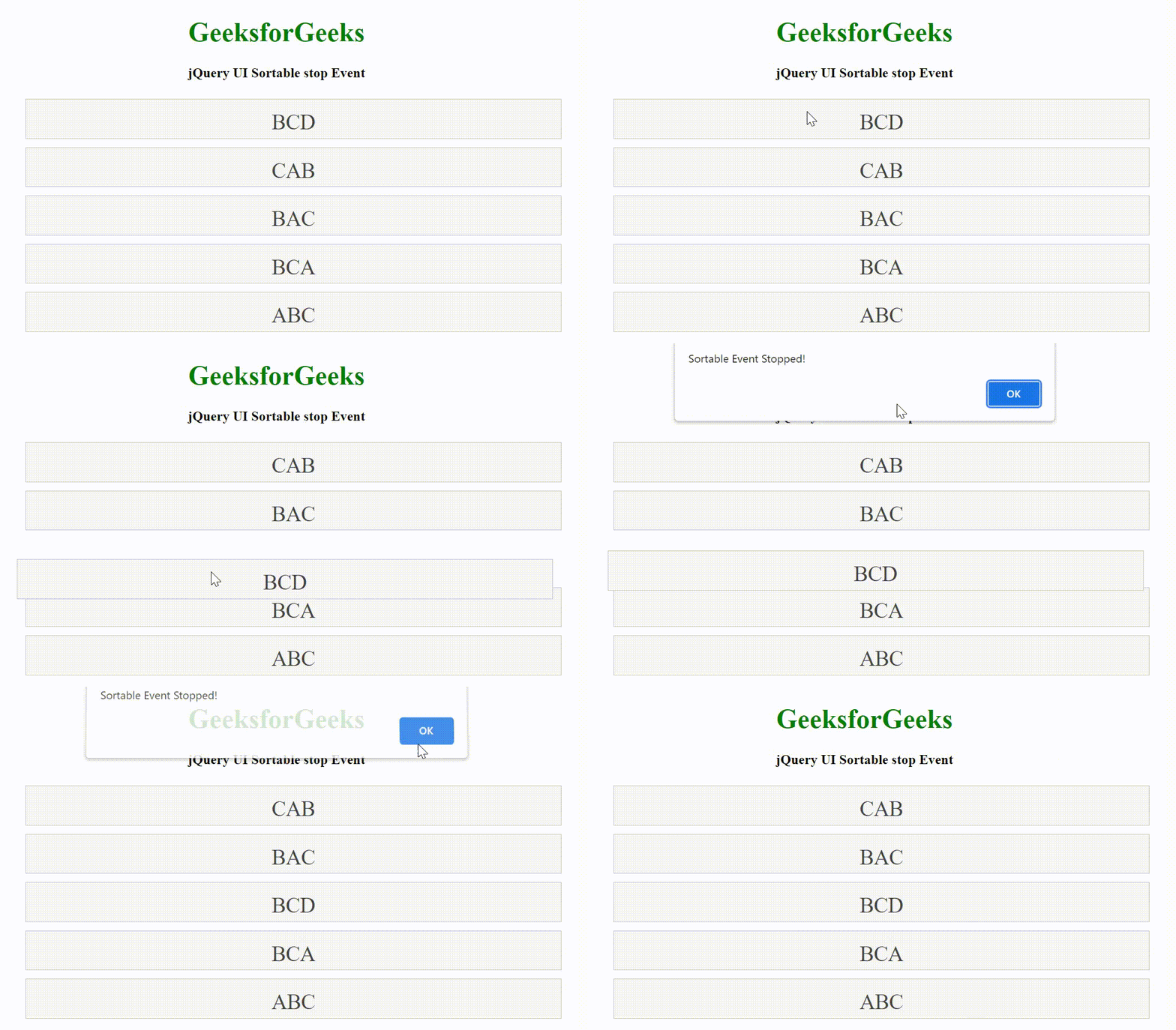
例子:下面的例子演示了stop事件。
<!DOCTYPE html>
<html lang="en">

<head>
    <meta charset="utf-8">
    <link rel="stylesheet" href=
"//code.jquery.com/ui/1.12.1/themes/base/jquery-ui.css">
    <script src=
        "https://code.jquery.com/jquery-1.12.4.js">
    </script>
    <script src=
        "https://code.jquery.com/ui/1.12.1/jquery-ui.js">
    </script>
    <style>
        #sortable {
            list-style-type: none;
            width: 50%;
        }
        #sortable li {
            margin: 10px 0;
            padding: 0.5em;
            font-size: 25px;
            height: 20px;
        }
    </style>

    <script>
        (function () {
            ("#sortable").sortable({
                stop: function( event, ui ) {
                    alert("Sortable Event Stopped!")
                }
            });
        });
    </script>
</head>

<body>
    <center>
        <h1 style="color:green;">
            GeeksforGeeks
        </h1>

        <h4>jQuery UI Sortable stop Event</h4>

        <ul id="sortable">
            <li class="ui-state-default">BCD</li>
            <li class="ui-state-default">CAB</li>
            <li class="ui-state-default">BAC</li>
            <li class="ui-state-default">BCA</li>
            <li class="ui-state-default">ABC</li>
        </ul>
    </center>
</body>
</html>
输出: