极客教程
极客教程如何用JavaScript删除用.css()函数添加的样式
有很多情况,特别是当内容变得更加互动时,开发者希望样式能够根据用户的输入动态地启动,一些代码能够在后台运行,等等。在这种情况下,涉及到样式规则或内联样式的CSS模型是没有用的。
克服所有这些问题的解决方案是涉及到JavaScript/jQuery。它不仅可以为用户正在交互的元素设置样式,更重要的是,它还允许开发人员为页面上的所有元素设置样式。这种自由是非常强大的,远远超出了CSS在其内部样式内容的有限能力。
- JavaScript:
- removeAttribute() :它从元素中删除一个具有指定名称的属性。
- setAttribute() :它在指定元素上设置一个属性的值。
例子-1:下面的例子说明了如何在JavaScript中设置/删除样式。
     <!DOCTYPE html>
    <html lang="en">

    <head>
        <meta charset="UTF-8">
        <title>JavaScript example</title>
    </head>

    <body>
        <div>
            <p id="gfg">
              Welcome to geeks for geeks
          </p>
        </div>
        <button type="button"
                id="setstyle"
                onclick="setstyle()">
          Set Style

        <button type="button"
                id="removestyle"
                onclick="removestyle()"
                disabled>
          Remove Style


    </body>

    <script type="text/javascript">
        removestyle = () => {
            document.getElementById(
              "gfg").removeAttribute("style");

            document.getElementById(
              "setstyle").removeAttribute("disabled");

            document.getElementById(
              "removestyle").setAttribute("disabled", "true");
        };
    </script>

    </html>
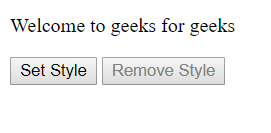
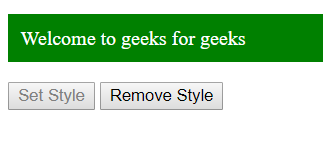
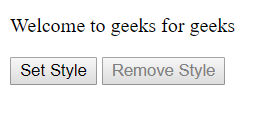
输出:
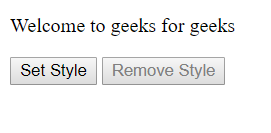
Before Styling:
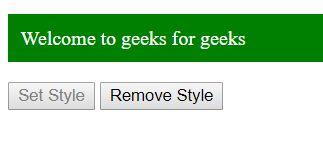
点击设置风格后:
点击删除样式后:
示例-2:下面的例子说明了如何在jQuery中设置/删除样式。
     <!DOCTYPE html>
    <html lang="en">

    <head>
        <meta charset="UTF-8">
        <title>Jquery example</title>
        <script src="https://code.jquery.com/jquery-3.3.1.js"
                integrity=
    "sha256-2Kok7MbOyxpgUVvAk/HJ2jigOSYS2auK4Pfzbm7uH60="
                crossorigin="anonymous">
      </script>
    </head>

    <body>
        <div>
            <p id="gfg">
              Welcome to geeks for geeks
          </p>
        </div>
        <button type="button"
                id="setstyle"
                onclick="setstyle()">
          Set Style

        <button type="button"
                id="removestyle"
                onclick="removestyle()"
                disabled>
          Remove Style


    </body>

    <script type="text/javascript">
        (document).ready(() => {
            setstyle = () => {
                ("#gfg").css({
                    "color": "white",
                    "background-color": "green",
                    "padding": "10px",
                });
                ("#setstyle").attr("disabled", "true");
                ("#removestyle").removeAttr("disabled");
            }
        });
    </script>

    </html>
输出:
Before Styling:
点击设置风格后:
点击删除样式后: