极客教程
极客教程如何使用jQuery Mobile创建一个关闭的弹出窗口
jQuery Mobile是一种基于网络的技术,用于制作可在所有智能手机、平板电脑和台式机上访问的响应式内容。在这篇文章中,我们将使用jQuery Mobile创建一个关闭的弹出窗口。
方法:添加你的项目所需的jQuery Mobile脚本。
<link rel=”stylesheet” href=”http://code.jquery.com/mobile/1.4.5/jquery.mobile-1.4.5.min.css” />
<script src=”http://code.jquery.com/jquery-1.11.1.min.js”></script>
<script src=”http://code.jquery.com/mobile/1.4.5/jquery.mobile-1.4.5.min.js”></script>
我们将创建一个包含关闭按钮的弹出窗口。关闭按钮可以放在左上角、右上角或其他基于类别的地方。弹出窗口可以通过点击弹出窗口小部件以外的地方或按Esc键来关闭。data-dismissible=”false “属性被用来防止用户在弹出框外点击时关闭弹出窗口。
例子1:我们将创建一个弹出式窗口,在右上角有一个关闭按钮。
<!DOCTYPE html>
<html>

<head>
    <link rel="stylesheet" href=
"http://code.jquery.com/mobile/1.4.5/jquery.mobile-1.4.5.min.css" />

    <script src=
        "http://code.jquery.com/jquery-1.11.1.min.js">
    </script>

    <script src=
"http://code.jquery.com/mobile/1.4.5/jquery.mobile-1.4.5.min.js">
    </script>
</head>

<body>
    <center>
        <h1>GeeksforGeeks</h1>

        <h4>
            Design a Popup with right close
            button using jQuery Mobile
        </h4>

        <a href="#CloseRightPopup" data-rel="popup"
            class="ui-btn ui-corner-all ui-shadow ui-btn-inline">
            Popup with Right close button
        </a>

        <div data-role="popup" id="CloseRightPopup"
            class="ui-content" style="max-width:280px">
            <a href="#" data-rel="back"
                class="ui-btn ui-corner-all ui-shadow
                ui-btn-a ui-icon-delete ui-btn-icon-notext
                ui-btn-right">
                Close
            </a>

            <p>
                It is an example of popup with
                closing of top-right corner.
            </p>
        </div>
    </center>
</body>

</html>
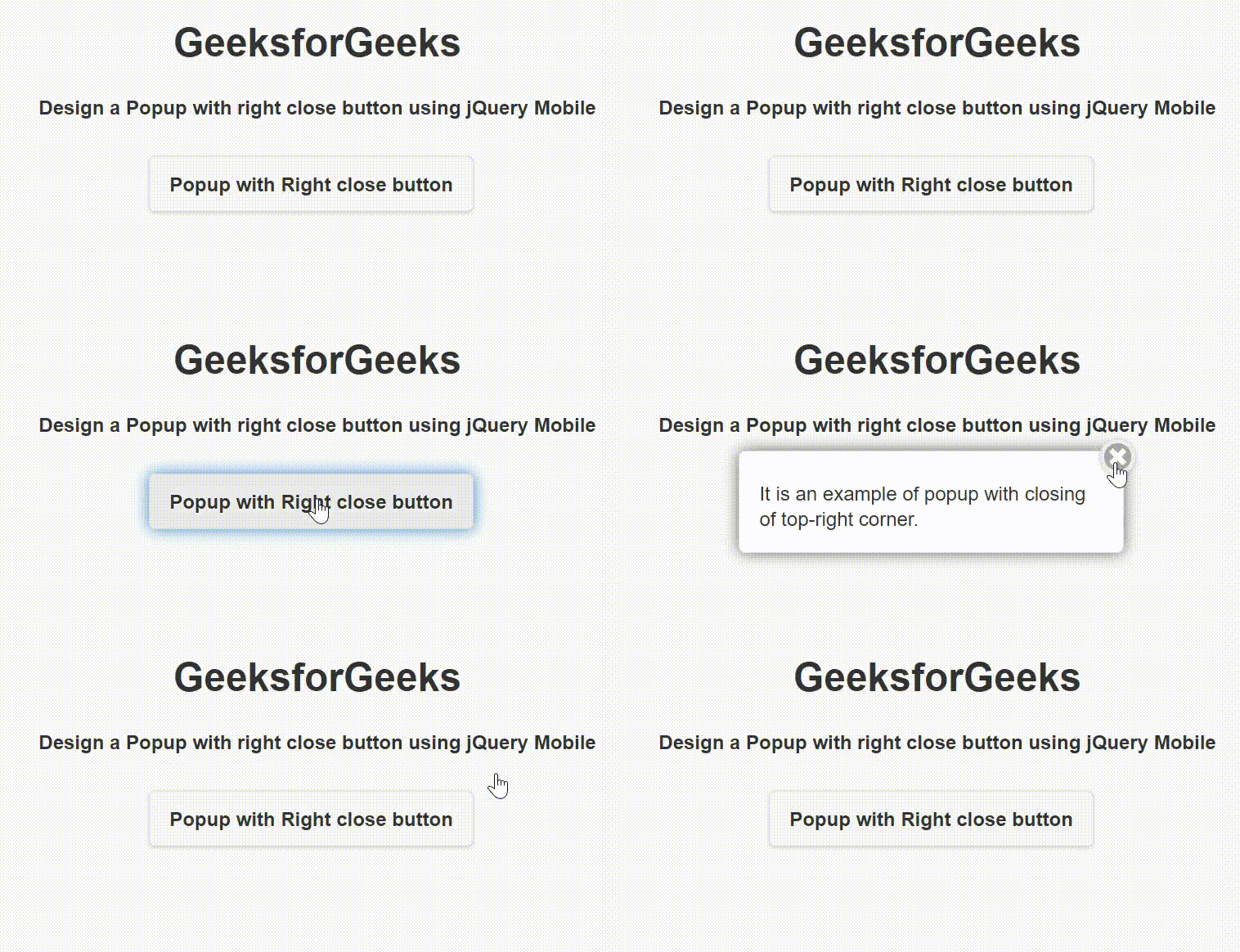
输出:
示例2:我们将创建一个弹出窗口,在左上角有一个关闭按钮。
<!DOCTYPE html>
<html>

<head>
    <link rel="stylesheet" href=
"http://code.jquery.com/mobile/1.4.5/jquery.mobile-1.4.5.min.css" />

    <script src=
        "http://code.jquery.com/jquery-1.11.1.min.js">
    </script>

    <script src=
"http://code.jquery.com/mobile/1.4.5/jquery.mobile-1.4.5.min.js">
    </script>
</head>

<body>
    <center>
        <h1>GeeksforGeeks</h1>

        <h4>
            Design a Popup with left close
            button using jQuery Mobile
        </h4>

        <a href="#CloseLeftPopup"
            data-rel="popup"
            class="ui-btn ui-corner-all ui-shadow
            ui-btn-inline">
            Popup with Left close button
        </a>

        <div data-role="popup" id="CloseLeftPopup"
            class="ui-content" style="max-width:280px">
            <a href="#" data-rel="back"
                class="ui-btn ui-corner-all ui-shadow
                ui-btn-a ui-icon-delete ui-btn-icon-notext
                ui-btn-left">
                Close
            </a>

            <p>
                It is an example of popup with
                closing of top-left corner.
            </p>
        </div>
    </center>
</body>

</html>
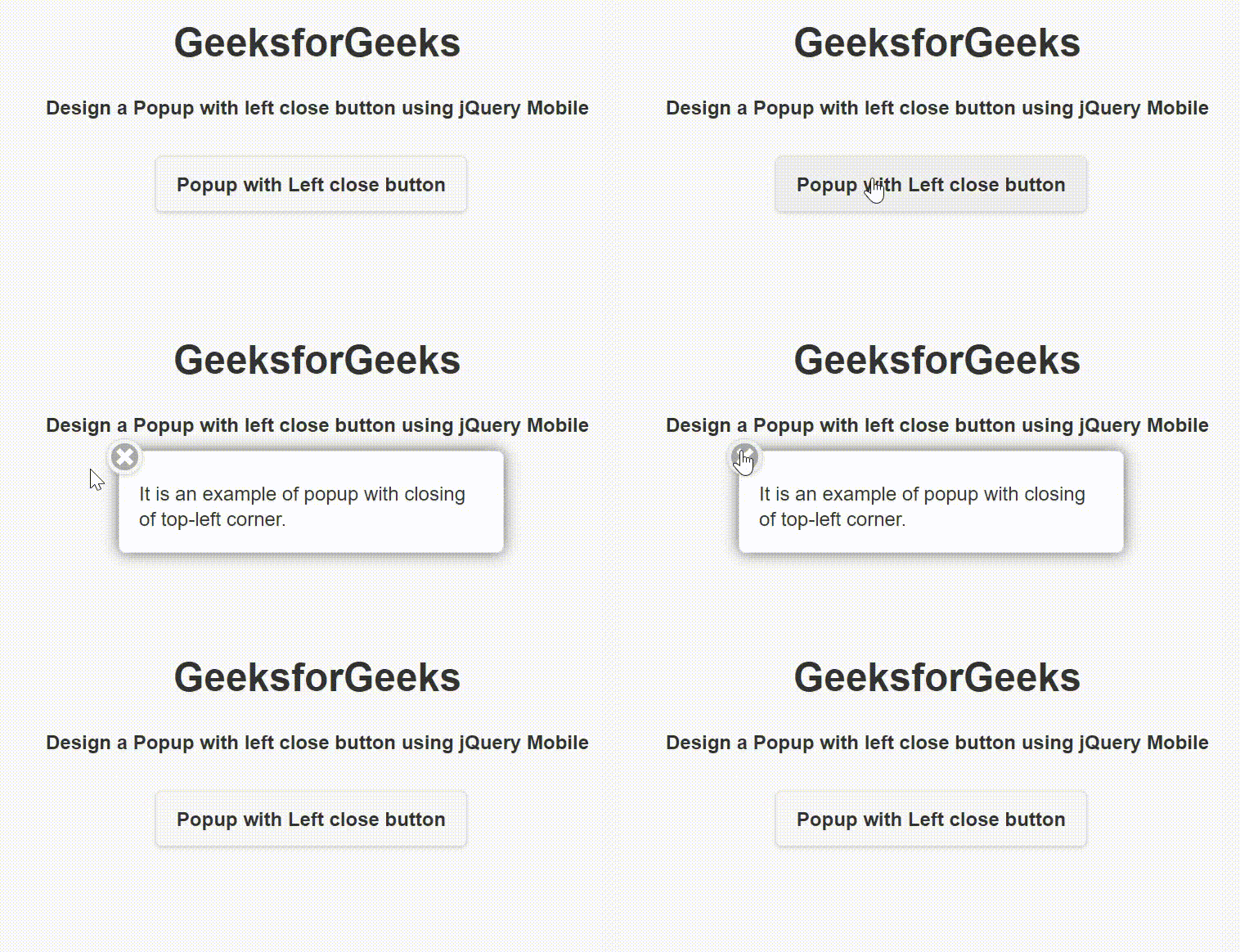
输出: