 极客教程
极客教程如何使用jQuery计算表格中的行和列的数量
给定一个包含表格的HTML文档,任务是使用JQuery计算该表格的行和列的数量。
用于查找HTML表格中的行数和列数的选择器是。
- 为了计算行数,
"#Table_Id tr "选择器被使用。它选择表格中的所有<tr>元素。这包括包含表格标题的那一行。length属性被用在所选元素上以获得行数。 - 为了计算列的数量,
"#Table_Id tr th "选择器被使用。它选择了所有嵌套在表中的<tr><th>元素的数量。长度属性用于被选中的元素以获得列的数量。
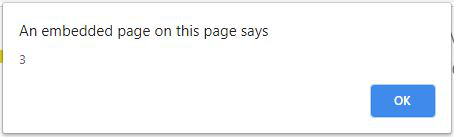
例子1:在这个例子中,计算的是行的数量。
<!DOCTYPE HTML>
<html>
  <head>
    <title>
      Count Number of Rows and Columns in
      a Table Using jQuery.
    </title>

    <script src =
"https://ajax.googleapis.com/ajax/libs/jquery/3.4.0/jquery.min.js">
    </script>
  </head>

  <body>
    <center>
      <h1 style = "color:green;" >
        GeeksForGeeks
      </h1>

      <strong>
        Count Number of Rows in
        a Table Using jQuery
      </strong>

      <br><br>

      <table id="Table_id" border="1" width="140">
        <thead>

          <tr style = "background:green;">
            <th>S.No</th>
            <th>Title</th>
            <th>Geek_id</th>
          </tr>
        </thead>
        <tbody>
          <tr>
            <td>Geek_1</td>
            <td>GeekForGeeks</td>
            <td>Geek_id_1</td>
          </tr>
          <tr>
            <td>Geek_2</td>
            <td>GeeksForGeeks</td>
            <td>Geek_id_2</td>
          </tr>
        </tbody>
      </table>
      <br>

      <button type="button">
        Count Rows
      </button>

      <!-- Script to Count number of rows in a table -->
      <script>
        (document).ready(function(){
          ("button").click(function(){

            // Select all the rows in the table
            // and get the count of the selected elements
            var rowCount = $("#Table_id tr").length;
            alert(rowCount);
          });
        });
      </script>
    </center>
  </body>
</html>
输出:
- 在点击按钮之前。

- 点击该按钮后。
例子2:在这个例子中,列的数量被计算出来。
<!DOCTYPE HTML>
<html>
  <head>
    <title>
      Count Number of Rows and Columns in
      a Table Using jQuery.
    </title>

    <script src =
"https://ajax.googleapis.com/ajax/libs/jquery/3.4.0/jquery.min.js">
    </script>
  </head>

  <body>
    <center>
      <h1 style = "color:green;" >
        GeeksForGeeks
      </h1>

      <strong>
        Count Number of Columns in
        a Table Using jQuery
      </strong>

      <br><br>

      <table id="Table_id" border="1" width="140">
        <thead>

          <tr style = "background:green;">
            <th>S.No</th>
            <th>Title</th>
            <th>Geek_id</th>
          </tr>
        </thead>
        <tbody>
          <tr>
            <td>Geek_1</td>
            <td>GeekForGeeks</td>
            <td>Geek_id_1</td>
          </tr>
          <tr>
            <td>Geek_2</td>
            <td>GeeksForGeeks</td>
            <td>Geek_id_2</td>
          </tr>
          <tr>
            <td>Geek_3</td>
            <td>GeeksForGeeks</td>
            <td>Geek_id_3</td>
          </tr>
        </tbody>
      </table>
      <br>

      <button type="button">
        Count Columns
      </button>

      <!-- Script to Count Number of columns in a table -->
      <script>
        (document).ready(function(){
          ("button").click(function(){

            // Select all the columns in the table
            // and get the count of the selected elements
            var colCount = $("#Table_id tr th").length;
            alert(colCount);
          });
        });
      </script>
    </center>
  </body>
</html>
输出:
- 在点击按钮之前。

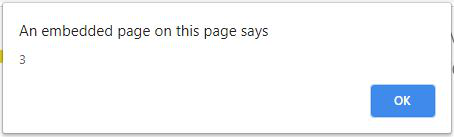
- 点击该按钮后。
jQuery是一个开源的JavaScript库,它简化了HTML/CSS文档之间的交互,它以其 “少写多做 “的理念而广为人知。
你可以通过学习这个jQuery教程和jQuery实例,从基础开始学习jQuery。