极客教程
极客教程jQWidgets jqxGauge RadialGauge animationDuration属性
jQWidgets是一个JavaScript框架,用于为PC和移动设备制作基于Web的应用程序。它是一个非常强大的、优化的、与平台无关的、被广泛支持的框架。 jqxGauge代表一个jQuery的仪表部件,它是一个数值范围内的指标。我们可以使用Gauges来显示数据区域内的一个数值范围,有2种类型的Gauges。RadialGauge和LinearGauge。在RadialGauge中,数值是以圆形的方式从一些数值中径向表示。
animationDuration属性用于设置或返回animationDuration属性,也就是说,它用于设置仪表值变化的动画时间。它接受数字类型的值,其默认值为400。
语法:
- 设置animationDuration属性。
$('Selector').jqxGauge({ animationDuration : number });
- 返回animationDuration属性。
var animationDuration =
        $('Selector').jqxGauge('animationDuration');
链接的文件:从链接中下载jQWidgets。在HTML文件中,找到下载文件夹中的脚本文件。
<link rel=”stylesheet” href=”jqwidgets/styles/jqx.base.css” type=”text/css” />
<script type=”text/javascript” src=”scripts/jquery-1.11.1.min.js”></script>
<script type=”text/javascript” src=”jqwidgets/jqxcore.js”></script>
<script type=”text/javascript” src=”jqwidgets/jqxchart.js”></script>
<script type=”text/javascript” src=”jqwidgets/jqxgauge.js”></script>
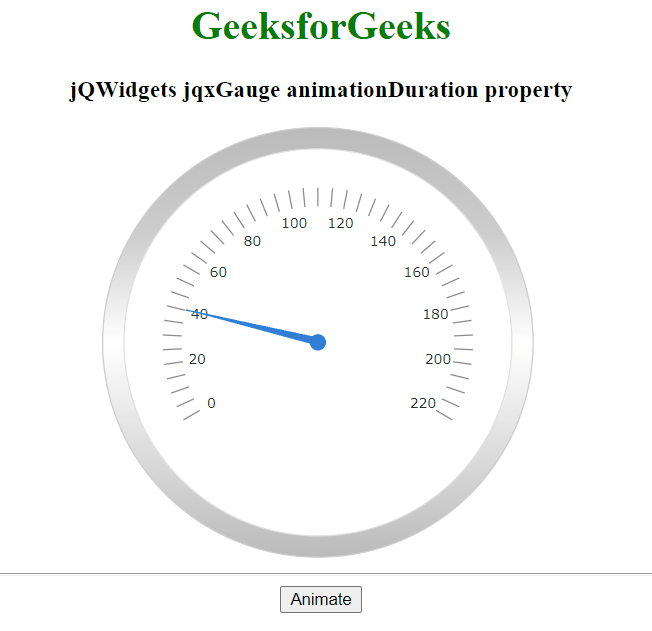
例子:下面的例子说明了jQWidgets中jqxGauge animationDuration属性。
<!DOCTYPE html>
<html lang="en">

<head>
    <link rel="stylesheet"
          href="jqwidgets/styles/jqx.base.css"
          type="text/css" />
    <script type="text/javascript"
            src="scripts/jquery-1.11.1.min.js">
    </script>
    <script type="text/javascript"
            src="jqwidgets/jqxcore.js">
    </script>
    <script type="text/javascript"
            src="jqwidgets/jqxbuttons.js">
    </script>
</head>

<body>
    <center>
        <h1 style="color: green;">
          GeeksforGeeks
        </h1>

        <h3>jQWidgets jqxGauge animationDuration property</h3>

        <div id="gauge"></div>
        <hr>
        <button id = 'btn'>Animate</button>
    </center>

    <script type="text/javascript">
        (document).ready(function () {
            ("#gauge").jqxGauge({
                value: 40,
                animationDuration: 1200
            });

            ("#btn").click(function () {
                ('#gauge').jqxGauge({
                    value: 150
                });
            });
        });
    </script>
</body>

</html>
输出: