极客教程
极客教程JavaScript 如何替换特定索引处的字符
要从字符串中替换一个字符,有两种常用的方法可用。本文将描述其中两种最流行的方法。第一种方法是使用substr()方法。第二种方法是将字符串转换为数组,并替换索引处的字符。下面将分别描述这两种方法:
方法1:使用substr()方法
substr()方法用于从给定的起始索引到另一个索引中提取子字符串。这可用于提取除了要替换的字符之外的字符串部分。通过使用起始索引参数为’0’(表示字符串的起始位置),并将索引参数作为要替换的字符的位置,可以提取字符串的第一部分。通过使用起始索引参数为’index + 1’,可以提取字符索引之后的字符串部分(即字符索引之后的字符串段)。省略第二个参数以获得其后的整个字符串。然后将新字符串创建,并将两个字符串的部分与要替换的字符连接起来,并放在中间。这将创建一个新字符串,其索引处的字符已被替换。
语法:
function replaceChar(origString, replaceChar, index) {
    let firstPart = origString.substr(0, index);
    let lastPart = origString.substr(index + 1);

    let newString = firstPart + replaceChar + lastPart;
    return newString;
}
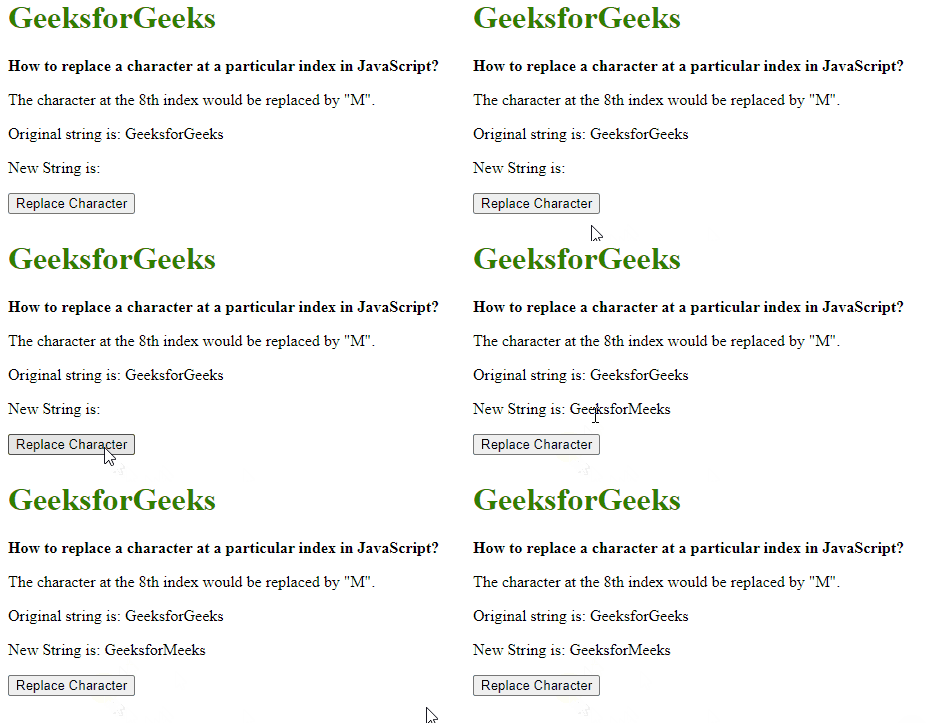
示例: 在这个示例中,我们使用上面解释的方法。
<h1 style="color: green">
    GeeksforGeeks
</h1>

<b>
    How to replace a character at a
    particular index in JavaScript?
</b>

<p>
    The character at the 8th index
    would be replaced by "M".
</p>

<p>
    Original string is: GeeksforGeeks
</p>

<p>
    New String is:
    <span class="output"></span>
</p>

<button onclick="changeText()">
    Replace Character
</button>

<script>
    function replaceChar(origString, replaceChar, index) {
        let firstPart = origString.substr(0, index);

        let lastPart = origString.substr(index + 1);

        let newString =
            firstPart + replaceChar + lastPart;

        return newString;
    }

    function changeText() {
        originalText = "GeeksforGeeks";

        charReplaced =
            replaceChar(originalText, "M", 8);

        document.querySelector('.output').textContent
            = charReplaced;
    }
</script>
输出:
方法2:将字符串转换为数组并替换索引处的字符
使用split()方法将字符串转换为数组,分隔符为一个空字符(“”)。这将把字符串拆分为一个数组,并使每个字符都可以通过数组的索引访问。需要替换的字符可以简单地赋值给数组的相应索引位置。使用join()方法将数组重新组合为字符串,分隔符为一个空字符(“”)。这将创建一个新的字符串,其中索引处的字符已被替换。
语法:
function replaceChar(origString, replaceChar, index) {
    let newStringArray = origString.split("");

    newStringArray[index] = replaceChar;

    let newString = newStringArray.join("");

    return newString;
}
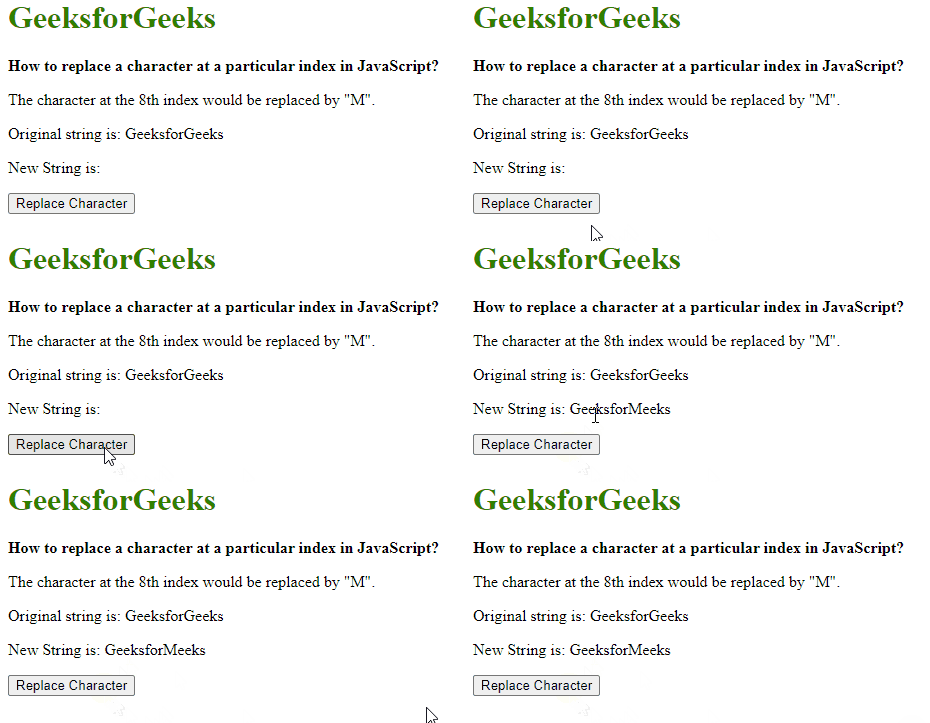
示例: 在这个示例中,我们使用上述解释的方法。
<h1 style="color: green">
    GeeksforGeeks
</h1>

<b>
    How to replace a character at a
    particular index in JavaScript?
</b>

<p>
    The character at the 8th index
    would be replaced by "M".
</p>

<p>
    Original string is: GeeksforGeeks
</p>

<p>
    New String is:
    <span class="output"></span>
</p>

<button onclick="changeText()">
    Replace Character
</button>
<script>
    function replaceChar(origString, replaceChar, index) {
        let newStringArray = origString.split("");

        newStringArray[index] = replaceChar;

        let newString = newStringArray.join("");

        return newString;
    }

    function changeText() {

        originalText = "GeeksforGeeks";

        charReplaced =
            replaceChar(originalText, "M", 8);

        document.querySelector('.output').textContent
            = charReplaced;
    }
</script>
输出:
使用 slice() 方法 : slice() 方法用于从给定的起始索引到另一个索引获取部分字符串。这个方法与第一个方法相同,不过我们使用slice方法替代了 substr() 方法。
<h1 style="color: green">
    GeeksforGeeks
</h1>
<b>
    How to replace a character at a
    particular index in JavaScript?
</b>

<p>
    The character at the 8th index
    would be replaced by "M".
</p>

<p>
    Original string is: GeeksforGeeks
</p>

<p>
    New String is:
    <span class="output"></span>
</p>

<button onclick="changeText()">
    Replace Character
</button>
<script>
    function replaceChar(origString, replaceChar, index)
    {
        let firstPart = origString.slice(0, index);

        let lastPart = origString.slice(index + 1);

        let newString =
            firstPart + replaceChar + lastPart;

        return newString;
    }

    function changeText() {
        originalText = "GeeksforGeeks";

        charReplaced =
            replaceChar(originalText, "M", 8);

        document.querySelector('.output').textContent
                = charReplaced;
    }
</script>
输出: