 极客教程
极客教程JavaScript 如何在content-editable元素中设置光标位置
为了在content-editable元素(如div标记)中设置光标位置,可以使用JavaScript Range接口。该范围是使用document.createRange()方法创建的。
方法1
- 首先,使用上述语法创建范围并设置位置。
- 使用jQuery从输入标记中获取用户输入:
$("input']").val();
- 在按钮点击时,将输入值分配给范围函数,以返回div上的光标位置。
以下语法清楚地解释了这一过程:
语法:
// document.createRange() creates new range object
var rangeobj = document.createRange();

// Here 'rangeobj' is created Range Object
var selectobj = window.getSelection();

// Here 'selectobj' is created object for window
// get selected or caret current position.
// Setting start position of a Range
rangeobj.setStart(startNode, startOffset);

// Setting End position of a Range
rangeobj.setEnd(endNode, endOffset);

// Collapses the Range to one of its
// boundary points
rangeobj.collapse(true);

// Removes all ranges from the selection
// except Anchor Node and Focus Node
selectobj.removeAllRanges();

// Adds a Range to a Selection
selectobj.addRange(rangeobj);
示例1: 下面的示例说明如何根据用户输入设置可编辑元素div上插入光标的位置。
<!DOCTYPE html>
<html lang="en">

<head>
    <meta charset="utf-8">
    <meta name="viewport"
        content="width=device-width, initial-scale=1">

    <script src=
"https://ajax.googleapis.com/ajax/libs/jquery/3.4.1/jquery.min.js">
    </script>

    <style>
        div {
            outline-color: red;
            caret-color: red;
            color: #ddd;
            width: 550px;
            text-align: justify;
            border: 2px solid red;
        }
    </style>
</head>

<body>
    <center>
        <h1 style="color:green;padding:13px;">
            GeeksforGeeeks
        </h1>
        <br>

        <div id="editable" contenteditable="true"
                    spellcheck="false">
            HTML stands for Hyper Text Markup Language.
            It is used to design web pages using markup
            language. HTML is the combination of Hypertext
            and Markup language. Hypertext defines the link
            between the web pages. Markup language is used
            to define the text document within tag which
            defines the structure of web pages. HTML is a
            markup language which is used by the browser
            to manipulate text, images and other content
            to display it in required format.
        </div>
        <br/>

        <input type="number" name="position" min="0"
                value="0" max="470" />

        <button>Position Cursor</button>
    </center>

    <script>
        function setCursor(pos) {
            var tag = document.getElementById("editable");

            // Creates range object
            var setpos = document.createRange();

            // Creates object for selection
            var set = window.getSelection();

            // Set start position of range
            setpos.setStart(tag.childNodes[0], pos);

            // Collapse range within its boundary points
            // Returns boolean
            setpos.collapse(true);

            // Remove all ranges set
            set.removeAllRanges();

            // Add range with respect to range object.
            set.addRange(setpos);

            // Set cursor on focus
            tag.focus();
        }

        ('button').click(function() {
            varpos = ("input[name='position']").val();
            setCursor(pos);
        });
    </script>
</body>

</html>
输出:
- 进入位置之前:
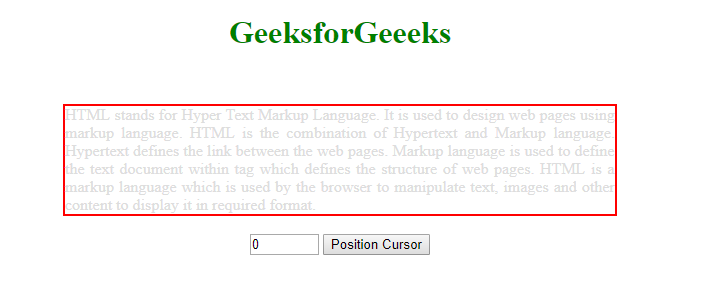
- 进入位置之后:

方法2
- 首先使用上述语法创建范围并设置位置。
- 点击按钮时触发函数以返回光标在 div 上的位置。
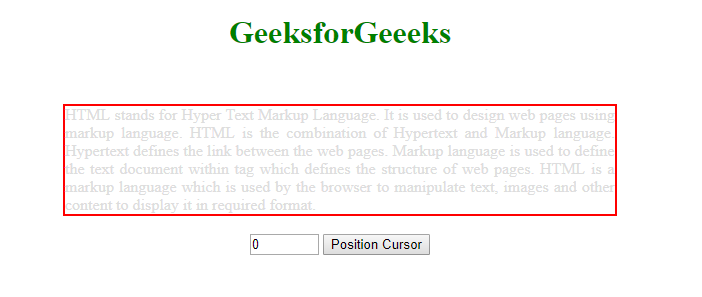
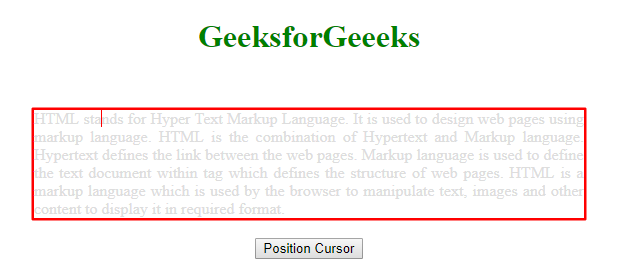
示例2: 下面的示例演示了如何在可编辑元素 div 上设置光标位置。
<!DOCTYPE html>
<html lang="en">

<head>
    <meta charset="utf-8">
    <meta name="viewport"
        content="width=device-width, initial-scale=1">

    <script src=
"https://ajax.googleapis.com/ajax/libs/jquery/3.4.1/jquery.min.js">
    </script>

    <style>
        div {
            outline-color: red;
            caret-color: red;
            color: #ddd;
            width: 550px;
            text-align: justify;
            border: 2px solid red;
        }
    </style>
</head>

<body>
    <center>
        <h1 style="color:green;padding:13px;">
            GeeksforGeeeks
        </h1>
        <br>

        <div id="editable" contenteditable="true"
                    spellcheck="false">
            HTML stands for Hyper Text Markup Language.
            It is used to design web pages using markup
            language. HTML is the combination of Hypertext
            and Markup language. Hypertext defines the
            link between the web pages. Markup language
            is used to define the text document within
            tag which defines the structure of web pages.
            HTML is a markup language which is used by
            the browser to manipulate text, images and
            other content to display it in required
            format.
        </div>
        <br/>

        <button>Position Cursor</button>
    </center>

    <script>
        function positionCursor() {

            var tag = document.getElementById("editable");

            // Creates range object
            var setpos = document.createRange();

            // Creates object for selection
            var set = window.getSelection();

            // Set start position of range
            setpos.setStart(tag.childNodes[0], 12);

            // Collapse range within its boundary points
            // Returns boolean
            setpos.collapse(true);

            // Remove all ranges set
            set.removeAllRanges();

            // Add range with respect to range object.
            set.addRange(setpos);

            // Set cursor on focus
            tag.focus();
        }

        $('button').click(function() {
            positionCursor();
        });
    </script>
</body>

</html>
输出:
- 点击按钮之前:
- 点击按钮之后:
参考: https://developer.mozilla.org/en-US/docs/Web/API/Range