极客教程
极客教程JavaScript 如何获取对象的所有属性值(不知道键名)
方法1:使用 Object.values() 方法
Object.values() 方法被用来返回一个对象自身可枚举属性值的数组。可以通过 for 循环来遍历该数组以获取对象的所有值。因此,不需要知道键名即可获取所有属性值。
语法:
let valuesArray = Object.values(exampleObj);

for (let value of valuesArray) {
    console.log(value);
}
示例:
<!DOCTYPE html>
<html>
<head>
  <title>
    How to get all properties
    values of a Javascript Object
    (without knowing the keys)?
  </title>
</head>
<body>
  <h1 style="color: green">
    GeeksforGeeks
  </h1>
  <b>
    How to get all properties
    values of a Javascript Object
    (without knowing the keys)?
  </b>
  <p>
    Click on the button to get all
    properties values.
  </p>
  <p>
    Check the console for the output
  </p>
  <button onclick="getValues()">
    Get Property Values
  </button>
  <script type="text/javascript">
    function getValues() {
      let exampleObj = {
        language: "C++",
        designedby: "Bjarne Stroustrup",
        year: "1979"
      };

      let valuesArray = Object.values(exampleObj);

      for (let value of valuesArray) {
        console.log(value);
      }
    }
  </script>
</body>
</html>
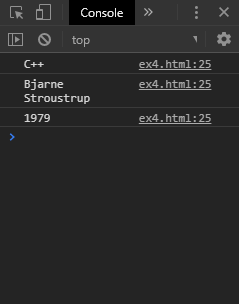
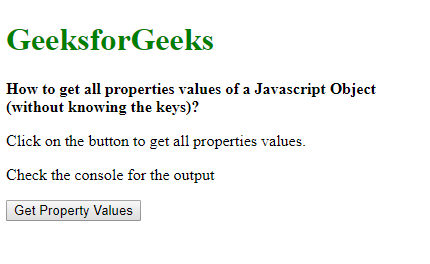
输出:
- 点击按钮之前:
- 点击按钮之后:
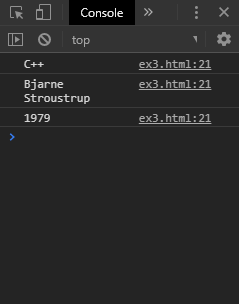
方法2:提取访问属性的键
使用 Object.keys() 方法返回一个对象自身可枚举的属性名的数组。然后在这个数组上使用forEach()方法来访问每个键。可以使用对象的数组表示法通过键来访问每个属性的值。因此,不需要预先知道键的值就可以获取所有属性的值。
语法:
let objKeys = Object.keys(exampleObj);

objKeys.forEach(key => {
    let value = exampleObj[key];

    console.log(value);
});
示例:
<!DOCTYPE html>
<html>
<head>
   <title>
    How to get all properties
    values of a Javascript Object
    (without knowing the keys)?
  </title>
</head>
<body>
  <h1 style="color: green">
    GeeksforGeeks
  </h1>
  <b>
    How to get all properties
    values of a Javascript Object
    (without knowing the keys)?
  </b>
  <p>
    Click on the button to get all
    properties values.
  </p>
  <p>
    Check the console for the output
  </p>
  <button onclick="getValues()">
    Get Property Values
  </button>
  <script type="text/javascript">
    function getValues() {
      let exampleObj = {
          language: "C++",
          designedby: "Bjarne Stroustrup",
          year: "1979"
        };

      let objKeys = Object.keys(exampleObj);

      objKeys.forEach(key => {
        let value = exampleObj[key];

        console.log(value);
      });
    }
  </script>
</body>
</html>
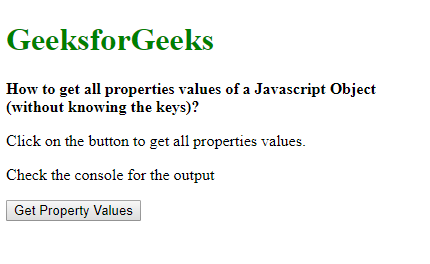
输出:
- 在点击按钮之前:
- 在点击按钮之后: