极客教程
极客教程如何创建一个按钮同时提交表单并下载PDF文件
没有直接的方法可以同时下载和提交表单,但如果我们控制表单提交并在点击提交按钮时先触发PDF文件的下载,然后再提交表单,我们可以完成这个任务。因此,我们可以遵循以下方法来实现这个目标:
方法1
在表单之外创建提交表单按钮:
- 首先,创建一个隐藏的提交按钮的表单。
- 给表单的提交按钮赋予一个id,以便在JS中访问。
- 在表单之外创建一个按钮,并给它一个唯一的id以便访问。
- 使用createElement属性创建一个锚标签,并为其赋予href和download属性。
- 然后,在点击下载按钮时,使用onClick属性简单地调用提交按钮的点击事件。
HTML代码:
<!DOCTYPE html>
<html lang="en">
<head>
    <style>
        form {
            color: green;
        }
    </style>
</head>

<body>
    <!-- GFG is the name of the file to be downloaded-->
    <!-- In order to run the code, the location of the
        file "GFG.pdf" needs to be changed to your local
        directory, both the HTML and downloadable file
        needs to be present in the same directory -->
    <form method="post">
        <label for="username">GFG Username</label>
        <input type="text" name="username" />
        <input type="submit" id="submit-form"
            value="submit" hidden />
    </form>

    <button id="download-pdf">Submit</button>

    <script>
        const downloadPdf = document
            .querySelector("#download-pdf");

        const submitForm = document
            .querySelector("#submit-form");

        downloadPdf.addEventListener("click", () => {

            // Creating the element anchor that
            // will download pdf
            let element = document.createElement("a");
            element.href = "./GFG.pdf";
            element.download = "GFG.pdf";

            // Adding the element to body
            document.documentElement.appendChild(element);

            // Above code is equivalent to
            // <a href="path of file" download="file name">

            // onClick property, to trigger download
            element.click();

            // Removing the element from body
            document.documentElement.removeChild(element);

             // onClick property, to trigger submit form
            submitForm.click();
        });
    </script>
</body>

</html>
输出:
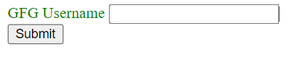
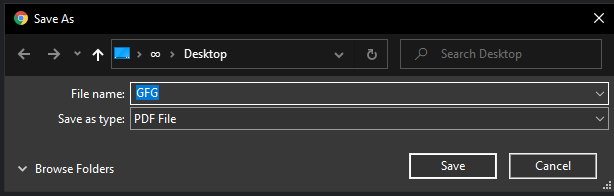
提交时:
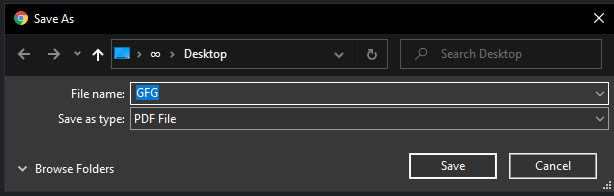
方法2
禁用提交按钮: 更简单的方法是在点击提交表单按钮时禁用提交,并在调用下载 PDF 的函数后手动提交表单。
- 首先,创建一个表单,将 onsubmit 属性设置为 ‘return: false;’,这实际上阻止了点击提交按钮后表单的提交。
- 使用 createElement 属性创建一个锚点标签,并将其赋予 href 和 download 属性。
- 然后,我们只需在创建的元素触发下载后,调用表单的提交事件来提交表单。
<!DOCTYPE html>
<html>

<head>
    <style>
        form {
            color: green;
        }
    </style>
</head>

<body>
    <!-- GFG is the name of the file to be downloaded-->
    <!-- In order to run the code, the location of the
        file "GFG.pdf" needs to be changed to your local
        directory, both the HTML and downloadable file
        needs to be present in the same directory -->
    <form id="my-form" onsubmit="return: false;">
        <label for="username">GFG username</label>
        <input type="text" name="username" />
        <input type="submit" id="submit-form"
            value="Submit" />
    </form>

    <script>
        const myForm = document
            .querySelector("#my-form");

        const submitForm = document
            .querySelector("#submit-form");

        submitForm.addEventListener("click", () => {

            // Creating element to download pdf
            var element = document.createElement('a');

            // Setting the path to the pdf file
            element.href = 'GFG.pdf';

            // Name to display as download
            element.download = 'GFG.pdf';

            // Adding element to the body
            document.documentElement.appendChild(element);

            // Above code is equivalent to
            // <a href="path to file" download="download name"/>

            // Trigger the file download
            element.click();

            // Remove the element from the body
            document.documentElement.remove(element);

            // Submit event, to submit the form
            myForm.submit();
        });
    </script>
</body>

</html>
输出:
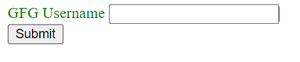
提交时: