极客教程
极客教程JavaScript 如何显示在离开网页时显示未保存更改的警告
在本文中,我们将使用JavaScript在离开网页时显示未保存更改的警告。
方法:
- 使用 onbeforeunload 事件处理程序来处理 beforeunload 事件。每当窗口即将卸载其资源时,都会触发此事件。此事件的结果取决于用户选择继续还是取消操作。可以使用此事件检查用户是否按照以下方法离开了一个未完成或未保存的表单。
- 页面上的每个表单字段都通过调用函数来更新其相应的变量。这些变量在触发 beforeunload 时进行检查,从而检查用户是否试图在不保存更改的情况下离开页面。如果表单为空,将不会警告用户,因为用户还没有开始填写表单。
语法:
// Event listener for the 'beforeunload' event
window.addEventListener('beforeunload', function (e) {

    // Check if any of the input fields are filled
    if (fname !== '' || lname !== '' || subject !== '') {

        // Cancel the event and show alert that
        // the unsaved changes would be lost
        e.preventDefault();
        e.returnValue = '';
    }
});
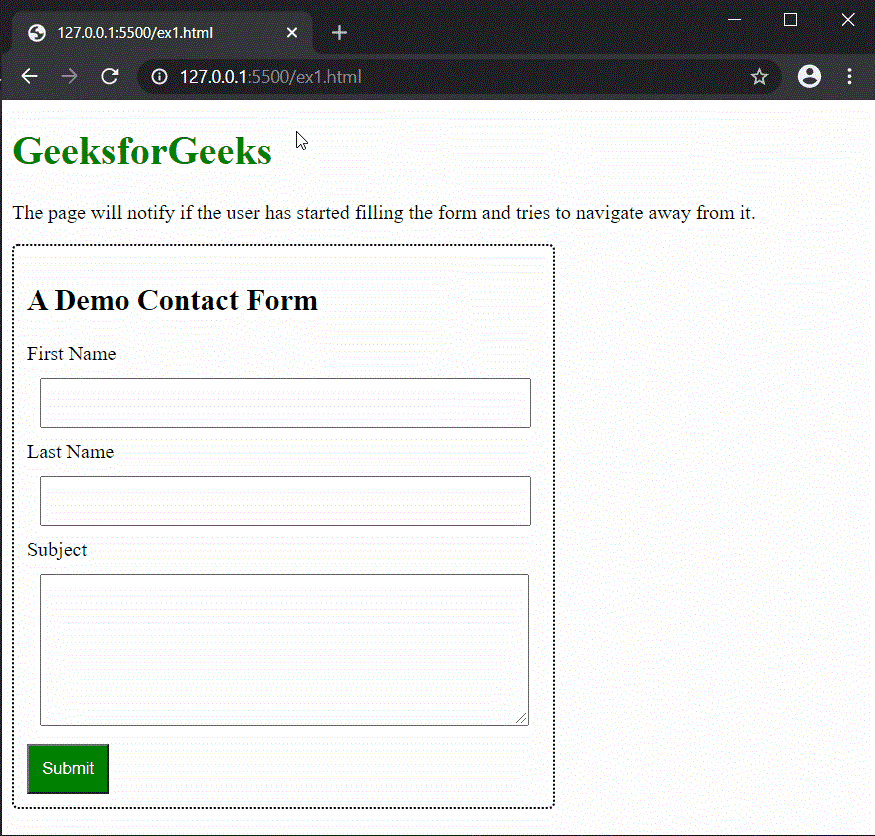
示例: 这个示例使用JavaScript在离开包含未保存更改的网页之前显示警告。
<!DOCTYPE html>
<html>
<body>
    <h1 style="color: green;">
        GeeksforGeeks
    </h1>

    <p>
        The page will notify if the user has
        started filling the form and tries
        to navigate away from it.
    </p>

    <div class="container">
        <h2>A Demo Contact Form</h2>
        <form action="#">
            <label>First Name</label>

            <!-- Create all the input boxes and
            assign their respective functions
            to update the content in a variable -->
            <input type="text"
                   id="fname"
                   name="firstname"
                   onchange="updateFname()">

            <label>Last Name</label>
            <input type="text"
                   id="lname"
                   name="lastname"
                   onchange="updateLname()">

            <label>Subject</label>
            <textarea id="subject"
                      name="subject"
                      style="height:100px"
                      onchange="updateSubject()">
            </textarea>

            <button class="submit-btn"
                    onclick="return false;">
                Submit
            </button>
        </form>
    </div>
</body>
</html>
CSS代码
.container {
    border: 2px dotted;
    width: 60%;
    border-radius: 5px;
    padding: 10px;
}

input,
textarea {
    width: 90%;
    padding: 10px;
    margin: 10px;
}

.submit-btn {
    background-color: green;
    color: white;
    padding: 10px;
}
JavaScript代码
<script type="text/javascript">
    // Variables to store the input text
    let fname = '';
    let lname = '';
    let subject = '';

    // Functions to update the input text
    updateFname = () => {
        fname = document
            .getElementById('fname').value;
    }

    updateLname = () => {
        lname = document
            .getElementById('lname').value;
    }

    updateSubject = () => {
        subject = document
            .getElementById('subject').value;
    }

    // Event listener for the
    // 'beforeunload' event
    window.addEventListener('beforeunload',
    function (e) {

        // Check if any of the input
        // fields are filled
        if (fname !== '' ||
    lname !== '' ||
    subject !== '') {

        // Cancel the event and
        // show alert that the unsaved
        // changes would be lost
        e.preventDefault();
    e.returnValue = '';
        }
    });
</script>
输出: