极客教程
极客教程JavaScript 如何强制加载另一个页面
在这篇文章中,我们将看到如何在JavaScript中强制加载另一个页面。
方法: 我们可以使用 window.location 属性在 script 标签中强制加载另一个页面。它是一个指向Location对象的引用,表示文档的当前位置。我们可以通过访问它来更改窗口的URL。
语法:
<script>
    window.location = <Path / URL>
</script>
示例:
<script>
    window.location = "https://www.geeksforgeeks.org/"
</script>
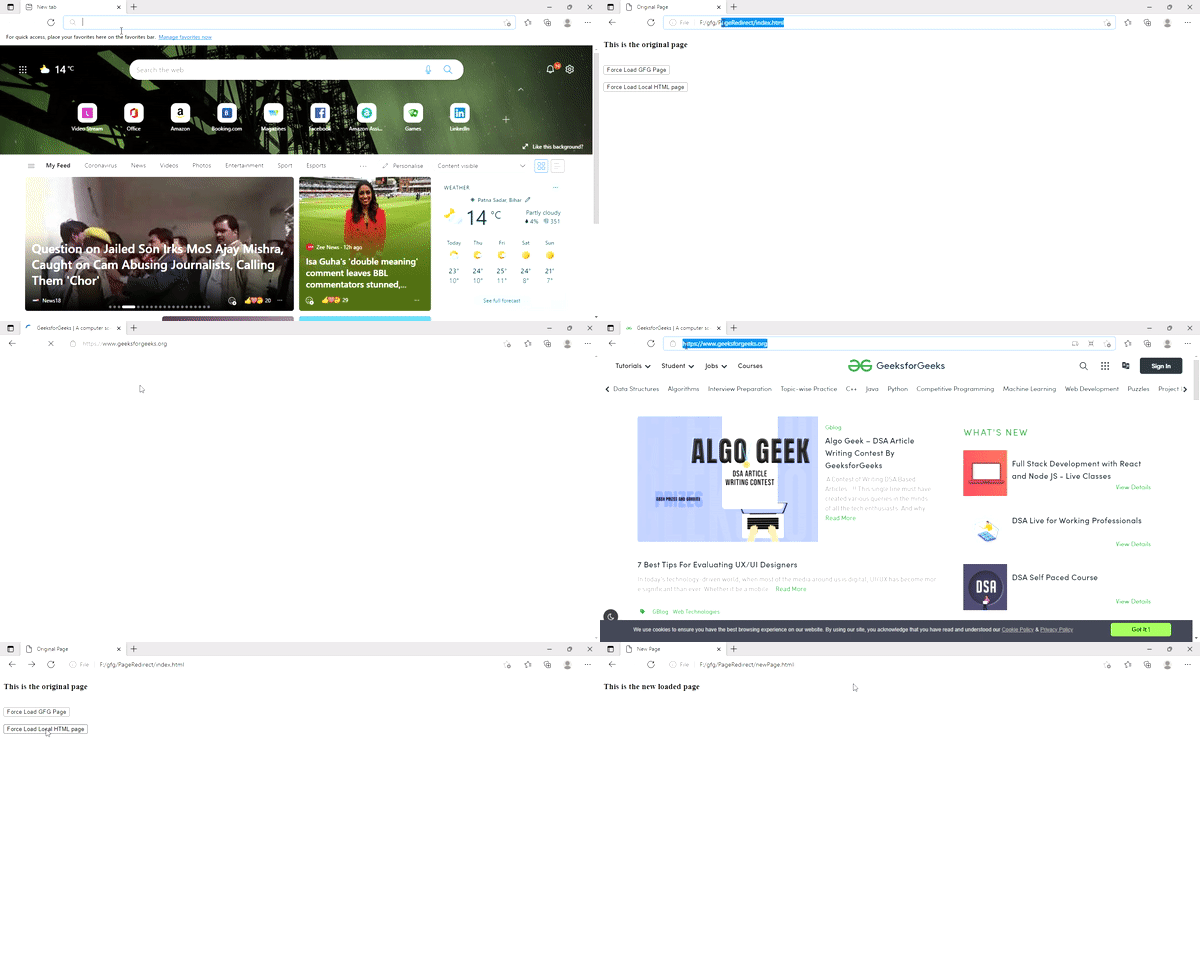
所以在上面的示例中,我们可以看到通过在Javascript中改变window.location对象,我们可以改变窗口的URL,从而成功地在没有href标签的情况下强制加载任何页面。我们将构建一个小的工作样本来实际学习它。
下面是逐步实施的步骤:
步骤1: 创建一个名为 index.html 的文件。在其中添加一个标题和两个按钮。一个按钮强制加载具有实时URL的页面,另一个按钮加载本地HTML页面。在<script>标签中,我们有两个函数,一个加载gfg首页,另一个使用 window.location 属性加载本地HTML页面。
index.html
<!DOCTYPE html>
<html lang="en">

<head>
    <meta charset="UTF-8">
    <meta http-equiv="X-UA-Compatible"
        content="IE=edge">
    <meta name="viewport" content=
        "width=device-width, initial-scale=1.0">
</head>

<body>
    <h3>This is the original page</h3>
    <br>

    <button onclick="force_load_gfg()">
        Force Load GFG Page
    </button>
    <br><br>

    <button onclick="force_load_local()">
        Force Load Local HTML page
    </button>

    <script>
        function force_load_gfg() {
            window.location =
                "https://www.geeksforgeeks.org/"
        }

        function force_load_local() {
            window.location =
                "F:/gfg/PageRedirect/newPage.html"
        }
    </script>
</body>

</html>
步骤2: 创建一个名为 newPage.html 的文件。这是本地HTML页面,将由Javascript加载。
newPage.html
<!DOCTYPE html>
<html lang="en">

<head>
    <meta charset="UTF-8">
    <meta http-equiv="X-UA-Compatible"
        content="IE=edge">
    <meta name="viewport" content=
        "width=device-width, initial-scale=1.0">
    <title> New Page </title>
</head>

<body>
    <h3>This is the new loaded page</h3>
</body>

</html>
输出: