极客教程
极客教程HTML 解释Storage对象
HTML Storage对象主要用于在客户端Web浏览器上本地存储数据。这是一种安全且简便的方式,可以在Web浏览器上存储大量数据。它使用键值对在Web浏览器上存储数据。
HTML Storage对象可以以两种方式在Web浏览器上存储数据:
- localStorage
- sessionStorage
本地存储对象: 本地存储对象使用 localStorage 对象来存储数据。使用localStorage在Web浏览器上存储的数据即使在关闭或重新打开浏览器时也会保留在浏览器存储中。数据不会自动过期。localStorage对象使用 localStorage.getItem() 获取存储的数据,使用 localStorage.setItem() 在浏览器上添加数据。
语法:
- 使用 localStorage.getItem() 从浏览器中获取已存储的数据的语法,它需要一个字符串参数作为 key 来返回对应于该特定键的值。
localStorage.getItem("key");
- 使用 localStorage.setItem() 在Web浏览器上存储数据的语法,它接受两个参数,将一个视为 key ,另一个视为 value 来存储数据。
localStorage.setItem("key", "value");
示例:
HTML
<!DOCTYPE html>
<html lang="en">

<head>
    <meta charset="UTF-8">
    <meta http-equiv="X-UA-Compatible"
        content="IE=edge">
    <meta name="viewport" content=
        "width=device-width, initial-scale=1.0">
</head>

<body>
    <div style="display: flex;
                flex-direction: column;
                align-items: center;
                justify-content: center;">

        <h2>Welcome To GFG</h2>

        <input type="text" id="inputName"
            placeholder="Enter Your Name">
        <br>
        <input type="text" id="inputCountry"
            placeholder="Your Country">
        <br>

        <button onClick="addData()">
            Add Data
        </button>

        <p id="para"></p>
    </div>

    <script>
        function addData() {
            if (typeof (Storage) !== "undefined") {

                var name = document.getElementById(
                        "inputName").value;

                var country = document.getElementById(
                        "inputCountry").value;

                localStorage.setItem("Name", name);

                localStorage.setItem("Country", country);

                var para = document.getElementById(
                    "para").innerHTML = "Hey "
                    + localStorage.getItem("Name") + "!" +
                    "<br>" + "Welcome To India, You are from "
                    + localStorage.getItem("Country") + ".";
            }
            else {
                var para = document.getElementById(
                    "para").innerHTML ="Error! You browser "
                    + "doesn't support HTML storage object";
            }
        }
    </script>
</body>

</html>
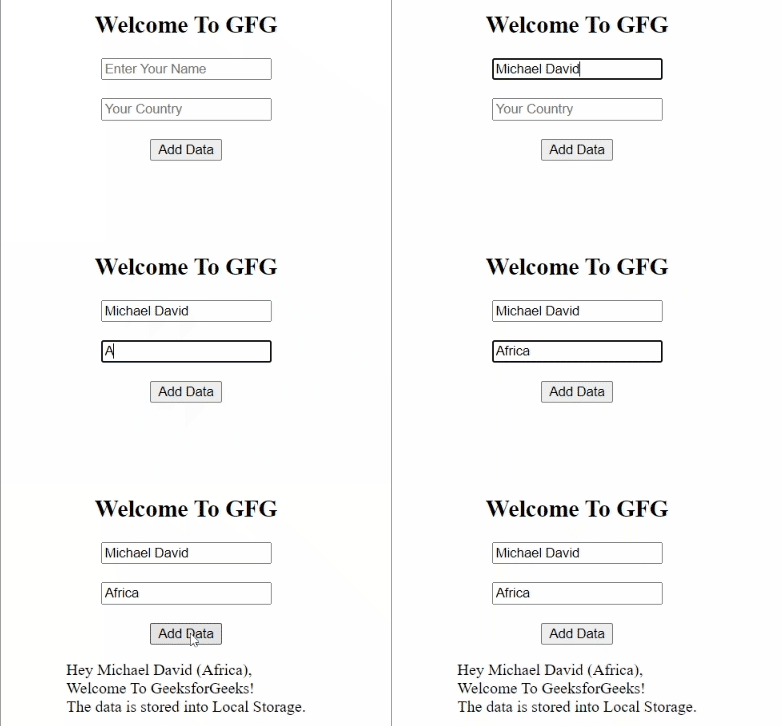
输出结果:
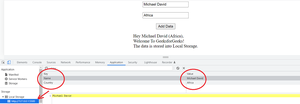
以下是Web浏览器中存储的数据:
Session Storage对象: Session Storage使用sessionStorage对象在网页浏览器中存储数据。使用该对象存储的数据仅在会话期间有效,即关闭浏览器时,存储的数据将自动被删除。它使用与localStorage相同的语法来存储数据。
语法:
- 添加数据的语法:
sessionStorage.setItem("key", "value");
- 获取数据的语法:
sessionStorage.getItem("key");
示例:
HTML
<!DOCTYPE html>
<html lang="en">

<head>
    <meta charset="UTF-8">
    <meta http-equiv="X-UA-Compatible"
        content="IE=edge">
    <meta name="viewport" content=
        "width=device-width, initial-scale=1.0">
</head>

<body>
    <div style="display: flex;
                flex-direction: column;
                align-items: center;
                justify-content: center;">

        <h2>Welcome To GFG</h2>

        <input type="text" id="inputName"
            placeholder="Enter Your Name">
        <br>
        <input type="text" id="inputCountry"
            placeholder="Your Country">
        <br>

        <button onClick="addData()">
            Add Data
        </button>

        <p id="para"></p>
    </div>

    <script>
        function addData() {
            if (typeof (Storage) !== "undefined") {

                var name = document.getElementById(
                        "inputName").value;

                var country = document.getElementById(
                        "inputCountry").value;

                sessionStorage.setItem("Name", name);

                sessionStorage.setItem("Country", country);

                var para = document.getElementById(
                    "para").innerHTML = "Hey "
                    + sessionStorage.getItem("Name")
                    + "!" + "<br>" +
                    "Welcome To GeeksforGeeks! You belongs to "
                    + sessionStorage.getItem("Country") + ".";
            }
            else {
                var para = document.getElementById(
                    "para").innerHTML = "Error! You browser "
                    + "doesn't support HTML storage object";
            }
        }
    </script>
</body>

</html>
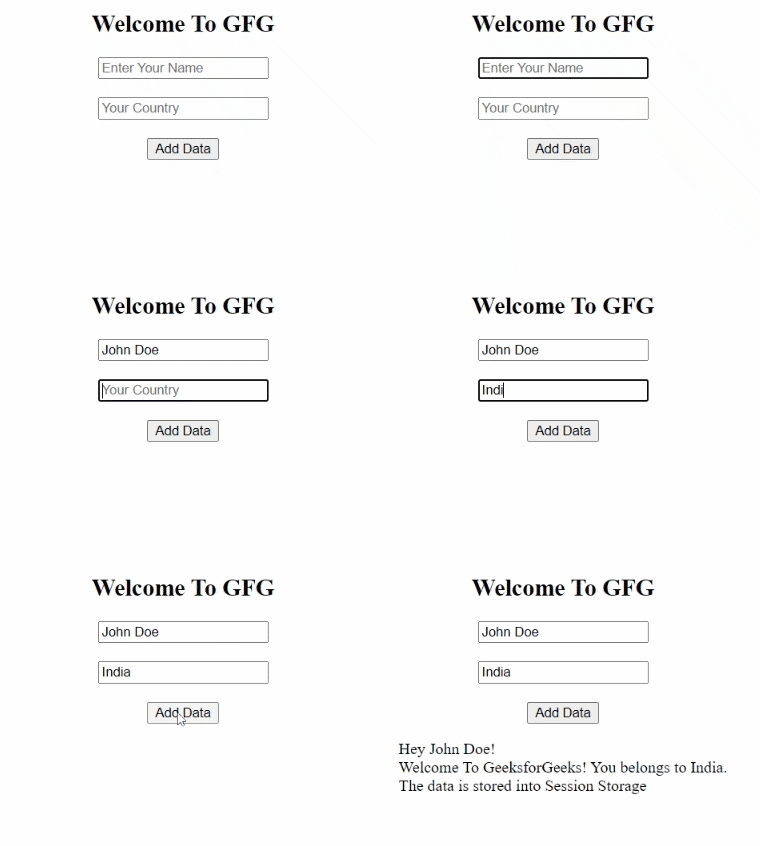
输出:
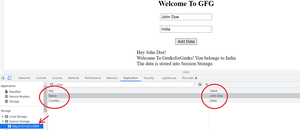
下面是存储在Web浏览器的sessionStorage中的数据: