极客教程
极客教程Tap-the-Geek 简单的HTML CSS和JavaScript游戏
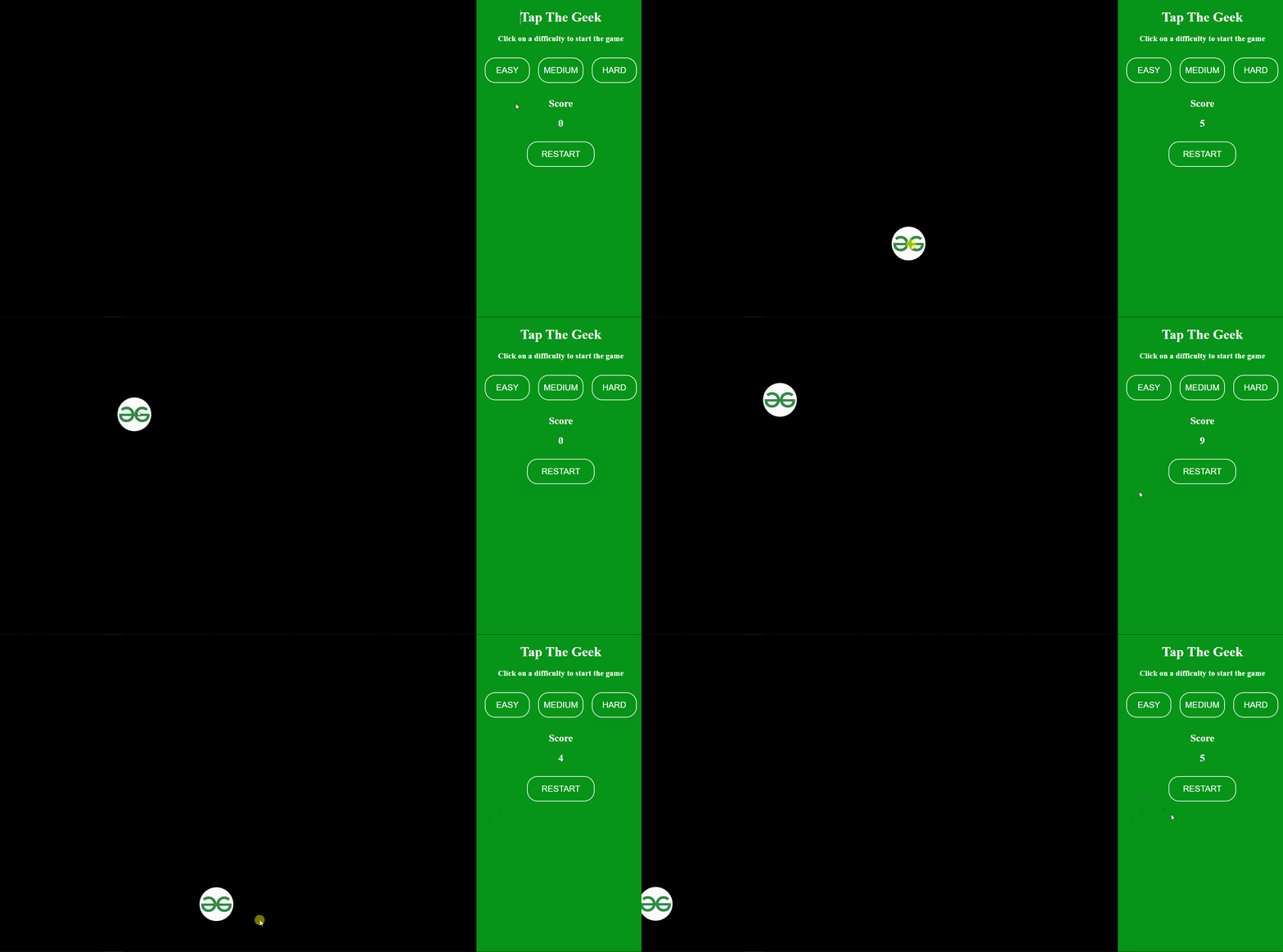
Tap-the-Geek 是一个简单的游戏,玩家需要尽可能多地点击移动的 GeeksForGeeks 标志以增加他们的得分。它分为三个等级 easy,medium 和 hard。 从简单到困难,圆圈的速度都会增加。我敢打赌,对于玩家来说,在 Hard 的等级上得到一个分数是非常困难的。
为什么这个游戏简单?
这个游戏之所以简单,是因为它仅由很少的代码行组成的 HTML,CSS 和 Javascript 。它使用简单的 CSS animation 属性使标志移动,并使用 HTML DOM 来执行一些操作,如计算玩家点击次数以计算分数并显示。
如何玩这个游戏?
玩家只需点击移动的标志尽可能多的次数。如果您使用的是笔记本电脑,最好使用鼠标而不是笔记本电脑的触摸板,以获得更好的体验。尝试通过更改等级来尝试不同的难度,在切换等级之前刷新页面。
实施:
- 将网页分为两个部分,一个用于游戏区域,另一个用于选择关卡和显示分数。
- 将标志作为一个
元素创建,并设置合理的高度和宽度,使玩家舒适地点击。
* 设置动画以使用@keyframes随机移动标志的方向。我们将指定left和top属性,以便随着动画的进行,标志移动到该位置。
* 动画部分完成后,让我们添加功能来计算标志被点击的次数。
* 最后,我们可以将计数显示为分数在Score侧边栏。就这样,我们的游戏就准备好了!
示例:
HTML
<!DOCTYPE html>
<html lang="en">

<head>
    <style>
        body {
            margin: 0px;
            background: #000;
        }

        .crcl {
            width: 80px;
            height: 80px;
            border-radius: 100%;
            position: relative;
            background-image: url(
"https://media.geeksforgeeks.org/wp-content/cdn-uploads/gfg_200x200-min.png"
                );
            background-size: cover;
            animation: movement;
        }

        /* To set the positions for the logo
        for the whole animation */
        @keyframes movement {
            0% {
                left: 0px;
                top: 0px
            }

            5% {
                left: 300px;
                top: 200px
            }

            10% {
                left: 600px;
                top: 100px
            }

            15% {
                left: 600px;
                top: 600px
            }

            20% {
                left: 300px;
                top: 600px
            }

            25% {
                left: 600px;
                top: 400px
            }

            30% {
                left: 100px;
                top: 0px
            }

            35% {
                left: 600px;
                top: 200px
            }

            40% {
                left: 100px;
                top: 500px
            }

            45% {
                left: 0px;
                top: 600px
            }

            50% {
                left: 600px;
                top: 600px
            }

            55% {
                left: 300px;
                top: 200px
            }

            60% {
                left: 600px;
                top: 100px
            }

            65% {
                left: 800px;
                top: 600px
            }

            70% {
                left: 300px;
                top: 600px
            }

            75% {
                left: 600px;
                top: 400px
            }

            80% {
                left: 100px;
                top: 0px
            }

            85% {
                left: 600px;
                top: 200px
            }

            90% {
                left: 100px;
                top: 500px
            }

            95% {
                left: 0px;
                top: 600px
            }

            100% {
                left: 600px;
                top: 200px;
            }
        }

        .details {
            float: right;
            width: 400px;
            height: 100vh;
            position: relative;
            background-color: rgb(6, 148, 25);
            color: white;
            display: block;
            text-align: center;
        }

        .ground {
            float: left;
        }

        .level {
            display: flex;
            margin: 10px;
            margin-top: 25px;
        }

        .display_score {
            margin-top: 25px;
        }

        button {
            border-radius: 25px;
            width: 8em;
            height: 3em;
            font-size: 20px;
            border: 2px solid white;
            background: transparent;
            color: white;
            margin: 10px;
            cursor: pointer;
        }

        button:hover {
            background-color: white;
            color: rgb(6, 148, 25);
            box-shadow: 0px 10px 20px 10px white;
            transition-duration: 1s;
        }
    </style>
</head>

<body>
    <div class="ground">
        <div id="circle" onclick="count()"></div>
    </div>
    <div class="details">
        <h1>Tap The Geek</h1>
        <h3>Click on a difficulty to start the game</h3>
        <div class="level">
            <button onclick="easy()">EASY</button>
            <button onclick="medium()">MEDIUM</button>
            <button onclick="hard()">HARD</button>
        </div>
        <div class="display_score">
            <h2>Score</h2>
            <h2 id="score">0</h2>
        </div>
        <button onclick="restart()">RESTART</button>
    </div>

    <script>

        // Setting the level to Easy by having the
        // duration of the whole animation to the maximum
        function easy() {
            document.getElementById('circle')
                .style.animationDuration = '20s';
            document.getElementById('circle')
                .className = 'crcl';
        }

        // Setting the level to Medium by having the
        // duration of the whole animation to the maximum
        function medium() {
            document.getElementById('circle')
                .style.animationDuration = '15s';
            document.getElementById('circle')
                .className = 'crcl';
        }

        // Setting the level to Hard by having the
        // duration of the whole animation to the maximum
        function hard() {
            document.getElementById('circle')
                .style.animationDuration = '12s';
            document.getElementById('circle')
                .className = 'crcl';
        }

        let cnt = 0;

        // Function to count the number of taps
        // and display the score
        function count() {
            cnt = parseInt(1) + parseInt(cnt);
            var scr = document.getElementById('score');
            scr.innerHTML = cnt;
        }

        // Restart the game by refreshing the page
        function restart() {
            window.location.reload();
        }
    </script>
</body>

</html>
输出: