极客教程
极客教程JavaScript中如何将.join()与push和splice一起使用
- Array.join() Method
array.join()方法是JavaScript中的一个内置函数,用于将数组中的元素连接成一个字符串。字符串中的元素将被指定的分隔符分开,其默认值是逗号(,)。
语法:
array.join(separator)
- Array.push() Method
array.push()函数用于在一个数组中推送一个或多个值。该函数通过添加到数组中的元素数量来改变数组的长度。该函数的语法如下。
语法:
arr.push(element1[, ...[, elementN]])
参数:该函数可以包含与要插入数组的元素数量一样多的参数。
返回值:该函数在将参数插入数组后返回带有新值的新数组。
- Array.splice() 方法
JavaScript中的数组类型为我们提供了splice()方法,该方法通过移除和插入新的元素来替换现有数组中的项目,在所需/所需的索引上。
语法:
array.splice(start_index, delete_count, value1, value2, value3, ...)
注意: Splice()方法从start_index元素开始删除一个数组中的零个或多个元素,并用参数列表中指定的零个或多个元素替换这些元素。
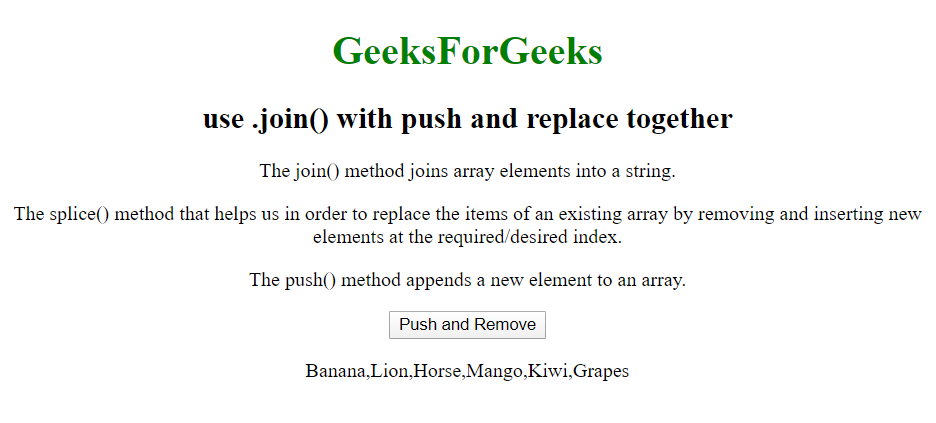
例子:下面的例子说明了.join()方法与push()方法和splice()方法的结合使用。
<!DOCTYPE html>
<html>
    <body>
        <center>
            <h1 style="color: green;">
              GeeksForGeeks
          </h1>

            <h2>use .join() with push and replace together</h2>
            <p>The join() method joins array elements into
              a string.</p>

            <p>The splice() method that helps us in order to
replace the items of an existing array by removing and inserting
              new elements at the required/desired index.</p>

            <p>The push() method appends a new element to an
              array.</p>
            <button onclick="myFunction()">Push</button>
            <p id="demo"></p>
            <br />
            <script>
                // Initializing the array
                var fruits = ["Banana", "Orange", "Apple", "Mango"];
                // joining the array elements using .join method
                document.getElementById(
                  "demo").innerHTML = fruits.join(" *");

                function myFunction() {
// splicing the array elements(delete_count=2, which will replace
//("Orange", "Apple" with "Lion", "Horse") using splice() method
                    fruits.splice(1, 2, "Lion", "Horse");
                    document.getElementById("demo").innerHTML = fruits;
// pushing the array elements("Kiwi, Grapes") using push() method
                    fruits.push("Kiwi, Grapes");
                    document.getElementById("demo").innerHTML = fruits;
// expected output [Banana, Lion, Horse, Mango, Kiwi, Grapes]
                }
            </script>
        </center>
    </body>
</html>
输出:
在点击 “推动和接续 “按钮之前:

点击推送和删除按钮后的输出: