极客教程
极客教程Angular PrimeNG Accordion选定
Angular PrimeNG是一个开源框架,拥有丰富的原生Angular UI组件,可用于出色的造型,该框架可用于制作响应式网站,非常方便。在这篇文章中,我们将看到如何在Angular PrimeNG中使用Accordion Selected,同时了解这些属性,以及它们在代码中的语法。
Accordion组件用于在标签中显示一部分自定义的内容。被设置为true的selected属性,允许单向绑定或双向绑定,指定内容的可见性。
语法:
<p-accordion>
   <p-accordionTab
        header="..."
        [selected]="true">
        ...
   </p-accordionTab>
   ...
</p-accordion>
Angular PrimeNG Accordion 选择的属性:
- header。它指定了标签的标题。它是字符串数据类型,默认值为空。
- selected。它定义了标签是否被激活。它是布尔数据类型,默认值是false。
Angular PrimeNG Accordion Selected Event:
- onClose。它是一个回调,通过点击标题来触发。
- onOpen: 它是一个回调,当标签被展开时被触发。
创建Angular应用程序和模块安装。
第1步:使用以下命令创建一个Angular应用程序。
ng new appname
第2步:创建你的项目文件夹即appname后,使用以下命令移动到它。
cd appname
第3步:在你给定的目录中安装PrimeNG。
npm install primeng --save
npm install primeicons --save
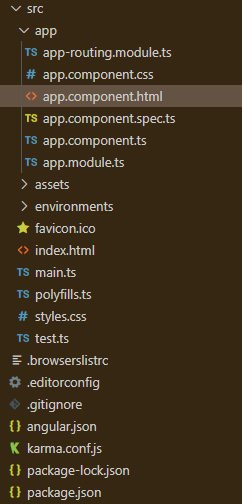
项目结构:它将看起来像如下。
- 运行该应用程序的步骤。运行下面的命令,看看输出情况。
ng serve --open
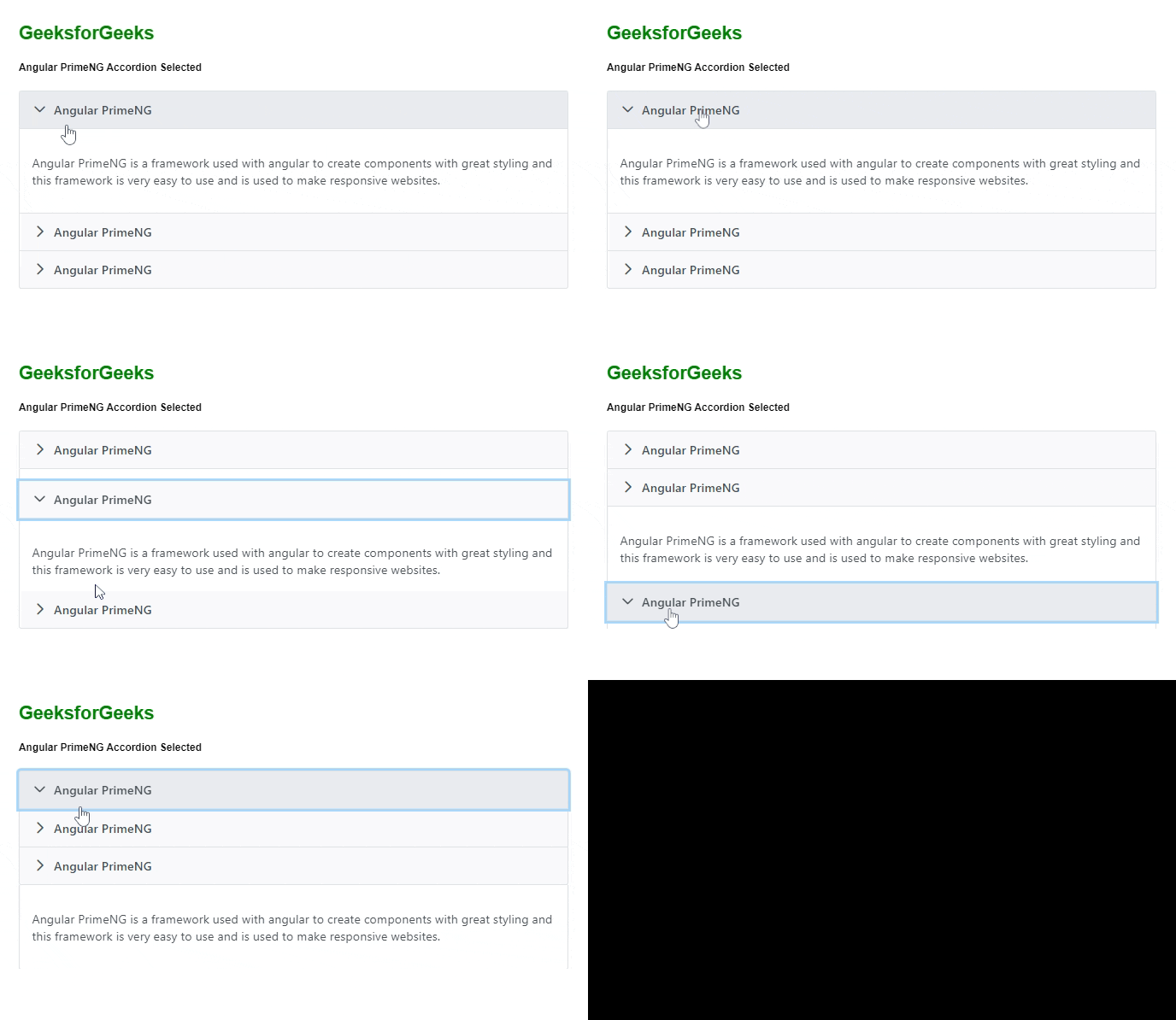
例子1:下面的例子说明了Angular PrimeNG Accordion Selected的使用,其中第一个手风琴最初被选中。
<h2 style="color: green">
    GeeksforGeeks
</h2>
<h5>
    Angular PrimeNG Accordion Selected
</h5>

<p-accordion>
    <p-accordionTab
        header="Angular PrimeNG"
        [selected]="true">
        <p>
            Angular PrimeNG is a framework used
            with angular to create components with
            great styling and this framework is very
            easy to use and is used to make responsive
            websites.
        </p>
    </p-accordionTab>
    <p-accordionTab header="Angular PrimeNG">
        <p>
            Angular PrimeNG is a framework used
            with angular to create components with
            great styling and this framework is very
            easy to use and is used to make responsive
            websites.
        </p>
    </p-accordionTab>
    <p-accordionTab header="Angular PrimeNG">
        <p>
            Angular PrimeNG is a framework used
            with angular to create components with
            great styling and this framework is very
            easy to use and is used to make responsive
            websites.
        </p>
    </p-accordionTab>
</p-accordion>
import { Component } from '@angular/core';

@Component({
    selector: 'app-root',
    templateUrl: './app.component.html',
    styleUrls: ['./app.component.scss'],
})
export class AppComponent { }
import { NgModule } from '@angular/core';
import { BrowserModule } from '@angular/platform-browser';
import { BrowserAnimationsModule }
    from '@angular/platform-browser/animations';
import { AppComponent } from './app.component';
import { AccordionModule } from 'primeng/accordion';

@NgModule({
    imports: [
        BrowserModule,
        BrowserAnimationsModule,
        AccordionModule
    ],
    declarations: [AppComponent],
    bootstrap: [AppComponent],
})
export class AppModule { }
输出:
例子2:下面是另一个例子,说明了Angular PrimeNG Accordion Selected.的使用。
<h2 style="color: green">
    GeeksforGeeks
</h2>
<h5>
    Angular PrimeNG Accordion Selected
</h5>

<p-accordion>
    <p-accordionTab header="Angular PrimeNG">
        <p>
            Angular PrimeNG is a framework used
            with angular to create components with
            great styling and this framework is very
            easy to use and is used to make responsive
            websites.
        </p>
    </p-accordionTab>
    <p-accordionTab
        header="Angular PrimeNG"
        [selected]="true">
        <p>
            Angular PrimeNG is a framework used
            with angular to create components with
            great styling and this framework is very
            easy to use and is used to make responsive
            websites.
        </p>
    </p-accordionTab>
    <p-accordionTab header="Angular PrimeNG">
        <p>
            Angular PrimeNG is a framework used
            with angular to create components with
            great styling and this framework is very
            easy to use and is used to make responsive
            websites.
        </p>
    </p-accordionTab>
</p-accordion>
import { Component } from '@angular/core';

@Component({
    selector: 'app-root',
    templateUrl: './app.component.html',
    styleUrls: ['./app.component.scss'],
})
export class AppComponent { }
import { NgModule } from '@angular/core';
import { BrowserModule } from '@angular/platform-browser';
import { BrowserAnimationsModule }
    from '@angular/platform-browser/animations';
import { AppComponent } from './app.component';
import { AccordionModule } from 'primeng/accordion';

@NgModule({
    imports: [
        BrowserModule,
        BrowserAnimationsModule,
        AccordionModule
    ],
    declarations: [AppComponent],
    bootstrap: [AppComponent],
})
export class AppModule { }
输出: