极客教程
极客教程Angular ngx Bootstrap简介
Angular ngx Bootstrap是一个开源(MIT许可)项目,提供由Angular驱动的Bootstrap组件,不需要包括任何原始JS组件。这个框架有助于创建具有良好风格的组件,而且非常容易使用,这反过来又有助于创建交互式和响应式的网站或Web应用程序。在这篇文章中,我们将了解ngx Bootstrap的概况,它的基本语法和安装程序,以及通过实例了解它的实现。
ngx Bootstrap为实现不同的目的提供了不同种类的组件,例如Alert组件可以用来为典型的用户操作提供上下文反馈信息,Rating组件可以用来做一个使用星星显示的组件,Progressbar组件可以用来提供工作进度的最新反馈,等等。这些组件利用各自的API来执行特定的任务。在angular项目中使用这些组件可以帮助创建一个有吸引力的网络应用,同时增强网站或应用程序的整体互动性。
安装
npm install ngx-bootstrap --save
安装Angular ngx Bootstrap的步骤:在我们继续安装Angular ngx Bootstrap之前,我们必须在系统中安装Angular CLI。请参考Angular CLI Angular Project Setup文章了解详细的安装步骤。确保Angular CLI & Node Package Manager已正确安装。要检查安装的版本,请运行以下命令。
- 对于NodeJS版本。
node --version
- 对于NPM版本。
npm -V OR npm --version
- 对于Angular CLI版本。
ng -V or ng --version
项目结构:安装成功后,将出现以下项目结构。
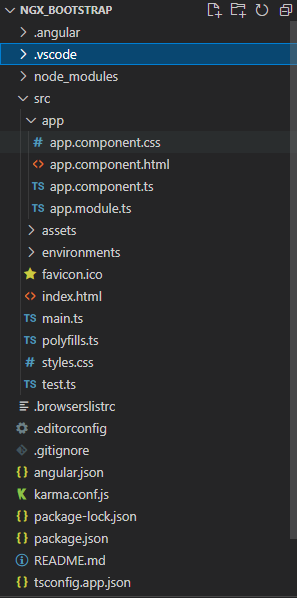
Project Structure
创建Angular ngx Bootstrap组件的步骤:
- 使用上面提到的安装命令安装angular ngx bootstrap。
- 在app.module.ts文件中向NgModule导入所需的包。
 import { TooltipModule } from 'ngx-bootstrap/tooltip';

 @NgModule({
   ...
   imports: [ TooltipModule.forRoot(), … ]
   ...
 })
- 在index.html中添加以下脚本。
<link href=”https://maxcdn.bootstrapcdn.com/bootstrap/4.0.0/css/bootstrap.min.css” rel=”stylesheet”>
- 在你的app.component.html文件中添加特定的组件(要使用的)。
- 使用下面的命令运行该应用程序。
ng serve
它将自动在http://localhost:4200/ 中渲染应用程序。
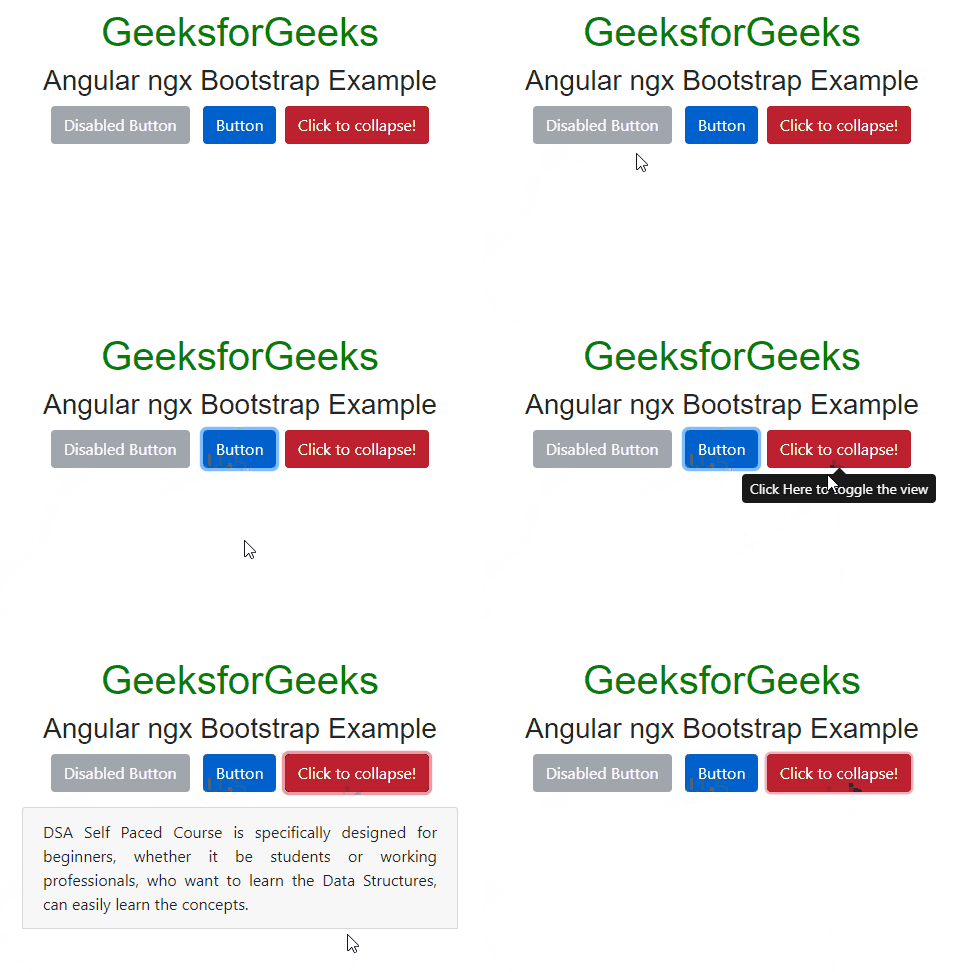
例子:这个例子说明了Angular ngx Bootstrap的实现。
<div class="text-center">
    <h1>GeeksforGeeks</h1>
    <h3>Angular ngx Bootstrap Example</h3>
    <button type="button"
            class="btn btn-secondary"
            [disabled]="grp"
            (click)="gfg1 = !gfg1"
            aria-controls="geeks1">
        Disabled Button
    </button>
    <button type="button"
            class="btn btn-primary active"
            tooltip="Active Button"
            placement="top"
            (click)="gfg1 = !gfg1"
            aria-controls="geeks1">
      Button
    </button>
    <button type="button"
            class="btn btn-danger active"
            tooltip="Click Here to toggle the view"
            placement="bottom"
            (click)="gfg = !gfg"
            aria-controls="geeks">
      Click to collapse!
    </button>
    <div id="geeks"
         [collapse]="gfg">
        <div class="well well-lg card card-block card-header">
            DSA Self Paced Course is specifically designed
            for beginners, whether it be students or working
            professionals, who want to learn the Data Structures,
            can easily learn the concepts.
        </div>
    </div>
</div>
import { Component } from '@angular/core';

@Component({
  selector: 'app-root',
  templateUrl: './app.component.html',
  styleUrls: ['./app.component.css'],
})
export class AppComponent {
  gfg = false;
  gfg1 = false;
  grp="true";
}
import { NgModule } from "@angular/core";
import { FormsModule, ReactiveFormsModule } from "@angular/forms";
import { BrowserModule } from "@angular/platform-browser";
import { BrowserAnimationsModule }
    from "@angular/platform-browser/animations";

import { AlertModule } from "ngx-bootstrap/alert";
import { TooltipModule } from "ngx-bootstrap/tooltip";
import { CollapseModule } from "ngx-bootstrap/collapse";
import { AppComponent } from "./app.component";

@NgModule({
  bootstrap: [AppComponent],
  declarations: [AppComponent],
  imports: [
    FormsModule,
    BrowserModule,
    BrowserAnimationsModule,
    ReactiveFormsModule,
    AlertModule.forRoot(),
    TooltipModule.forRoot(),
    CollapseModule.forRoot(),
  ],
})
export class AppModule {}
<!DOCTYPE html>
<html lang="en">

<head>
    <meta charset="utf-8" />
    <meta name="viewport"
          content="width=device-width,
                   initial-scale=1" />
    <link href=
"https://maxcdn.bootstrapcdn.com/bootstrap/4.0.0/css/bootstrap.min.css"
          rel="stylesheet" />
    <link rel="icon"
          type="image/x-icon"
          href="favicon.ico" />
    <link rel="preconnect"
          href="https://fonts.gstatic.com" />
    <link href=
"https://fonts.googleapis.com/css2?family=Roboto:wght@300;400;500&display=swap"
          rel="stylesheet" />
    <link href=
"https://fonts.googleapis.com/icon?family=Material+Icons"
          rel="stylesheet" />
</head>

<body class="mat-typography">
    <app-root></app-root>
</body>
</html>
输出:
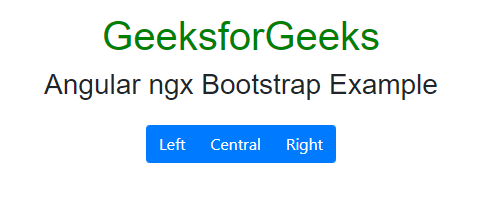
例子2:这个例子描述了Angular ngx Bootstrap中分组的Button组件。
<div class="text-center">
  <h1>GeeksforGeeks</h1>
  <h3>Angular ngx Bootstrap Example</h3>
  <div class="btn-group">
    <label class="btn btn-primary"
           role="button">Left
       </label>
    <label class="btn btn-primary"
           role="button">Central
       </label>
    <label class="btn btn-primary"
           role="button">Right
       </label>
  </div>
</div>
import { Component } from "@angular/core";

@Component({
  selector: "app-root",
  templateUrl: "./app.component.html",
  styleUrls: ["./app.component.css"],
})
export class AppComponent {}
import { NgModule } from "@angular/core";

import { FormsModule, ReactiveFormsModule } from "@angular/forms";
import { BrowserModule } from "@angular/platform-browser";
import { BrowserAnimationsModule }
    from "@angular/platform-browser/animations";
import { ButtonsModule } from "ngx-bootstrap/buttons";

import { AppComponent } from "./app.component";

@NgModule({
  bootstrap: [AppComponent],
  declarations: [AppComponent],
  imports: [
    FormsModule,
    BrowserModule,
    BrowserAnimationsModule,
    ReactiveFormsModule,
    ButtonsModule.forRoot(),
  ],
})
export class AppModule {}
输出: