极客教程
极客教程Angular ngx Bootstrap按钮组件
Angular ngx bootstrap是一个与angular一起使用的bootstrap框架,用于创建具有出色风格的组件,这个框架非常容易使用,用于制作响应式网站。
在这篇文章中,我们将看到如何在angular ngx bootstrap中使用按钮。按钮是用来制作一组按钮的。
安装:
npm install ngx-bootstrap --save
步骤:
- 首先,使用上述命令安装angular ngx bootstrap。
- 在index.html中添加以下脚本
<link href=”https://maxcdn.bootstrapcdn.com/bootstrap/4.0.0/css/bootstrap.min.css” rel=”stylesheet”>
- 在module.ts中导入按钮组件
- 在app.component.html中制作一个按钮组件。
- 使用ng serve为应用程序提供服务。
示例 1:
<!doctype html>
<html lang="en">

<head>
    <meta charset="utf-8">
    <title>Demo</title>
    <base href="/">
    <meta name="viewport" content=
        "width=device-width, initial-scale=1">
    <link href=
"https://maxcdn.bootstrapcdn.com/bootstrap/4.0.0/css/bootstrap.min.css"
        rel="stylesheet">

    <link rel="icon" type="image/x-icon" href="favicon.ico">
    <link rel="preconnect" href="https://fonts.gstatic.com">
    <link href=
"https://fonts.googleapis.com/css2?family=Roboto:wght@300;400;500&display=swap"
        rel="stylesheet">
    <link href=
"https://fonts.googleapis.com/icon?family=Material+Icons"
        rel="stylesheet">
</head>

<body class="mat-typography">
    <app-root></app-root>
</body>

</html>
<button type="button" class="btn btn-success">
    GeeksforGeeks1
</button>
<br /><br />

<button type="button" class="btn btn-primary">
    GeeksforGeeks2
</button>
<br /><br />

<button type="button" class="btn btn-secondary">
    GeeksforGeeks3
</button>
<br /><br />

<button type="button" class="btn btn-danger">
    GeeksforGeeks4
</button>
<br /><br />

<button type="button" class="btn btn-warning">
    GeeksforGeeks5
</button>
import { NgModule } from '@angular/core';

// Importing forms module
import { FormsModule, ReactiveFormsModule }
    from '@angular/forms';
import { BrowserModule }
    from '@angular/platform-browser';
import { BrowserAnimationsModule }
    from '@angular/platform-browser/animations';
import { ButtonsModule }
    from 'ngx-bootstrap/buttons';


import { AppComponent }
    from './app.component';

@NgModule({
    bootstrap: [
        AppComponent
    ],
    declarations: [
        AppComponent
    ],
    imports: [
        FormsModule,
        BrowserModule,
        BrowserAnimationsModule,
        ReactiveFormsModule,
        ButtonsModule.forRoot()

    ]
})
export class AppModule { }
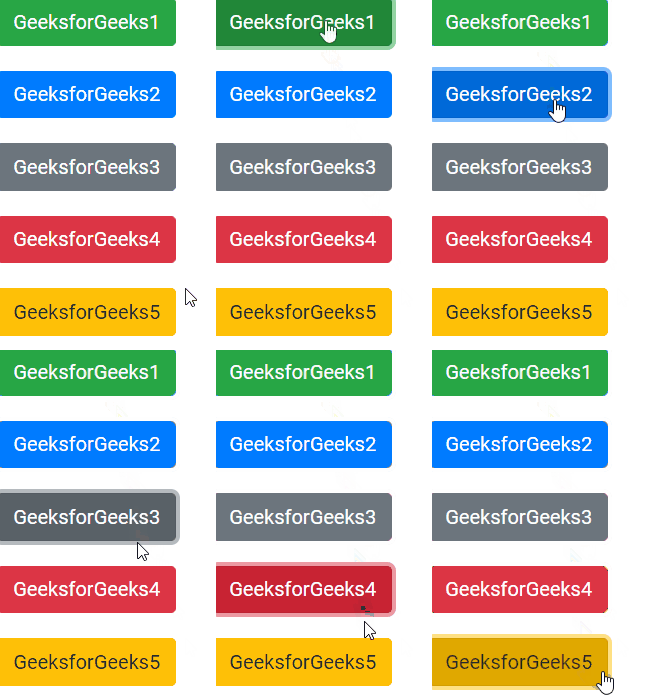
输出: