 极客教程
极客教程JavaScript 如何读取CSS规则的值
DOM(文档对象模型)对象可以读取和操作CSS规则。我们可以使用以下方法使用JavaScript读取所有嵌入的CSS规则。
- 使用getElementsByTagName()方法
- 使用window.getComputedStyle()方法
方法1:使用getElementsByTagName()方法
- 使用 document.getElementsByTagName(“STYLE”) 方法获取所有的CSS标签。
- 检查长度是否为0,如果是则表示没有使用样式标签。
- 否则,使用for循环显示所有标签。
示例:
<!DOCTYPE html>
<html lang="en">

<head>
    <meta charset="UTF-8">
    <meta name="viewport" content=
        "width=device-width, initial-scale=1.0">
    <link rel="stylesheet" href=
"https://maxcdn.bootstrapcdn.com/bootstrap/4.3.1/css/bootstrap.min.css">
    <link href=
"https://fonts.googleapis.com/css?family=Satisfy&display=swap"
        rel="stylesheet">

    <title>
        How to read CSS rule values with JavaScript?
    </title>

    <style>
        h1 {
            text-align: center;
            color: green;
        }

        #para {
            font-family: 'Satisfy', cursive;
            text-align: justify;
            background-color: powderblue;
            font-size: 130%;
        }
    </style>
</head>

<body>
    <h1>GeeksforGeeks</h1>
    <hr />

    <p id="para">
        Cascading Style Sheets, fondly referred
        to as CSS, is a simply designed language
        intended to simplify the process of
        making web pages presentable. CSS allows
        you to apply styles to web pages. More
        importantly, CSS enables you to do this
        independent of the HTML that makes up
        each web page.
    </p>

    <div class="text-center">
        <input id="my_button1" type="button"
            class="btn btn-success"
            value="Read All CSS Values">
    </div>

    <script>
        function alert_css() {
            let style_text = "";

            let style_elements =
                document.getElementsByTagName("STYLE");

            if (style_elements.length == 0)
                alert("No Style Tag!");
            else {
                for (let i = 0; i < style_elements.length; i++)
                    style_text += style_elements[i].outerHTML;

                    style_text = style_text.toString()
                        .replace(/\t/g, '').split('\r\n');

                alert(style_text);
            }
        }

        document.getElementById("my_button1")
            .onclick = alert_css;
    </script>
</body>

</html>
输出:
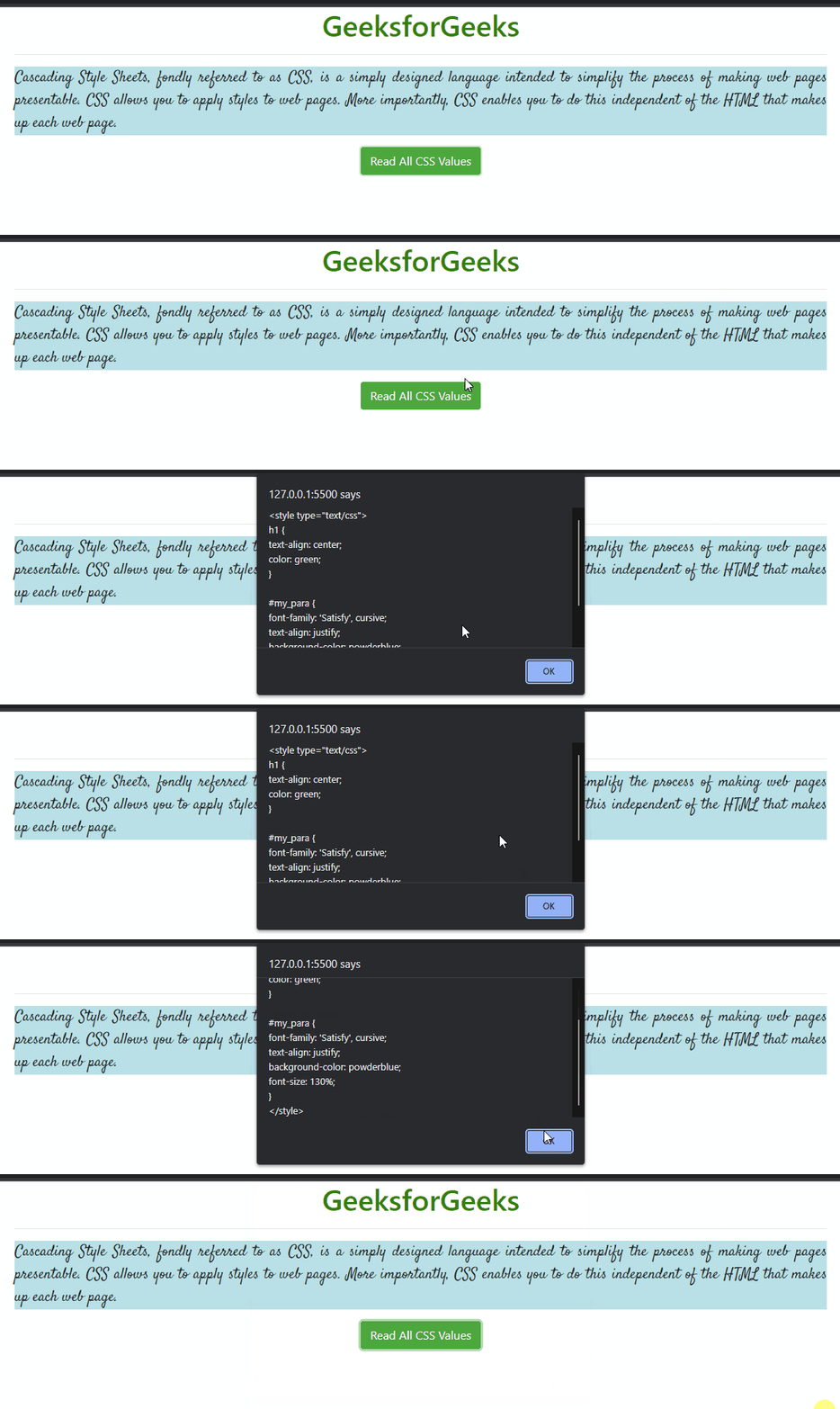
方法2:使用window.getComputedStyle()方法
- 使用 window.getComputedStyle(elem, null) 获取所有实际的CSS属性和值。
- 使用循环显示所有CSS属性。
示例:
<!DOCTYPE html>
<html lang="en">

<head>
    <meta charset="UTF-8">
    <meta name="viewport" content=
        "width=device-width, initial-scale=1.0">
    <link rel="stylesheet" href=
"https://maxcdn.bootstrapcdn.com/bootstrap/4.3.1/css/bootstrap.min.css">
    <link href=
"https://fonts.googleapis.com/css?family=Satisfy&display=swap"
        rel="stylesheet">

    <title>
        How to read CSS rule values with JavaScript?
    </title>

    <style>
        h1 {
            text-align: center;
            color: green;
        }

        #para {
            font-family: 'Satisfy', cursive;
            text-align: justify;
            background-color: powderblue;
            font-size: 130%;
        }
    </style>
</head>

<body>
    <h1>GeeksforGeeks</h1>
    <hr />

    <p id="para">
        Cascading Style Sheets, fondly referred
        to as CSS, is a simply designed language
        intended to simplify the process of
        making web pages presentable. CSS allows
        you to apply styles to web pages. More
        importantly, CSS enables you to do this
        independent of the HTML that makes up
        each web page.
    </p>

    <div class="text-center">
        <input id="my_button1" type="button"
            class="btn btn-success"
            value="Read All CSS Values">
    </div>

    <h3>CSS Values:</h3>

    <div id="my_div"></div>

    <script>
        function append_css(div_name, id_name) {
            let elem = document.getElementById(id_name);
            let txt = "";
            let cssObj = window.getComputedStyle(elem, null);

            for (let i = 0; i < cssObj.length; i++) {
                cssObjProp = cssObj.item(i);
                txt += cssObjProp + " = " +
                    cssObj.getPropertyValue(cssObjProp) +
                    "<br>";
            }

            document.getElementById(div_name)
                .innerHTML = txt;
        }
        document.getElementById("my_button1")
            .addEventListener('click', function () {
                append_css("my_div", "para");
            }, false);
    </script>
</body>

</html>
输出:
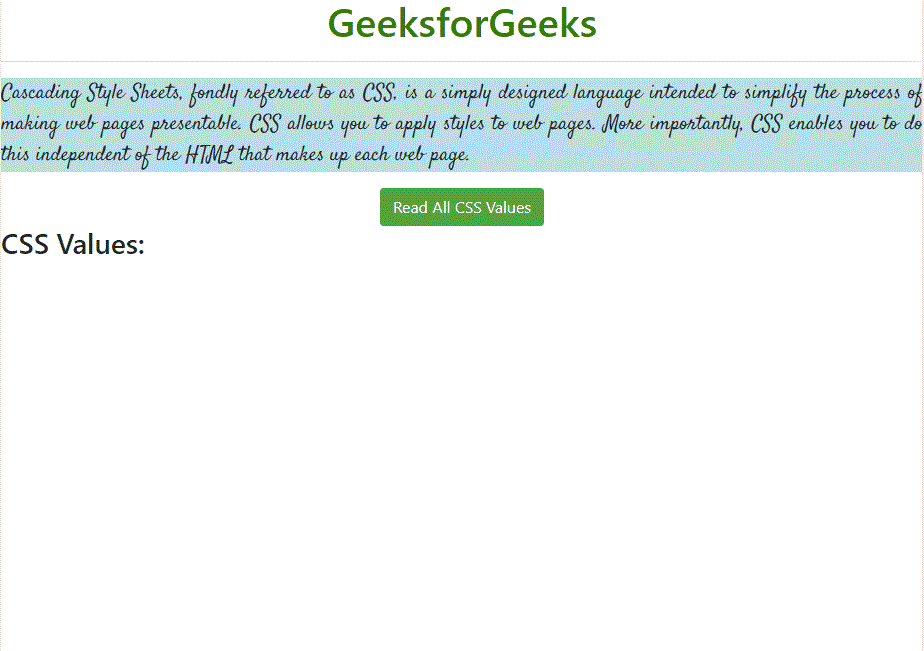
注意: 弹出消息的字数限制有限,如果内容过大,则可能无法完整显示。在这种情况下,可以使用 console.log()函数 (在代码中进行注释),它将在控制台中打印相同的内容。