极客教程
极客教程如何从HTML画布中获取像素值
要从HTML画布中获取特定部分的像素值,可以使用HTML画布的getImageData()方法。getImageData()方法通常返回一个包含HTML画布上指定对象的像素信息的ImageData对象。
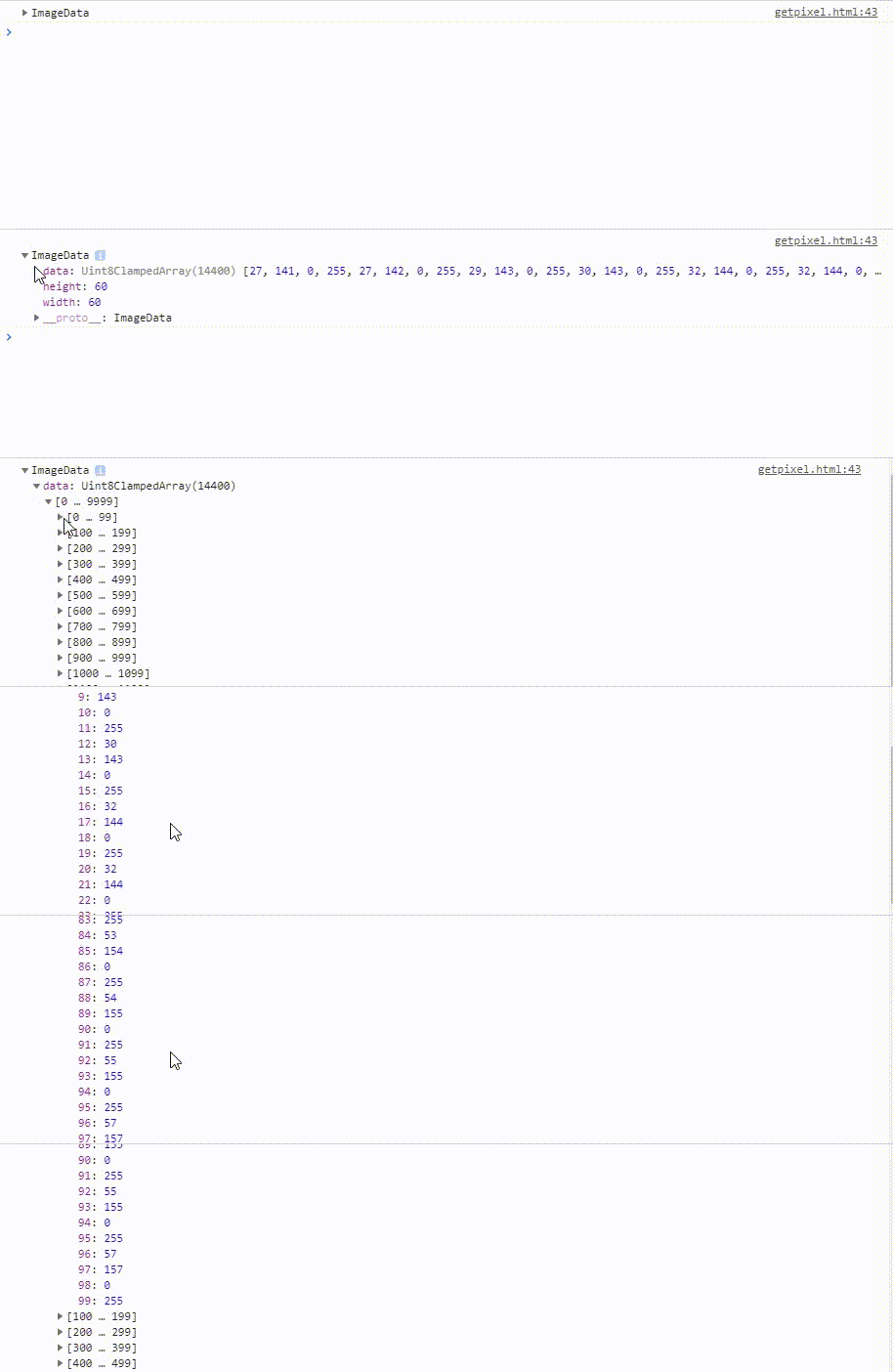
示例1: 此示例将显示方框的每个像素值。方框的颜色是线性渐变的,因此像素的颜色值会同时发生变化。
程序:
<!DOCTYPE html>
<html>

<head>
    <title>
        Getting pixel information
        from html canvas.
    </title>
</head>

<body>
    <center>
        <h1 style="color:green;">
            GeeksfoGeeks
        </h1>

        <h3>
            Getting pixel information
            from html canvas
        </h3>

        <canvas id="GFG" width="190" height="100"
                style="border:1px solid black;">
        </canvas>

        <script>

            /* Retrieve canvas with id GFG,
                and store it in a */
            var a = document.getElementById("GFG");

            /* Retrieve a 2D context for the canvas */
            var gfg = a.getContext("2d");


            var geeks =
                gfg.createLinearGradient(0, 0, 200, 0);

            geeks.addColorStop(0, "green");
            geeks.addColorStop(1, "yellow");

            gfg.fillStyle = geeks;
            gfg.fillRect(20, 20, 150, 150);

            /* Define a function find(), that prints
            the array containing pixel information
            returned by the getImageData() method */
            function find() {

                /* Store the pixel information of
                the canvas at (x,y) coordinate of
                (20,20) */
                var ImageData =
                    gfg.getImageData(20, 20, 60, 60);

                /* Print the array on console */
                console.log(ImageData);
            }

            find();
        </script>
    </center>
</body>

</html>
输出:
示例2: 获取第一个像素的颜色/透明度信息的代码。运行代码后,您可以通过更改第36行的颜色来进行检查。
<!DOCTYPE html>
<html>

<head>
    <title>
        Getting pixel information
        from html canvas.
    </title>
</head>

<body>
    <center>
        <h1 style="color:green;">
            GeeksfoGeeks
        </h1>

        <h3>
            Getting pixel information
            from html canvas
        </h3>

        <canvas id="GFG" width="100" height="100"
            style="border:1px solid black;">
        </canvas>

        <script>

            // Retrieve canvas with id GFG,
            // and store it in a
            var a = document.getElementById("GFG");

            // Retrieve a 2D context for the canvas
            var geeks = a.getContext("2d");

            // Set the filling style to red colour
            geeks.fillStyle = "blue";

            /* Move the cursor to the (x,y) coordinate
            of (20,20) and then create a rectangle of
            height and width 60 */
            geeks.fillRect(20, 20, 60, 60);

            /* Define a function find(), that prints
            the colour/alpha information of the
            first pixel returned by getImageData()
            method */
            function find() {

                var ImageData =
                    geeks.getImageData(20, 20, 60, 60);

                /* Stores the red color information of
                the first pixel */
                red = ImageData.data[0];

                /* Stores the green color information of
                the first pixel */
                green = ImageData.data[1];

                /* Stores the blue color information of
                the first pixel */
                blue = ImageData.data[2];

                /* Stores the opacity of the first pixel */
                alpha = ImageData.data[3];
                console.log(red);
                console.log(green);
                console.log(blue);
                console.log(alpha);
            }
            find();
        </script>
    </center>
</body>

</html>
输出: