极客教程
极客教程JavaScript 将一个元素的所有属性复制并应用到另一个元素
任务是使用JavaScript复制一个元素的所有属性并应用到另一个元素。这里讨论了两种方法。
方法1
- 选择目标元素和源元素。
- 使用 el.prop(‘attributes’) 方法获取源元素的属性。
- 使用 .each() 方法遍历每个属性对象,并使用 .attr() 方法将该属性设置为目标元素的属性。
示例: 以下示例实现了上述方法。
<head>
    <script src=
"https://ajax.googleapis.com/ajax/libs/jquery/3.4.1/jquery.min.js">
    </script>
</head>
<body>
    <h1 style="color:green;">
        GeeksforGeeks
    </h1>
    <p id="GFG_UP">
    </p>
    <div id="el1" style="background: green;">
        Element 1
    </div>
    <br>
    <div id="el2">
        Element 2
    </div>
    <br>
    <button onclick="GFG_Fun()">
        click here
    </button>
    <p id="GFG_DOWN" style="color: green;">
    </p>


    <script>
        var up = document.getElementById('GFG_UP');
        var down = document.getElementById('GFG_DOWN');
        up.innerHTML =
        "Click on the button to copy all the attributes of one "+
        "element and apply them to another.";

        function GFG_Fun() {
            var el1 =("#el1");
            var el2 =("#el2");
            var attrbts = el1.prop("attributes");
            // loop through element1 attributes and apply them on element2.
            .each(attrbts, function() {
                $el2.attr(this.name, this.value);
            });
            down.innerHTML =
            "All Attributes of Element 1 are copied to element 2.";
        }
    </script>
</body>
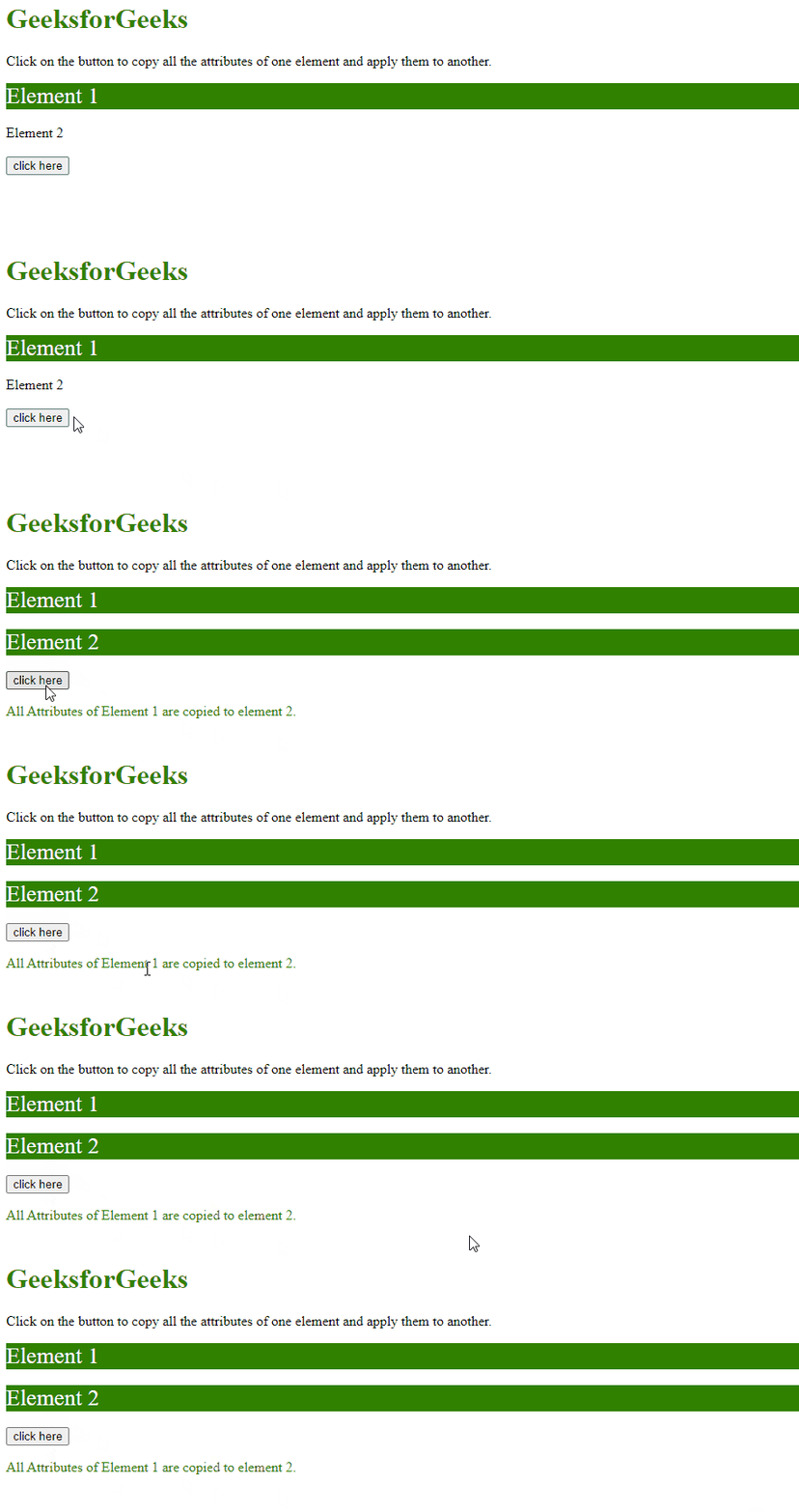
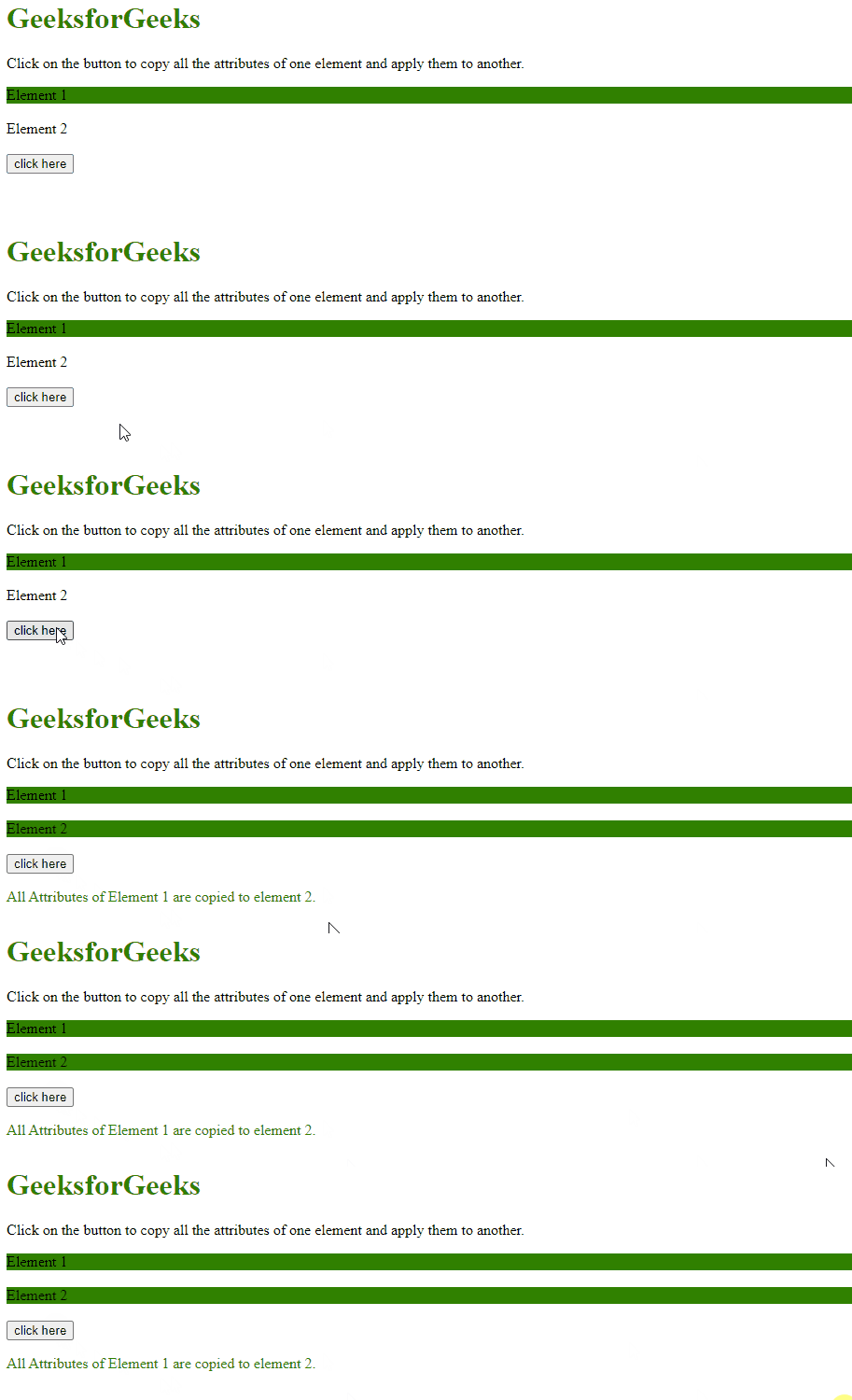
输出:
方法2
- 选择目标元素和源元素。
- 使用 el.attributes属性 获取源元素的属性。
- 对每个属性使用 forEach()方法 ,并使用 setAttribute()方法 将该属性设置为目标元素的属性。
示例: 本示例实现了上述方法。
<head>
    <script src=
"https://ajax.googleapis.com/ajax/libs/jquery/3.4.1/jquery.min.js">
    </script>
</head>
<body>
    <h1 style="color:green;">
        GeeksforGeeks
    </h1>
    <p id="GFG_UP">
    </p>


    <div id="el1"
            style="background: green;
                        color: white;
                        font-size: 26px;">
        Element 1
    </div>
    <br>
    <div id="el2">
        Element 2
    </div>
    <br>
    <button onclick="GFG_Fun()">
        click here
    </button>
    <p id="GFG_DOWN" style="color: green;">
    </p>


    <script>
        var up = document.getElementById('GFG_UP');
        var down = document.getElementById('GFG_DOWN');
        up.innerHTML =
        "Click on the button to copy all the attributes of one element"+
        " and apply them to another.";

        function copyAttrs(target, source) {
            [...source.attributes].forEach(attr => {
                target.setAttribute(attr.nodeName, attr.nodeValue)
            })
        }

        function GFG_Fun() {
            var el1 = document.getElementById("el1");
            var el2 = document.getElementById("el2");
            copyAttrs(el2, el1);
            down.innerHTML =
            "All Attributes of Element 1 are copied to element 2.";
        }
    </script>
</body>
输出: