极客教程
极客教程JavaScript 如何在关闭弹出窗口时刷新父页面
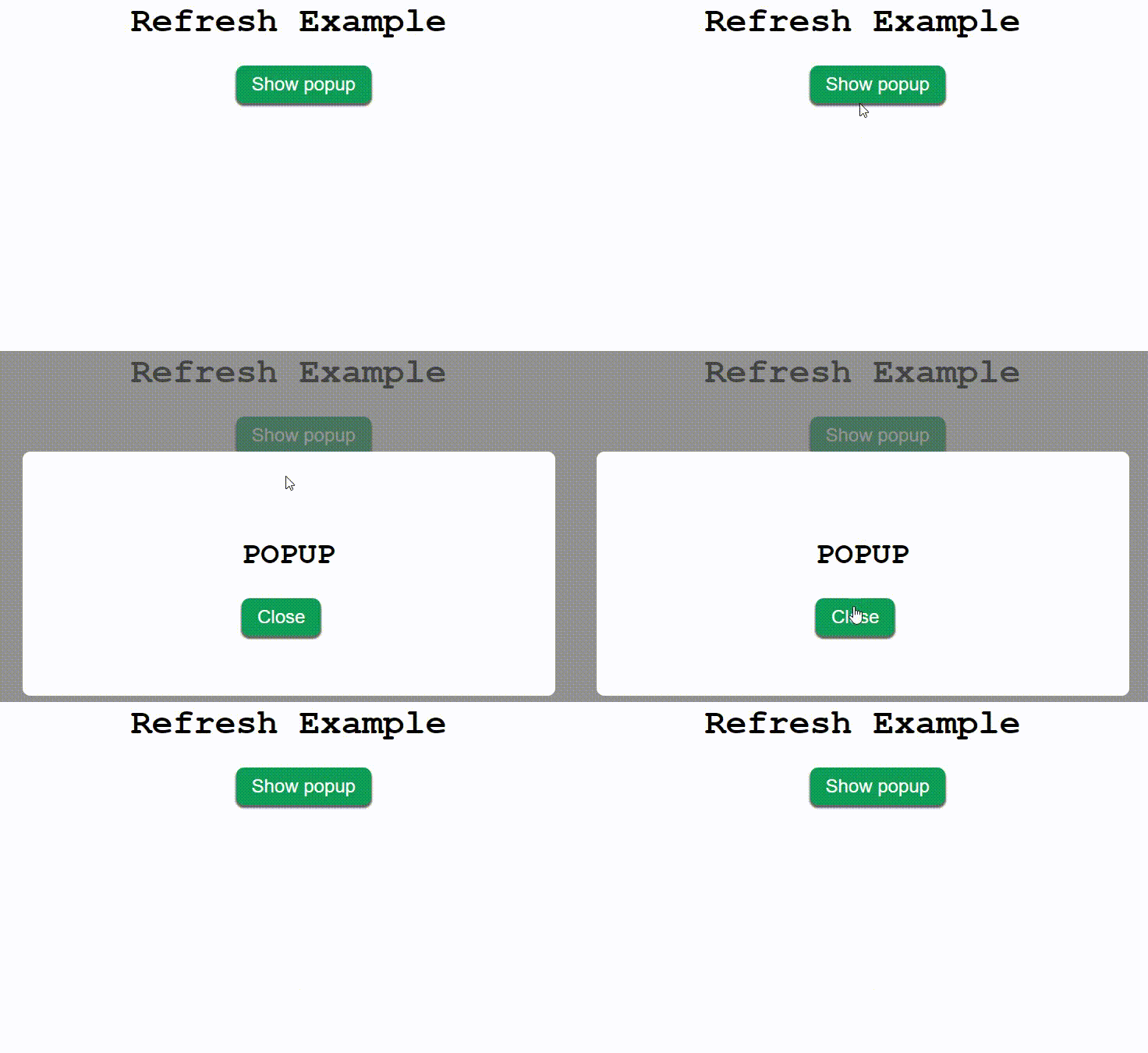
在本文中,我们的任务是通过关闭弹出窗口来刷新父页面。
方法: 实现这个目标的步骤如下:
- 创建一个页面。
- 创建一个弹出窗口。
- 弹出窗口应包含一个当点击时刷新父页面的按钮。
- 将事件监听器附加到该按钮,并监听该按钮的点击事件。
- 点击该按钮会触发一个重新加载父页面的函数。
通过以下 JavaScript 语句实现重新加载:
在 HTML DOM 中,使用 location.reload() 方法重新加载当前页面文档,这个方法刷新当前文档。
语法:
window.location.reload();
注意: 使用内部CSS使页面呈现出美观的效果。所有的CSS代码都位于 <style> 标签之内。
示例: 该示例使用了前面解释的方法。
<!DOCTYPE html>
<html lang="en">
<head>
    <meta charset="UTF-8">
    <meta name="viewport" content="width=device-width,
                initial-scale=1.0">
    <title> Refresh Example </title>
</head>

<body>
    <!-- Create a simple web page -->
    <div>
        <h1>Refresh Example </h1>

        <button class="btn" id="popup-btn">
            Show popup
        </button>
    </div>

    <!-- Create a simple popup which is hidden using CSS -->
    <div id="wrapper">
        <div id="popup">
            <div>
                <h2>POPUP</h2>
                <button class="btn" id="close-btn">
                    Close
                </button>
            </div>
        </div>
    </div>
</body>
</html>
CSS代码
/* Css Styling */
h1 {
    font-size: 45px;
    font-family: 'Courier New',
        Courier,
        monospace;
    text-align: center;
}

.btn {
    padding: 10px 20px;
    font-size: 24px;
    background-color: #0f9d58;
    border: none;
    color: white;
    border-radius: 10px;
    outline: none;
    box-shadow: 0px 3px 2px 1px rgb(100, 100, 100);
    cursor: pointer;
}

#popup-btn {
    margin-left: 45%;
}

#wrapper {
    position: absolute;
    left: 0;
    top: 0;
    width: 100vw;
    height: 100vh;
    background-color: rgba(100, 100, 100, 0.7);
    display: flex;
    justify-content: center;
    align-items: center;
    visibility: hidden;
}

#popup {
    width: 50%;
    height: 50%;
    background-color: white;
    display: flex;
    justify-content: center;
    align-items: center;
    border-radius: 10px;
}

h2 {
    font-family: 'Courier New', Courier, monospace;
    font-weight: bold;
    font-size: 40px;
}
Javascript代码
// Attach event listener to open popup
document.getElementById(
    'popup-btn').addEventListener('click', (e) => {
        document.getElementById(
            'wrapper').style.visibility = "visible";
    })

// Attach event listener to first close popup and then refresh page
document.getElementById(
    'close-btn').addEventListener('click', (e) => {
        document.getElementById(
            'wrapper').style.visibility = "hidden";
        window.location.reload();
    });
输出: 点击这里查看实时输出。