极客教程
极客教程JavaScript 如何在文本区域中实现字数统计
本文介绍了一种计算给定文本输入中单词数的方法。在用户被推荐输入一定数量的单词,并且字数计算器可以跟踪这些单词的情况下,这可能非常有用。下面讨论了两种方法:
方法1
通过计算文本中存在的空格数来计算单词数。
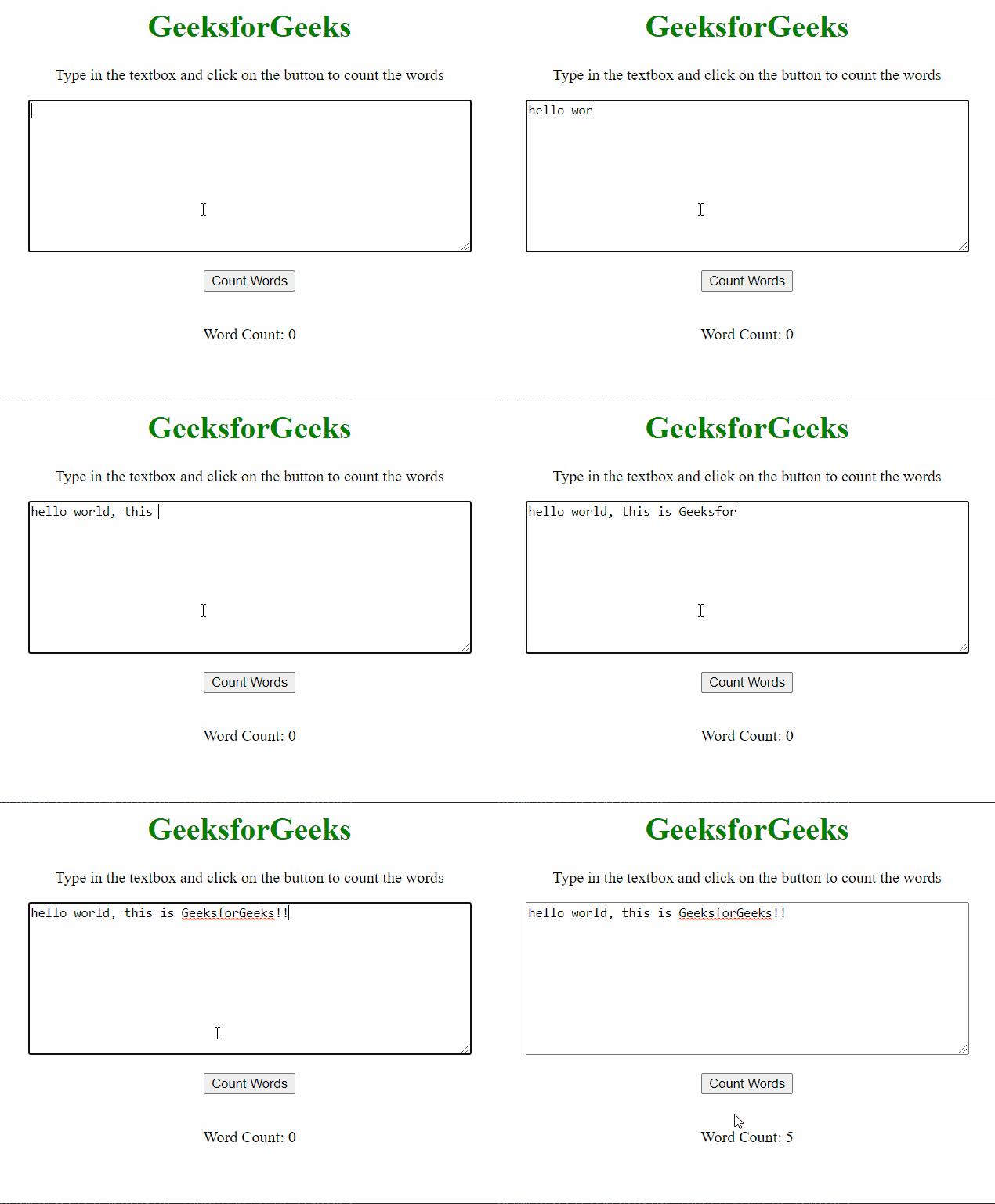
此方法依赖于输入字符串中存在的空格数来计算单词数,因为句子中的每个单词都是由空格分隔的。定义了一个名为 countWord() 的函数,该函数接受文本区域中的文本并计算其中存在的空格数。通过使用getElementById()方法选择文本区域中的输入文本。
该方法的缺点是多个单词之间的多个空格会被计为多个单词,因此可能导致字数统计不可靠。
示例: 此示例展示了上述解释的方法。
<body style="text-align: center;">
    <h1 style="color: green">
        GeeksforGeeks
    </h1>

    <p>
        Type in the textbox and click on
        the button to count the words
    </p>

    <textarea id="inputField" rows=10 cols="60">
    </textarea>
    <br><br>

    <button onclick="countWords()">
        Count Words
    </button>
    <br><br>

    <p> Word Count:
        <span id="show">0</span>
    </p>

    <script>
        function countWords() {

            // Get the input text value
            var text = document
                .getElementById("inputField").value;

            // Initialize the word counter
            var numWords = 0;

            // Loop through the text
            // and count spaces in it
            for (var i = 0; i < text.length; i++) {
                var currentCharacter = text[i];

                // Check if the character is a space
                if (currentCharacter == " ") {
                    numWords += 1;
                }
            }

            // Add 1 to make the count equal to
            // the number of words
            // (count of words = count of spaces + 1)
            numWords += 1;

            // Display it as output
            document.getElementById("show")
                .innerHTML = numWords;
        }
    </script>
</body>
输出结果:
方法2
根据空格将单词分隔开,然后计算单词的数量。
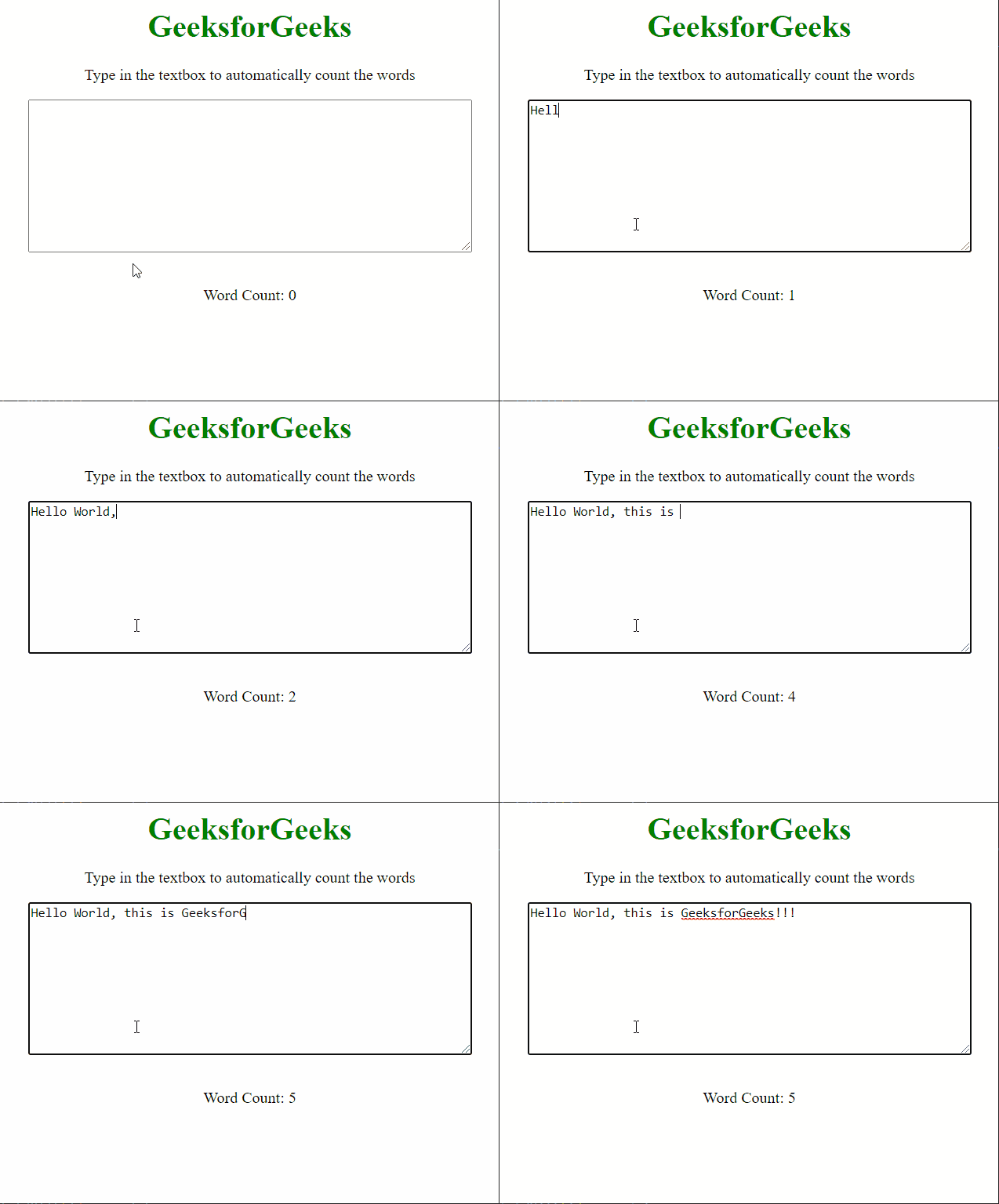
在此方法中,我们通过根据空格字符将单词分隔开,并检查每个分隔是否仅为一个空格字符来改进上一个方法的缺点。每当用户在文本区域输入内容时,都会使用oninput事件处理程序调用countWord()函数。
示例: 此示例展示了上述解释的方法。
<body style="text-align: center;">
    <h1 style="color: green">
        GeeksforGeeks
    </h1>

    <p>
        Type in the textbox to
        automatically count the words
    </p>

    <textarea id="word" oninput="countWord()" rows="10" cols="60">
    </textarea>
    <br><br>

    <p> Word Count:
        <span id="show">0</span>
    </p>

    <script>
        function countWord() {

            // Get the input text value
            var words = document
                .getElementById("word").value;

            // Initialize the word counter
            var count = 0;

            // Split the words on each
            // space character
            var split = words.split(' ');

            // Loop through the words and
            // increase the counter when
            // each split word is not empty
            for (var i = 0; i < split.length; i++) {
                if (split[i] != "") {
                    count += 1;
                }
            }

            // Display it as output
            document.getElementById("show")
                .innerHTML = count;
        }
    </script>
</body>
输出:
## 方法3
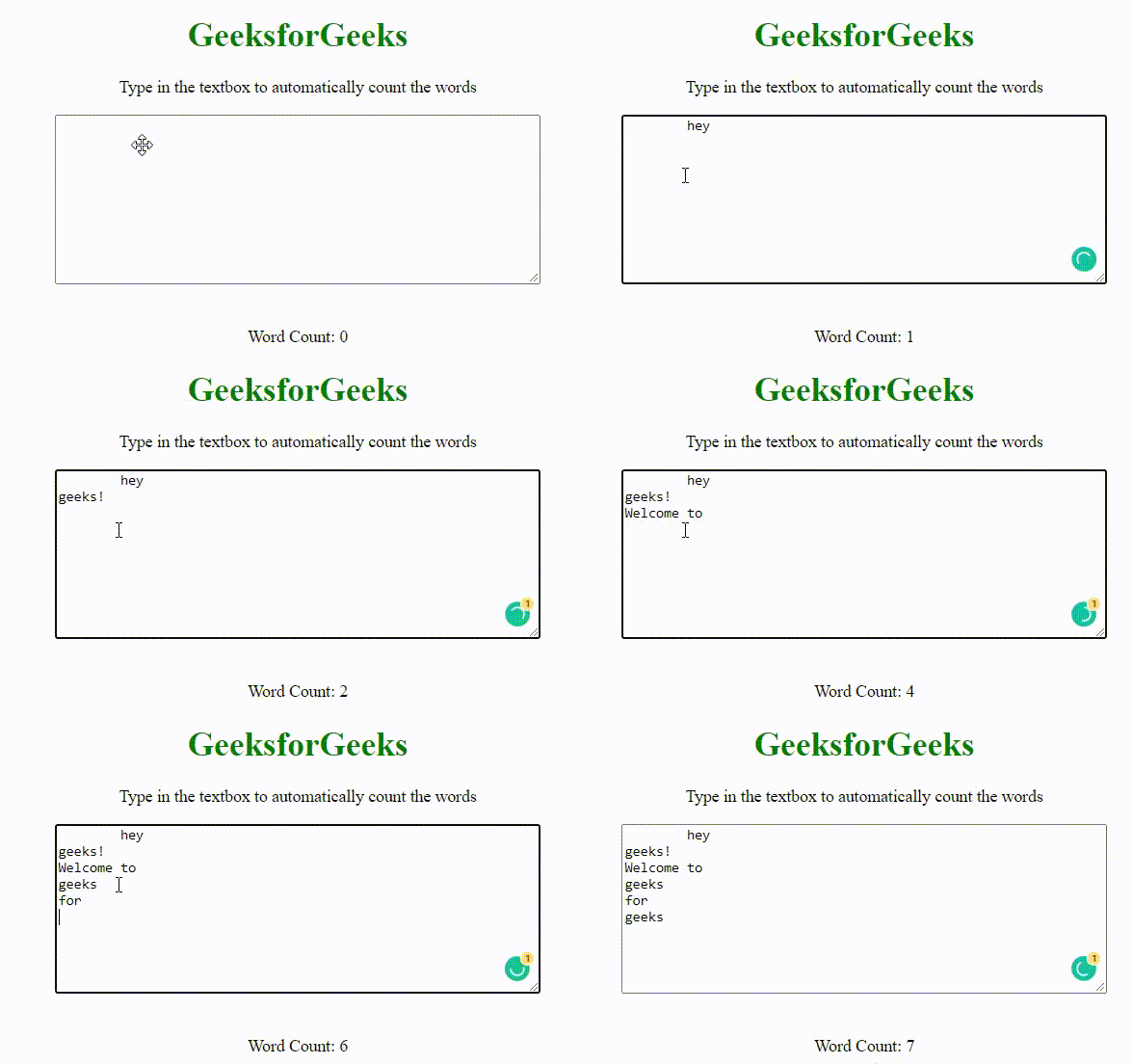
由于上述两种方法只能在连续书写时计算有空格的单词数量,而无法在每个单词以新的一行开头时计算数字个数。因此,这种方法可以从新的一行开始计算单词数量。
示例:
此示例展示了上述解释的方法。
<body style="text-align: center">
    <h1 style="color: green">GeeksforGeeks</h1>

    <p>
        Type in the textbox to automatically count the words
        </p>

    <textarea id="word" rows="10" cols="60"> </textarea>
    <br /><br />

    <p>
        Word Count:
        <span id="show">0</span>
    </p>

    <script>
        document
          .querySelector("#word")
          .addEventListener("input", function countWord() {
            let res = [];
            let str = this.value.replace(/[\t\n\r\.\?\!]/gm, " ").split(" ");
            str.map((s) => {
              let trimStr = s.trim();
              if (trimStr.length > 0) {
                res.push(trimStr);
              }
            });
            document.querySelector("#show").innerText = res.length;
          });
    </script>
</body>
输出: