极客教程
极客教程JavaScript 如何将Flexbox容器对齐到中心
在本文中,我们将使用JavaScript设置内容的对齐方式。使用 DOM Style alignContent属性 可以在灵活容器上对项目进行对齐,当它们在交叉轴上没有使用所有可用空间时。
语法:
object.style.alignContent = "center"
属性值:
- center: 用于将文本内容放置在容器的中心位置。
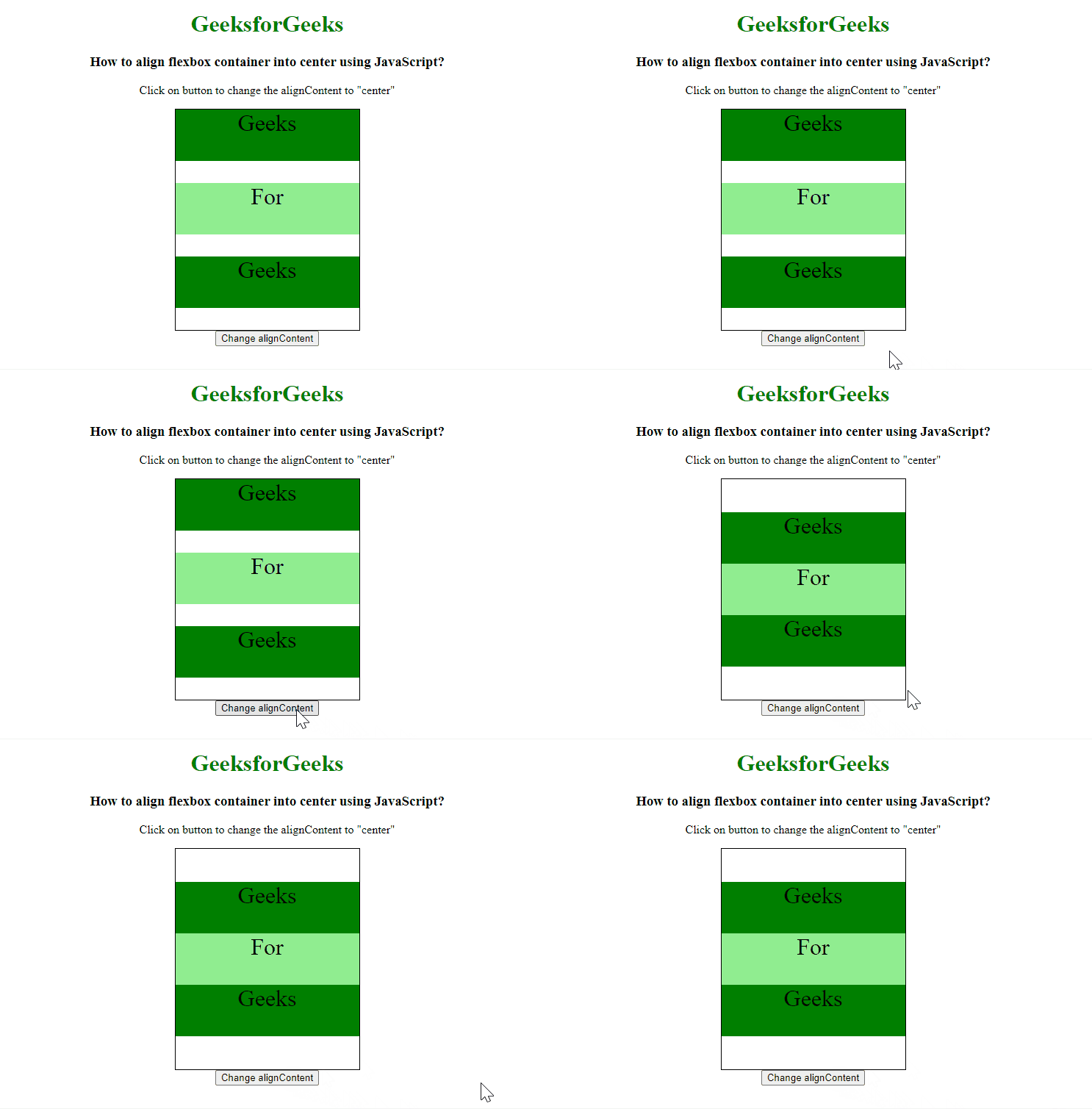
示例: 此示例使用alignContent属性值为center,将项目对齐到框的中心。
<!DOCTYPE html>
<html>
<head>
    <title>
        How to align flexbox container
        into center using JavaScript?
    </title>
</head>

<body>
    <center>
        <h1 style="color: green">
            GeeksforGeeks
        </h1>

        <h3>
            How to align flexbox container
            into center using JavaScript?
        </h3>

        <p>
            Click on button to change the
            alignContent to "center"
        </p>

        <div class="main">
            <div style="background-color:green;">
                Geeks
            </div>
            <div style="background-color:lightgreen;">
                For
            </div>
            <div style="background-color:green;">
                Geeks
            </div>
        </div>

        <button onclick="changeAlign()">
            Change alignContent
        </button>
    </center>
</body>
</html>
CSS代码
.main {
    width: 250px;
    height: 300px;
    border: 1px solid;
    display: flex;
    flex-flow: row wrap;
}

.main div {
    width: 250px;
    height: 70px;
    font-size: 2rem;
    text-align: center;
}
Javascript代码
function changeAlign() {
    document.querySelector('.main')
        .style.alignContent = "center";
}
输出: