极客教程
极客教程JavaScript 如何检测虚拟键盘
在本文中,我们给出了一个HTML文档,任务是在设备屏幕上弹出虚拟键盘时检测它。虚拟键盘是一种无需使用物理键盘就可以输入字符的工具,广泛用于触摸屏设备。
方法: 不幸的是,目前没有直接的方法可以使用JavaScript检测虚拟键盘是否出现在屏幕上。然而,有几种间接的方法可以检测到虚拟键盘出现在设备屏幕上。
- 使用JavaScript中的’resize’事件监听器: 如果虚拟键盘出现在屏幕上,屏幕的高度会发生变化。因此,我们可以使用JavaScript中可用的’resize’事件监听器来检测屏幕高度的变化。这个事件监听器可以直接添加到窗口对象中。
- 使用CSS媒体查询: 在一些情况下,当虚拟键盘在屏幕上弹出时,屏幕的方向会从纵向变为横向。因此,我们可以使用CSS中的”orientation: landscape”媒体查询来检测屏幕方向的变化。
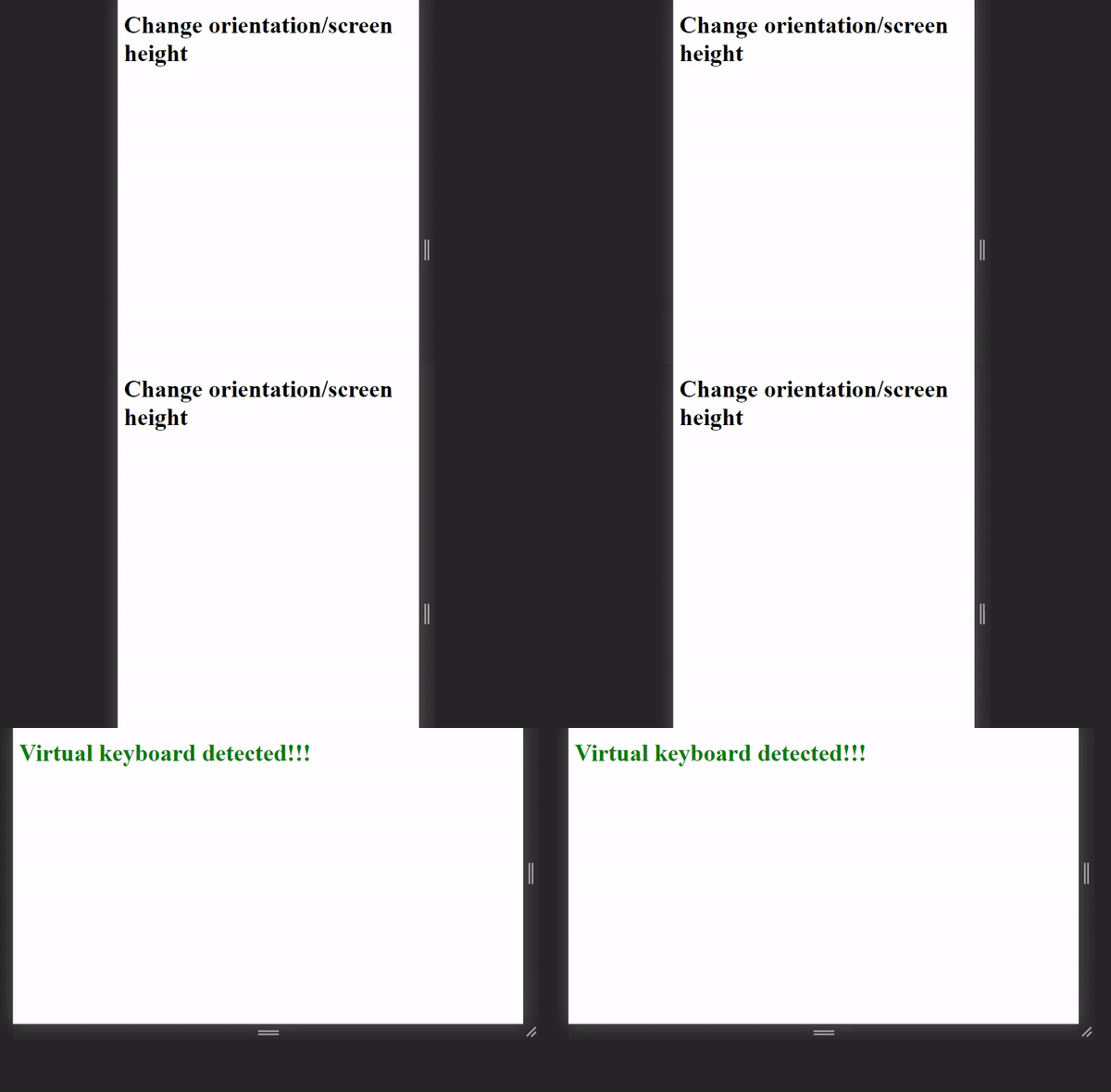
示例: 该示例展示了上述解释的方法。
<!DOCTYPE html>
<html lang="en">
  <head>
    <meta charset="UTF-8" />
    <meta name="viewport"
          content="width=device-width,
                   initial-scale=1.0" />
    <title>Document</title>

    <style>
      /*media query to detect orientation change*/
      @media screen and (orientation: landscape) {
        h1 {
          color: green;
        }
      }
    </style>
  </head>
  <body>
    <h1 id="text">Change orientation/screen height</h1>
  </body>
</html>
JavaScript代码
<script>
    const text = document.querySelector("#text");

// resize event listener to detect change in screen height
    window.addEventListener("resize", (e) => {
        text.innerHTML = "Virtual keyboard detected!!!";
      });
</script>
输出: