极客教程
极客教程如何使用HTML、CSS和JavaScript制作增减计数器
当访问不同的购物网站,如Flipkart和Amazon时,您可能会看到每个产品上都有一个计数器,该计数器用于指定该产品的数量。因此,计数器是许多网站中非常有用的一部分。在本文中,我们将使用HTML、CSS和JavaScript设计一个计数器。
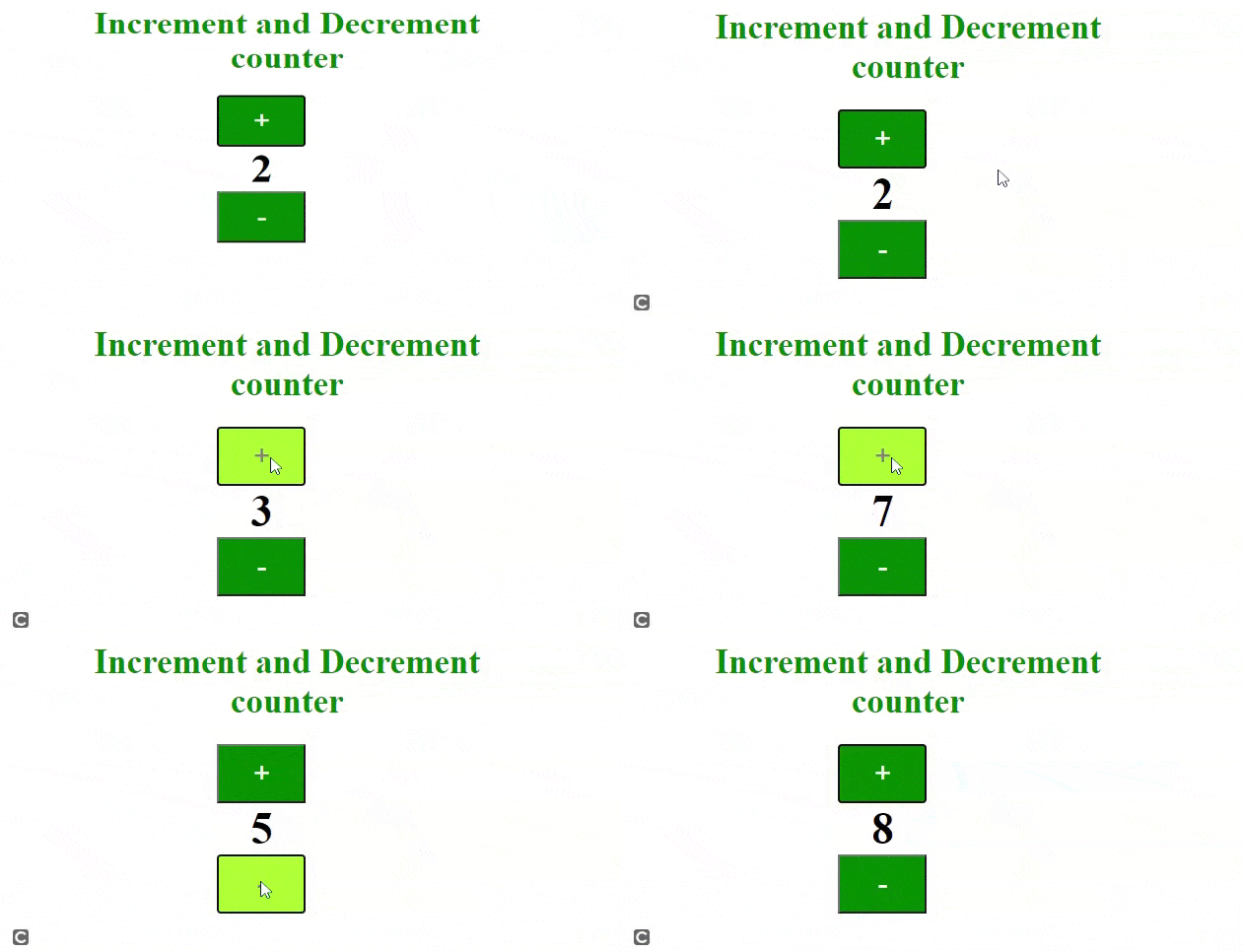
提供一张示例图片,以便为您更清楚地理解本文内容。
逐步实施:
步骤1: 首先,我们将使用 HTML 设计一个简单的按钮。参考代码中的注释。
步骤2: 下一步,我们将使用一些 CSS 属性来设计按钮,并使用 hover 类在鼠标悬停在按钮上时产生动画效果。
步骤3: 现在,我们将添加一些 JavaScript 代码,为之前创建的按钮添加功能。参考代码中的注释以获得帮助。
示例:
<!DOCTYPE HTML>

<html>

<head>
    <meta http-equiv="Content-Type"
        content="text/html; charset=UTF-8" />

</head>

<body>
<!-- give a suitable heading using h1 tag-->
        <h1>Increment and Decrement counter</h1>

        <div class="container">
        <!-- adding button and heading to show the digits -->
        <!--increment() and decrement() functions on button click-->
            <button onclick="increment()">+</button>
            <h2 id="counting"></h2>
            <button onclick="decrement()">-</button>
        </div>

</body>

</html>
CSS代码
/*apply css properties to body tag*/

body {
    position: absolute;
    left: 0%;
    text-align: center;
}

/*apply css properties to container class*/

.container {
    justify-content: center;
    align-items: center;
    display: flex;
    height: 100%;
    text-align: center;
}

/*apply css properties to button tag*/

button {
    width: 90px;
    height: 60px;
    font-size: 30px;
    background-color: green;
    color: honeydew;
}

/*apply hover effect to button tag*/

button:hover {
    background-color: greenyellow;
    color: grey;
}

/*apply css properties to h2 tag*/

h2 {
    color: black;
    margin: 0 50px;
    font-size: 45px;
}

/*apply css properties to h1 tag*/

h1 {
    font-size: 35px;
    color: green;
    text-align: center;
    padding-left: 10%;
}
Javascript代码
//initialising a variable name data

let data = 0;

//printing default value of data that is 0 in h2 tag
document.getElementById("counting").innerText = data;

//creation of increment function
function increment() {
    data = data + 1;
    document.getElementById("counting").innerText = data;
}
//creation of decrement function
function decrement() {
    data = data - 1;
    document.getElementById("counting").innerText = data;
}
输出: