极客教程
极客教程JavaScript 如何按顺序运行给定的promise数组
给定一个promise数组,我们需要按顺序运行它们。为了实现这个任务,我们可以使用 then() 来在一个promise完成后运行下一个promise。
方法 : then() 方法返回一个promise,帮助我们链接多个promises/方法。 Promise.resolve() 方法执行第一个回调,当这个promise被解析后,传递到下一个回调函数callback1,并一直继续直到所有的promises都被解析。这样,我们就可以按顺序运行所有的promises。
语法:
Promise.resolve( callback0 )
.then( callback1 )
.then( callback2 )
.then( callback3 )...
示例1
在这个例子中,我们将通过使用 then() 方法链接每个 promise 来执行 3 个 promise。
<html>
<body>
  <h1 style="color: green;">
    GeeksforGeeks
  </h1>
  <b>Promises</b>

  <script>
    // Define an asynchronous function,
    // results in returning a promise
    async function task(url) {
      console.log(url + " will be fetched now")

      return fetch(url);
    }

    // Declaring an array of URLs
    let arr = [
      "https://www.google.com",
      "https://www.facebook.com",
      "https://www.twitter.com"
    ];

    // Resolving the first task
    Promise.resolve(() => {
      return task(arr[0]);
    })

    // Resolving the second task
      .then(() => {
        return task(arr[1]);
      })

    // Resolving the third task
      .then(() => {
        return task(arr[2]);
      });
  </script>
</body>
</html>
输出:
https://www.facebook.com will be fetched now
https://www.twitter.com will be fetched now
如果数组中有更多的promise,上述方法就不可行。不断链接函数会变得非常繁琐,代码也会变得冗长。我们可以使用 forEach() 数组函数来执行promise,将结果存储在一个变量中,并在每个promise上更新该变量。这样就可以自动遍历所有的promise,避免重复编写 then() 语句。
示例2
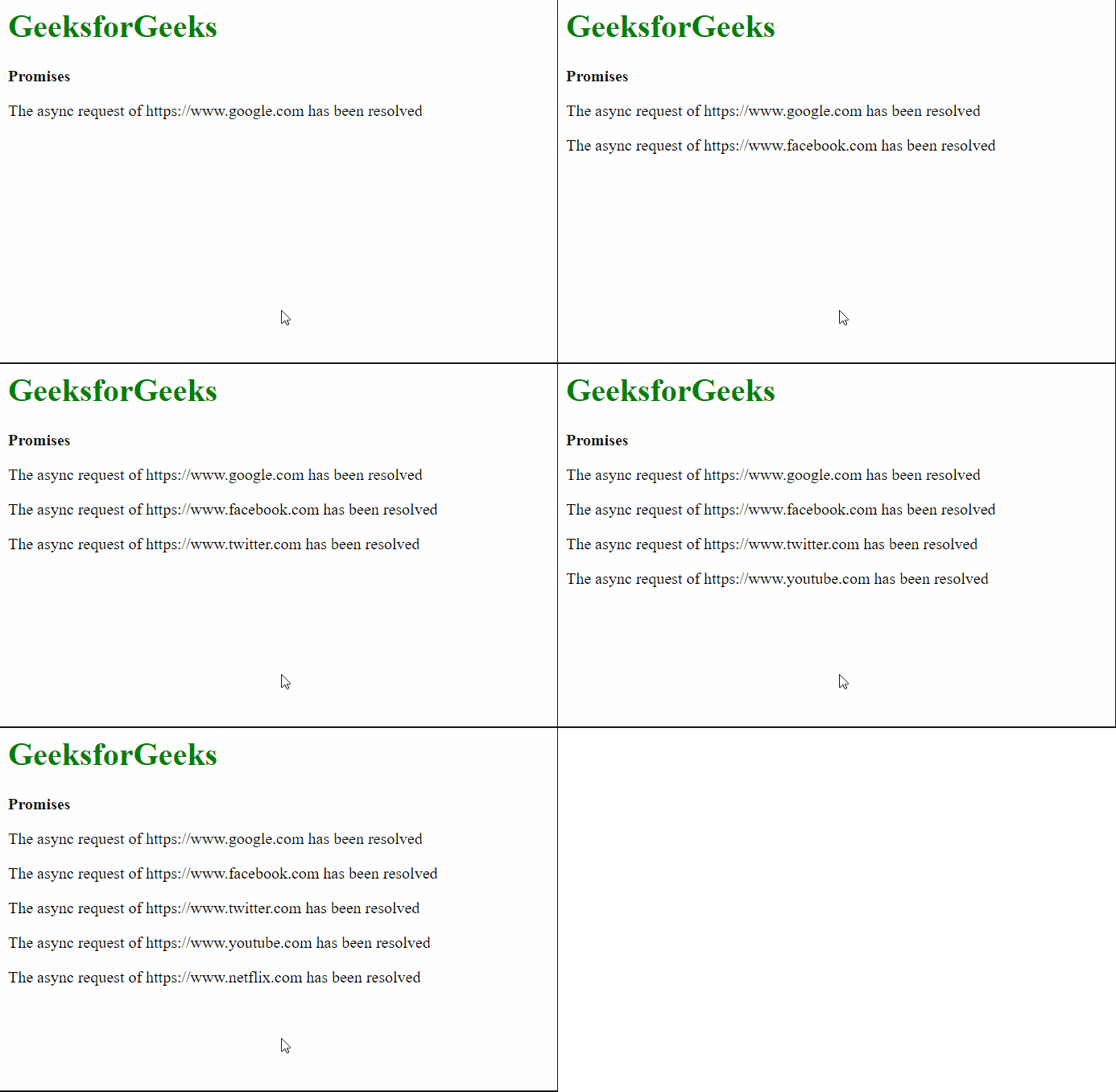
在这个示例中,我们将使用forEach()方法来执行多个promise。
<html>
<body>
  <h1 style="color: green;">
      GeeksforGeeks
  </h1>
  <b>Promises</b>
  <script>

    // Define an asynchronous function
    async function task(url) {
      return fetch(url);
    }

    // Define array that has to be processed
    // by the asynchronous function
    let arr = [
      "https://www.google.com",
      "https://www.facebook.com",
      "https://www.twitter.com",
      "https://www.youtube.com",
      "https://www.netflix.com",
    ];

    // Declare a Promise using its resolve constructor
    let promise = Promise.resolve();

    // Use the forEach function to evaluate
    // the promises in series

    // The value of
    // p would be the result
    // of previous promise
    arr.forEach((url, index) => {
      promise = promise.then(() => {

        let para = document.createElement("p");
        para.innerText =
          "The async request of " + url +
          " has been resolved";

        document.body.appendChild(para);

        return task(url);
      });
    });
  </script>
</body>
</html>
输出: