极客教程
极客教程JavaScript 如何ping服务器
Ping服务器用于确定服务器是否在线。想法是向服务器发送回显消息(称为ping),服务器预计用类似的消息回复(称为pong)。Ping消息通过使用ICMP(Internet控制消息协议)发送和接收。ping时间越低,主机和服务器之间的连接越强。
方法: 一种明显的方法是使用命令提示符发送ping消息到服务器。在本文中,我们将使用Ajax发送请求到所需的服务器,然后检查接收到的状态代码,以确定服务器是否正在运行。想法是,如果服务器返回状态码200,那么服务器肯定正常运行。其他状态代码如400等则可能指向可能的服务器故障。
以下是逐步实施的步骤:
步骤1: 创建一个名为 ‘index.html’ 的文件来设计基本的网页。当用户在网页上点击按钮时,将调用函数“pingURL”。
HTML
<!DOCTYPE html>
<html lang="en">

<head>
    <meta charset="UTF-8">
    <meta http-equiv="X-UA-Compatible" content="IE=edge">
    <meta name="viewport" content=
        "width=device-width, initial-scale=1.0">
    <script src="index.js"></script>
    <script type="text/javascript" src=
        "https://code.jquery.com/jquery-1.7.1.min.js">
    </script>
    <title>Ping a server using JavaScript</title>
</head>

<body>
    <label for="url">
        Enter the URL you want to ping:
    </label><br>

    <input type="text" id="url"
        name="url" style="margin: 10px;"><br>

        <input type="submit" value="Submit"
            onclick="pingURL()">
</body>

</html>
步骤2: 创建‘index.js ’文件以向服务器发出请求。在‘settings’变量中,通过“pingURL”函数定义了Ajax请求的所需配置。
index.js
function pingURL() {

  // The custom URL entered by user
  var URL = ("#url").val();
  var settings = {

    // Defines the configurations
    // for the request
    cache: false,
    dataType: "jsonp",
    async: true,
    crossDomain: true,
    url: URL,
    method: "GET",
    headers: {
      accept: "application/json",
      "Access-Control-Allow-Origin": "*",
    },

    // Defines the response to be made
    // for certain status codes
    statusCode: {
      200: function (response) {
        console.log("Status 200: Page is up!");
      },
      400: function (response) {
        console.log("Status 400: Page is down.");
      },
      0: function (response) {
        console.log("Status 0: Page is down.");
      },
    },
  };

  // Sends the request and observes the response
  .ajax(settings).done(function (response) {
    console.log(response);
  });
}
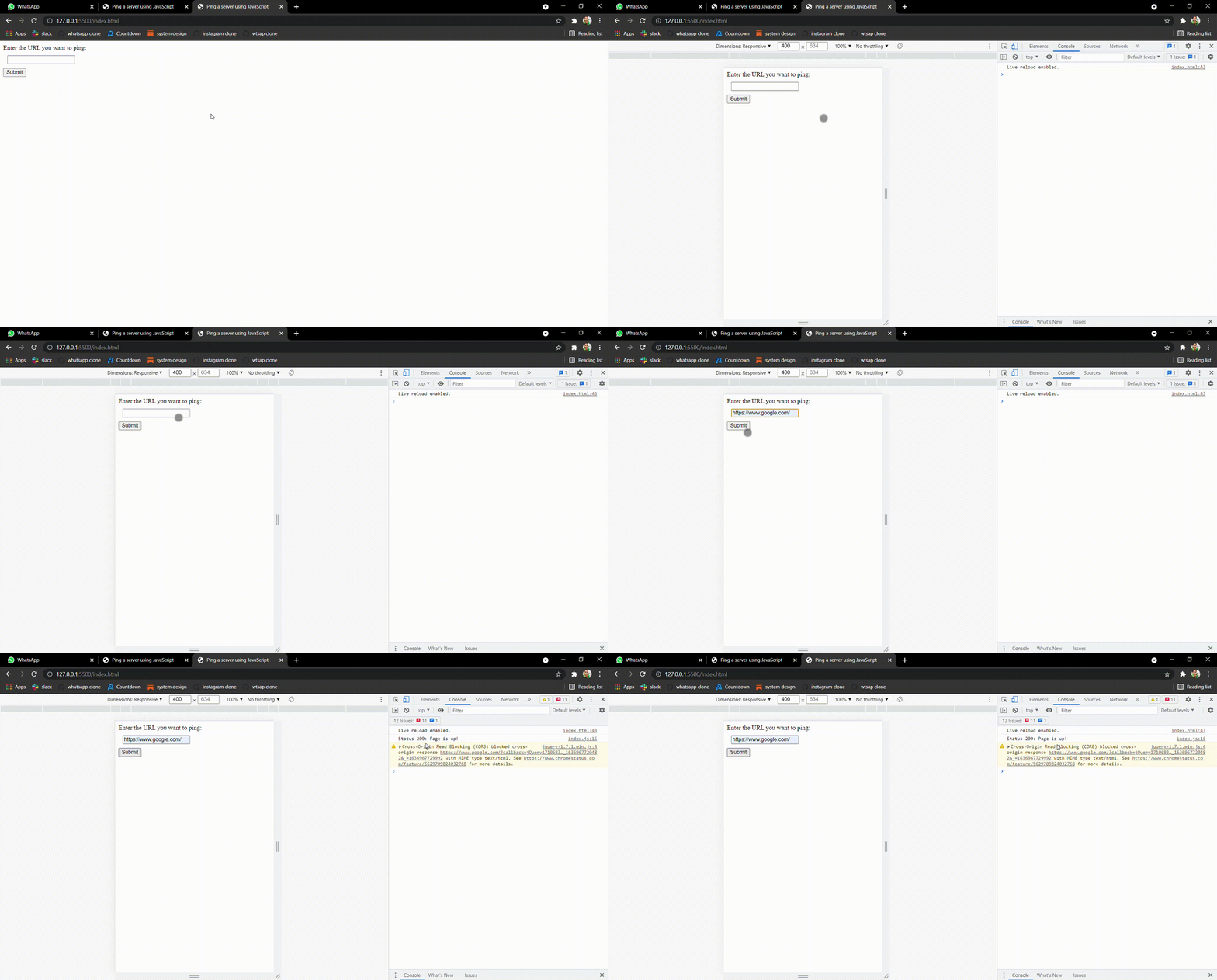
输出
- 在浏览器中打开网页。
- 按下“Ctrl+Shift+I ”键,进入浏览器开发者工具。
- 在表单输入中输入您希望ping的URL,并点击“提交”按钮。