极客教程
极客教程JavaScript 如何在HTML中给搜索框添加默认搜索文本
我们可以使用JavaScript的DOM getElementById() 方法以及 onfocus 和 onblur 事件来给搜索框添加默认搜索文本。
- getElementById(): DOM的 getElementById() 方法用于返回HTML中使用的input标签的唯一id的值。当我们想要操纵和获取文档信息时,它是最常用的DOM HTML方法之一。假设如果存在多个具有相同id的元素,则会返回代码中的第一个元素。如果指定的id在代码中不存在,则会返回null。
语法:
document.getElementById('element_id');
-
onfocus事件: onfocus 事件通常与input、select和anchor标签一起使用,当用户点击输入标签时,onfocus事件就会发生。它通常与onblur事件一起使用。
语法:
<element onfocus = "script">
-
onblur事件: onblur 事件与onfocus事件一起使用。当元素失去焦点时,它会发生作用,也可以与input、select和anchor标签一起使用。
语法:
<element onblur = "script">
这里我们使用了两个示例来给搜索框添加默认文本,第一个示例使用了onfocus和onblur事件,第二个示例除了使用onfocus和onblur事件外,还使用了placeholder属性。
示例1: 在下面的代码中,我们使用了JavaScript的 onfocus 和 onblur 事件属性来设置HTML搜索框的默认值。
HTML
<!DOCTYPE html>
<html>

<head>
    <meta charset="UTF-8">
    <meta name="viewport"
          content="width=device-width, initial-scale=1.0">
    <title>Search box with default text</title>
</head>

<body>
    <h1 style="color:green;">
        GeeksforGeeks
    </h1>
    <p>Search word in HTML using JavaScript</p>
    <form>
        <input type='text' name='Search' id='Search' />
        <input type='submit' name='submit' value='Search' />
    </form>
    <script>
        // Text to be displayed on search box by default
        const defaultTextValue = 'Search...';

        // Here input id should match with the
        // parameter of getElementById
        let searchBox = document.getElementById('Search');


        // Default text to be displayed
        searchBox.value = defaultTextValue;


        // Search box on focus
        searchBox.onfocus = function () {
            if (this.value == defaultTextValue) {
                // Clears the search box
                this.value = '';
            }
        }

        // Search box when clicked outside
        searchBox.onblur = function () {
            if (this.value == '') {
                // Restores the search box with default value
                this.value = defaultTextValue;
            }
        }
    </script>
</body>

</html>
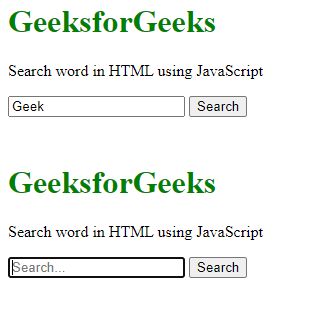
输出:
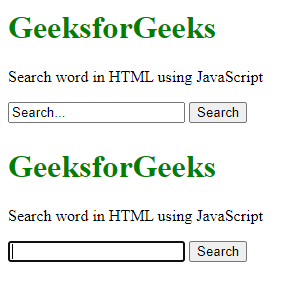
示例2: 当您点击搜索框时,占位符将使用 onfocus 和 onblur 事件来显示 “搜索…” 文本,我们可以通过 JavaScript 添加默认搜索文本。
HTML
<!DOCTYPE html>
<html>

<head>
    <meta charset="UTF-8">
    <meta name="viewport"
          content="width=device-width, initial-scale=1.0">
    <title>Search box with default text</title>
</head>

<body>
    <h1 style="color:green;">
        GeeksforGeeks
    </h1>
    <p>Search word in HTML using JavaScript</p>

    <form>
        <input type='text' name='Search'
               id='Search' placeholder='Search...' />
        <input type="submit" name='submit' value='Search' />
    </form>
    <script>
        // Text to be displayed on search box by default
        const defaultTextValue = 'Geek';

        // Here input id should match with the
        //parameter of getElementById
        let searchBox = document.getElementById('Search');


        // Default text to be displayed
        searchBox.value = defaultTextValue;


        // Search box on focus
        searchBox.onfocus = function () {
            if (this.value == defaultTextValue) {
                // Clears the search box
                this.value = '';
            }
        }

        // Search box when clicked outside
        searchBox.onblur = function () {
            if (this.value == '') {
                // Restores the search box with default value
                this.value = defaultTextValue;
            }
        }
    </script>
</body>

</html>
输出: