极客教程
极客教程JavaScript 如何获取相机分辨率
在本文中,我们将学习如何找到相机支持的最大分辨率。我们需要请求用户的相机访问权限,一旦获得访问权限,我们可以检查视频流的分辨率,找出相机提供的分辨率。
.getUserMedia() 方法要求用户允许使用产生所请求的媒体类型的MediaStream的媒体输入。它包括视频(由相机,视频录制设备,屏幕共享服务产生),音频和其他媒体轨道。
语法:
stream = await navigator.mediaDevices.getUserMedia(params);
.then(function (stream) {
    /* use the stream */
}).catch(function (err) {
    /* error */
});
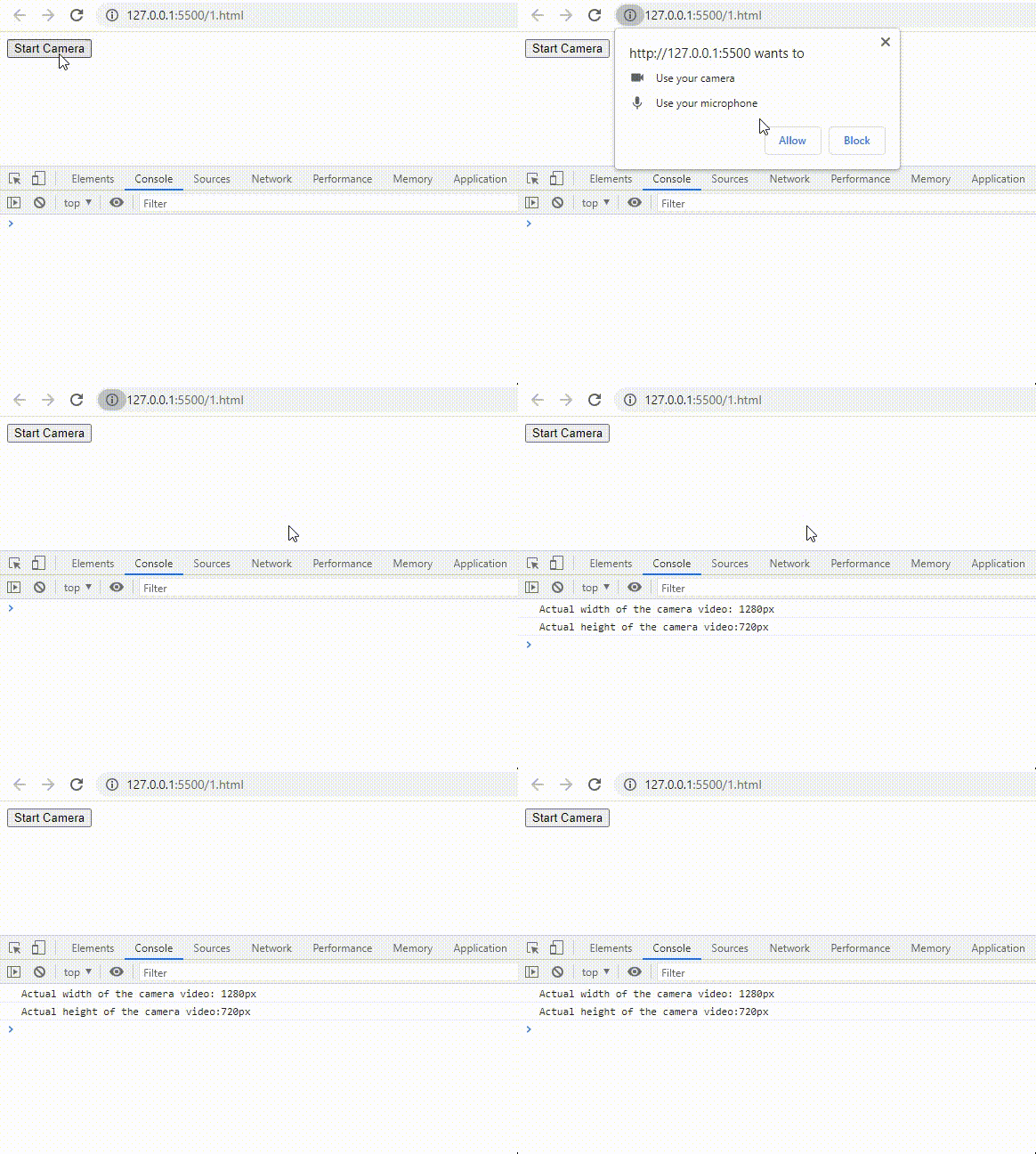
示例: 此示例将说明如何使用JavaScript获取相机分辨率:
HTML
<!DOCTYPE html>
<html>

<body>
    <button id="start">Start Camera</button>

    <script>
        document.querySelector("#start").addEventListener(
            'click', async function () {

                let features = {
                    audio: true,
                    video: {
                        width: { ideal: 1800 },
                        height: { ideal: 900 }
                    }
                };

                let display = await navigator.mediaDevices
                    .getUserMedia(features);

                // Returns a sequence of MediaStreamTrack objects
                // representing the video tracks in the stream

                let settings = display.getVideoTracks()[0]
                    .getSettings();

                let width = settings.width;
                let height = settings.height;

                console.log('Actual width of the camera video: '
                    + width + 'px');
                console.log('Actual height of the camera video:'
                    + height + 'px');
            });
    </script>
</body>

</html>
输出: