极客教程
极客教程如何将不同的图形(作为嵌入)添加到另一个Python图形中?
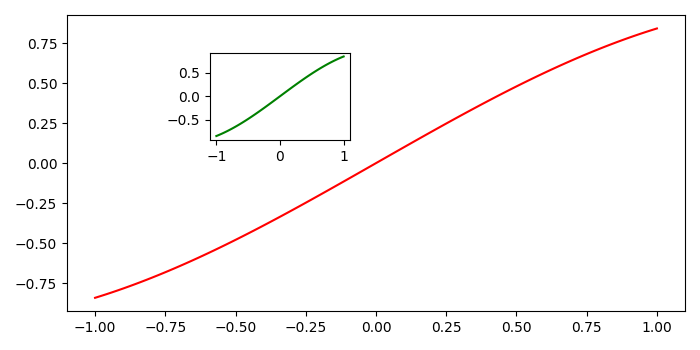
要在另一个Python图形中添加不同的图形(作为嵌入),我们可以执行以下步骤−
- 使用numpy创建 x 和 y 数据点。
-
使用 subplots() 方法创建一个图形和一组子图,即, fig 和 ax 。
-
为了创建新的轴,将 axis 添加到现有的图形(步骤2)中。
-
在轴上绘制 x 和 y (步骤2)。
-
在新的轴上绘制 x 和 y (步骤3)。
-
使用 show() 方法显示图形。
阅读更多:Python 教程
示例
import numpy as np
from matplotlib import pyplot as plt
plt.rcParams["figure.figsize"] = [7.00, 3.50]
plt.rcParams["figure.autolayout"] = True
x = np.linspace(-1, 1, 100)
y = np.sin(x)
fig, ax = plt.subplots()
left, bottom, width, height = [.30, 0.6, 0.2, 0.25]
ax_new = fig.add_axes([left, bottom, width, height])
ax.plot(x, y, color='red')
ax_new.plot(x, y, color='green')
plt.show()
输出