极客教程
极客教程R语言 并排饼图
在这篇文章中,我们将讨论如何在R编程语言中并排绘制饼图。
方法1:使用基础R函数
使用par()函数来绘制并排的饼图。
语法
par(mfrow, mar, mgp, las)
参数
- mfrow – 一个长度为2的数字向量,它设置了框架要被划分的行和列。
- mar – 一个长度为4的数字向量,按以下顺序设置边距大小:底部、左侧、顶部和右侧。
- mgp – 一个长度为3的数字向量,用于设置相对于内部绘图窗口边缘的轴标签位置。
- las – 一个数字值,表示刻度线标签的方向,以及初始化后添加到绘图中的任何其他文本。
这些图是正常绘制的,并且独立于其他图。如果要并排绘制,请传递行数和列数,就像定义一个网格一样。
例子
# Define data-set columns
x1 <- c(31,13,25,31,16)
x2 <- c(12,23,43,12,22,45,32)

label1 <- c('geek','geek-i-knack','technical-scripter',
            'content-writer','problem-setter')
label2 <- c('sun','mon','tue','wed','thur','fri','sat')

# set the plotting area into a 1*2 array
par(mfrow=c(1,2))

# Draw the two pie chart using above datasets
pie(x1, label1,main="Students per Event", col=rainbow(length(x1)))
pie(x2, label2,main="Students per day in a week")
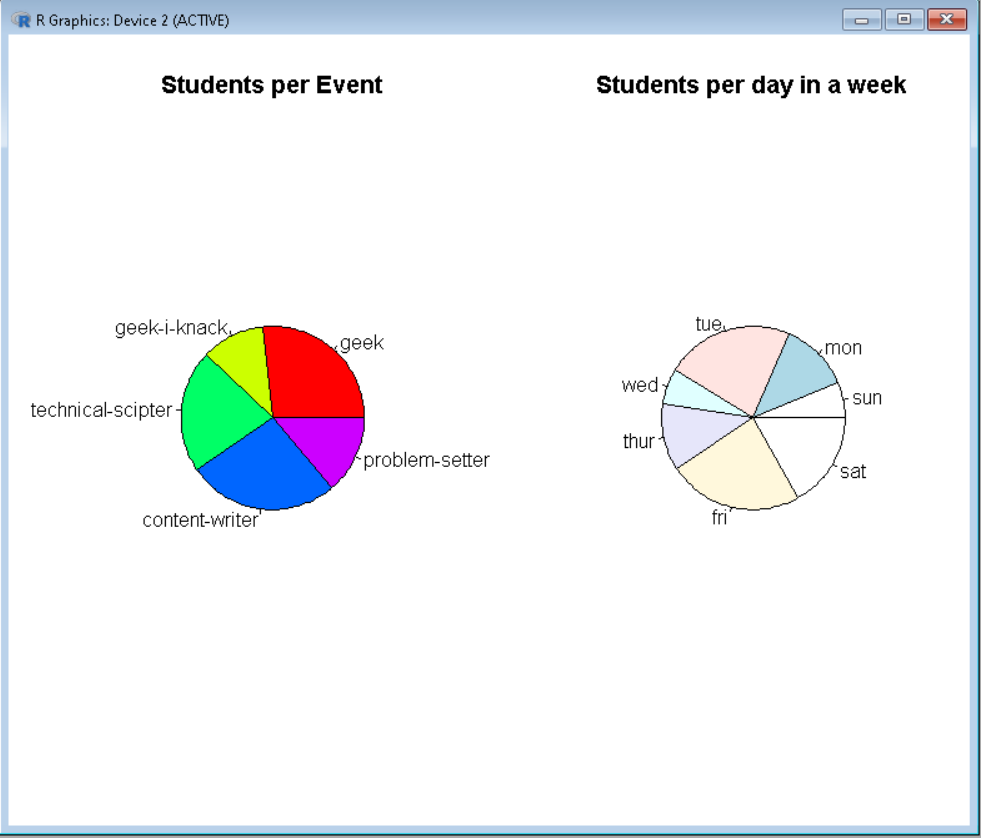
输出
方法2:使用ggplot2
在这里,grid.arrange()被用来在一个框架上排列图。
语法
grid.arrange(plot, nrow, ncol)
参数
- plot– 我们要安排的ggplot2绘图
- nrow- 行的数量
- ncol- 列的数量
在这里,绘图被正常和独立地绘制。然后,用这些图以及行和列的数量来调用该函数,以定义一个网格。
例子
# Define data-set columns
x1 <- c(31,13,25,31,16)
x2 <- c(12,23,43,12,22,45,32)
x3 <- c(234,123,210)

label1 <- c('geek','geek-i-knack','technical-scripter',
            'content-writer','problem-setter')
label2 <- c('sun','mon','tue','wed','thur','fri','sat')
label3 <- c('solved','attempted','unsolved')

# Create data frame using above
# data column
data1 <- data.frame(x1,label1)
data2 <- data.frame(x2,label2)
data3 <- data.frame(x3,label3)

# set the plotting area into a 1*3 array
par(mfrow=c(1,3))

# import library ggplot2 and gridExtra
library(ggplot2)
library(gridExtra)

# Draw the two pie chart using above datasets
plot1<-ggplot(data1, aes(x="", y=x1, fill=label1)) +
geom_bar(stat="identity", width=1) +
coord_polar("y", start=0)

plot2<-ggplot(data2, aes(x="", y=x2, fill=label2)) +
geom_bar(stat="identity", width=1) +
coord_polar("y", start=0)

plot3<-ggplot(data3, aes(x="", y=x3, fill=label3)) +
geom_bar(stat="identity", width=1) +
coord_polar("y", start=0)

# Use grid.arrange to put plots in columns
grid.arrange(plot1, plot2, plot3, ncol=3)
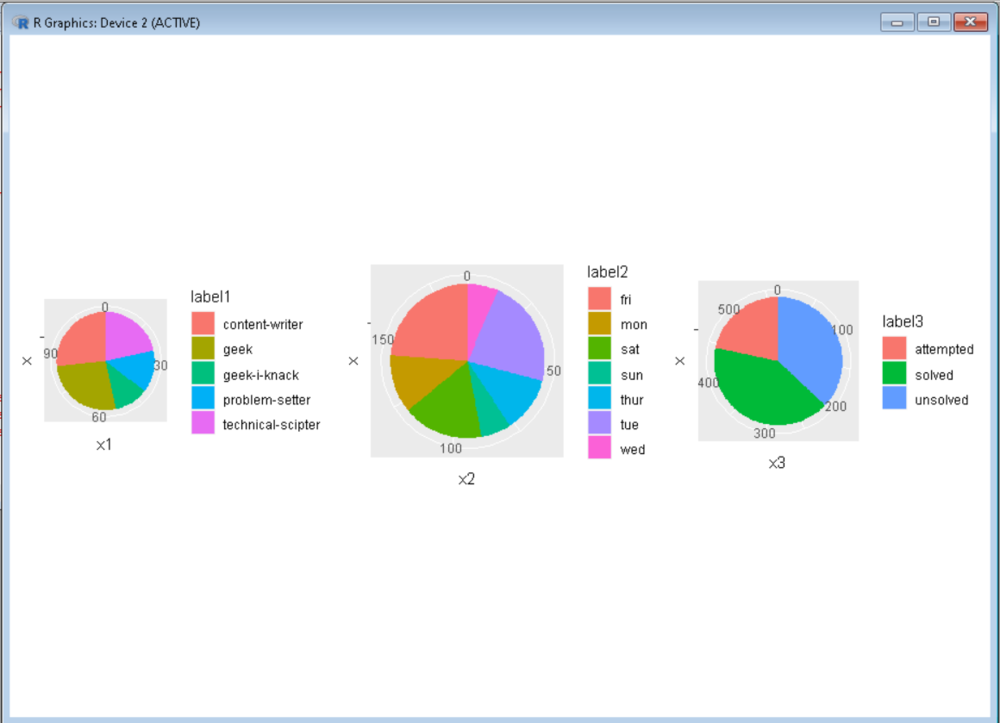
输出