极客教程
极客教程如何更改 Seaborn 线性回归 jointplot 的线条颜色?
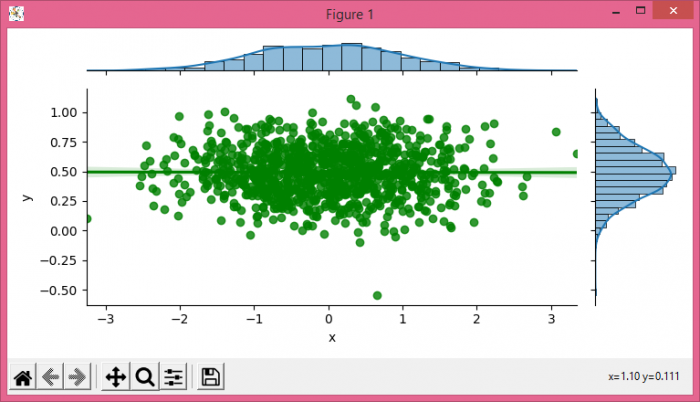
要更改Seaborn线性回归jointplot中的线条颜色,我们可以使用 jointplot() 方法中的 joint_kws 参数。
阅读更多:Python 教程
步骤
- 设置图形大小并调整子图之间和周围的填充。
- 使用numpy创建x和y数据点,以创建Pandas数据帧。
- 在 jointplot() 方法中使用 joint_kws 参数。
- 使用 show() 方法显示图形。
示例
import seaborn as sns
import numpy as np
from matplotlib import pyplot as plt
import pandas as pd

plt.rcParams["figure.figsize"] = [7.50, 3.50]
plt.rcParams["figure.autolayout"] = True

X = np.random.randn(1000,)
Y = 0.2 * np.random.randn(1000) + 0.5

df = pd.DataFrame(dict(x=X, y=Y))
g = sns.jointplot(x="x", y="y", data=df, kind='reg', height=3.5, joint_kws={'color':'green'})

plt.show()
输出