 极客教程
极客教程Node.js 如何解决“文件写入权限被EPERM阻止”问题
在Node.js中,当写入文件时,EPERM错误有时会阻止文件的写入权限。当一个进程没有适当的权限执行对文件的某个操作时,就会发生这个错误。在这种情况下,写入文件是被禁止的,并且不能重写。
问题: 假设我们想使用Node.js写入一个名为“data.txt”的文件,该文件位于项目目录中。但是,如果文件的写入权限受限,并且我们尝试写入该文件,就可能收到EPERM错误。
使用fs.writeFile()函数,我们尝试将字符串“Hello World!写入“data.txt”文件。如果在写入操作期间发生错误,错误消息将被发送到控制台。如果文件的写入权限受限,写入过程将停止并出现EPERM错误。
const fs = require('fs');

// Trying to write to 'data.txt' file
fs.writeFile('data.txt', 'Hello World!', (err) => {

    // If an error occurs
    if (err) {

        // Print the error message
        console.log(err);

        // Otherwise
    } else {

        // Print success message
        console.log('Data has been written to the file successfully.');
    }
});
输出:

解决方案: 我们可以先删除当前文件,然后创建一个同名的新文件来解决EPERM问题。可以使用 fs.unlink() 函数删除文件,然后使用 fs.writeFile() 方法写入新文件。
const fs = require('fs');

// First, try to delete the existing 'data.txt' file
fs.unlink('data.txt', (err) => {

    // If an error occurs, print the error message
    if (err && err.code !== 'ENOENT') {
        console.log(err);

    // Otherwise, print success message
    // and try to write a new file
    } else {
        console.log('File deleted successfully.');

        // Now try to write to the 'data.txt' file
        fs.writeFile('data.txt', 'Hello World!', (err) => {

            // If an error occurs, print the error message
            if (err) {
                console.log(err);

            // Otherwise, print success message
            } else {
                console.log('Data has been written '
                    + 'to the file successfully.');
            }
        });
    }
});
输出
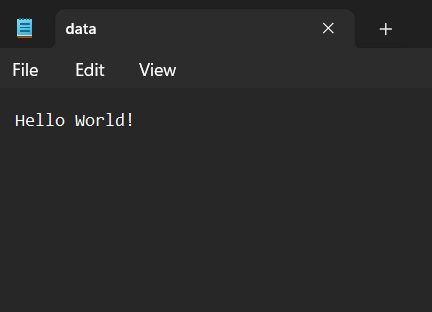
使用fs.unlink()技术,这段修改后的代码首先尝试删除已经存在的“data.txt”文件。如果在删除过程中出现错误消息,错误消息将发送到控制台。如果文件不存在,则忽略错误通知,这在代码第一次执行时经常发生。
如果删除操作成功,将使用fs.writeFile()函数创建一个具有相同名称的新文件,并将成功消息打印到控制台。如果在写操作过程中发生错误消息,错误消息将发送到控制台。如果写操作成功,控制台将打印成功消息。
通过删除当前文件并生成具有相同名称的新文件,该方法确保避免了任何文件写入权限问题,并且不会生成EPERM错误。