 极客教程
极客教程Node.js 如何使用’word-count’模块
‘ word-count ’模块是一个简单轻量的外部NPM模块,可以计算字符串中的单词数。这个模块提供了一个 count() 函数,通过忽略字符串中的特殊字符或符号来计算单词数。
安装: 首先,我们需要使用以下命令安装模块。打开终端,导航到与你的项目相同的文件夹,然后给出相同的命令来安装该模块。安装完成后,你的项目文件夹中会添加一个package.json文件,其中包含有关已安装模块的所有信息。
$ npm install word-count
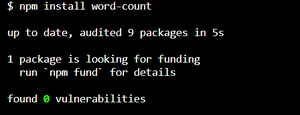
使用模块: 要在应用程序中使用这个模块,我们必须使用 require 关键字将模块合并到项目中。将字符串传递给模块以进行处理,然后在终端的控制台中显示输出结果。
const wordCount = require("word-count");
运行: 写完所有代码后,打开终端并使用给定的命令来运行 JavaScript 文件。这将计算输入字符串中的字数,并在控制台中显示结果。再次输入不同的字符串,每次都会产生不同的输出。
$ node index.js
index.js是JavaScript文件的名称。
示例1:
const wordCount = require("word-count");

// String to count
const str =
"GeeksforGeeks is the best website for computer science";

const count = wordCount(str);

console.log(`Number of words: ${count}`);
输出:
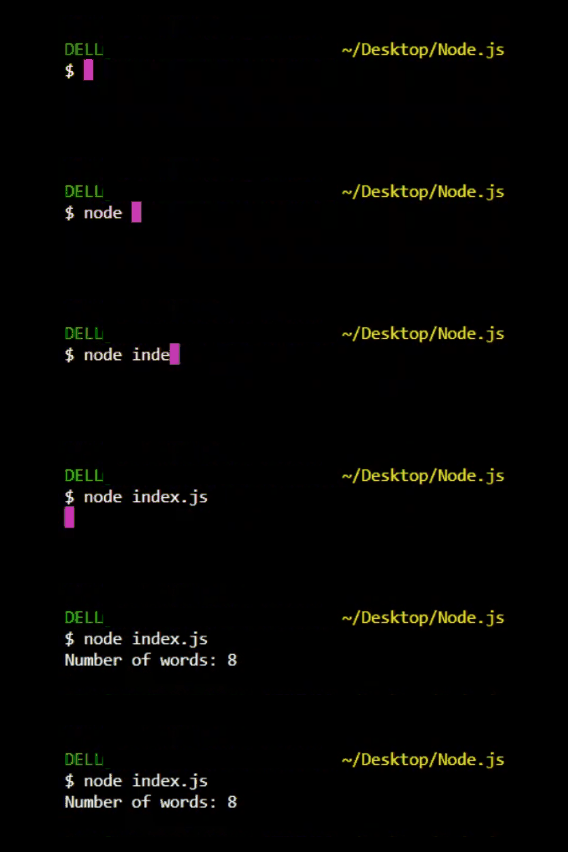
示例2:
const wordCount = require('word-count');

const myString =
'Hello world! This string contains five words.';

const numWords = wordCount(myString);

console.log(numWords); // 5
输出:
注意: 输入不同长度的字符串,将得到不同的结果。