极客教程
极客教程Fabric.js ActiveSelection stroke 属性
Fabric.js 是一个用于操作canvas的JavaScript库。canvas ActiveSelection是 fabric.js 的一个类,用于创建ActiveSelection实例。canvas ActiveSelection指的是ActiveSelection可以移动并且可以根据需求进行拉伸。在本文中,我们将使用stroke属性设置canvas ActiveSelection的描边颜色。
方法: 首先导入 fabric.js 库。在导入库之后,在标签中创建一个包含ActiveSelection的canvas块。然后,使用 Fabric.JS 提供的Canvas类和ActiveSelection类初始化一个实例,并使用stroke属性设置canvas ActiveSelection的描边颜色。
语法:
fabric.ActiveSelection(ActiveSelection, {
  stroke: string
});
参数: 此函数接受一个上述所提到并且下面进行描述的单一参数。
- stroke: 此参数接受一个字符串值。
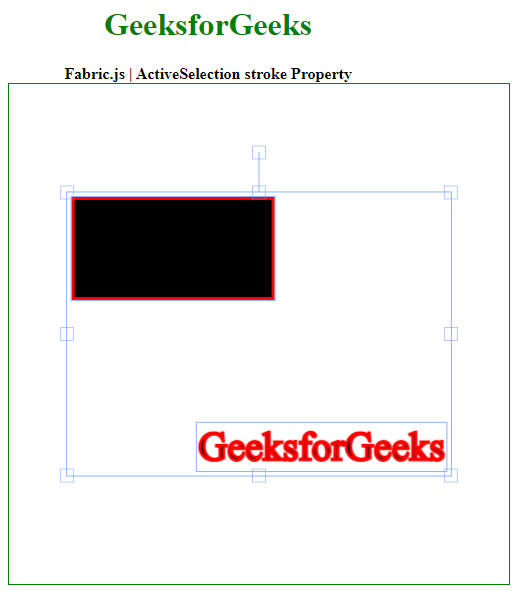
示例: 此示例使用 FabricJS 来设置画布ActiveSelection的stroke属性,示例如下。
<!DOCTYPE html>
<html>

<head>
    <!-- FabricJS CDN -->
    <script src=
"https://cdnjs.cloudflare.com/ajax/libs/fabric.js/3.6.2/fabric.min.js">
    </script>
</head>

<body>
    <div style="text-align: center;width: 400px;">
        <h1 style="color: green;">
            GeeksforGeeks
        </h1>
        <b>
            Fabric.js | ActiveSelection stroke Property
        </b>
    </div>

    <div style="text-align: center;">
        <canvas id="canvas" width="500" height="500"
            style="border:1px solid green;">
        </canvas>
    </div>
    <img src=
"https://media.geeksforgeeks.org/wp-content/uploads/20200327230544/g4gicon.png"
        width="100" height="100"
        id="my-image" style="display: none;">

    <script>
        var canvas = new fabric.Canvas("canvas");

        // Initiate a Rect instance
        var rectangle = new fabric.Rect({
            width: 200,
            height: 100,
            stroke: 'red',
            strokeWidth: 3
        });
        canvas.add(rectangle);

        var itext = new fabric.IText('GeeksforGeeks', {
            stroke: 'red',
            strokeWidth: 3
        });
        canvas.add(itext);
        canvas.centerObject(itext);

        var activeSelect = new fabric
            .ActiveSelection(canvas.getObjects(), {
                stroke: 'red',
                strokeWidth: 9
            })
        canvas.setActiveObject(activeSelect);
        canvas.requestRenderAll();
        canvas.centerObject(activeSelect);
    </script>
</body>

</html>
输出结果: